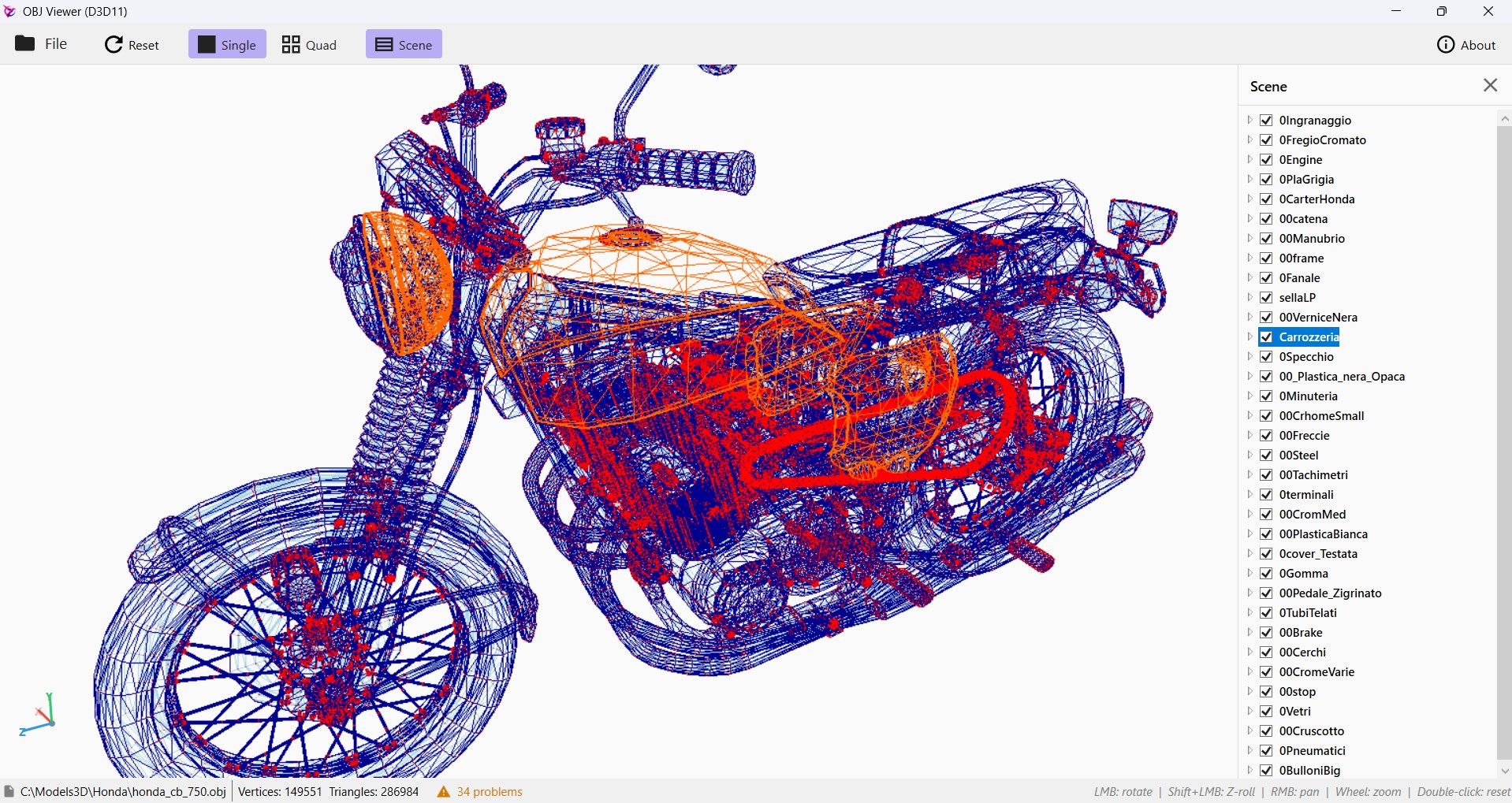
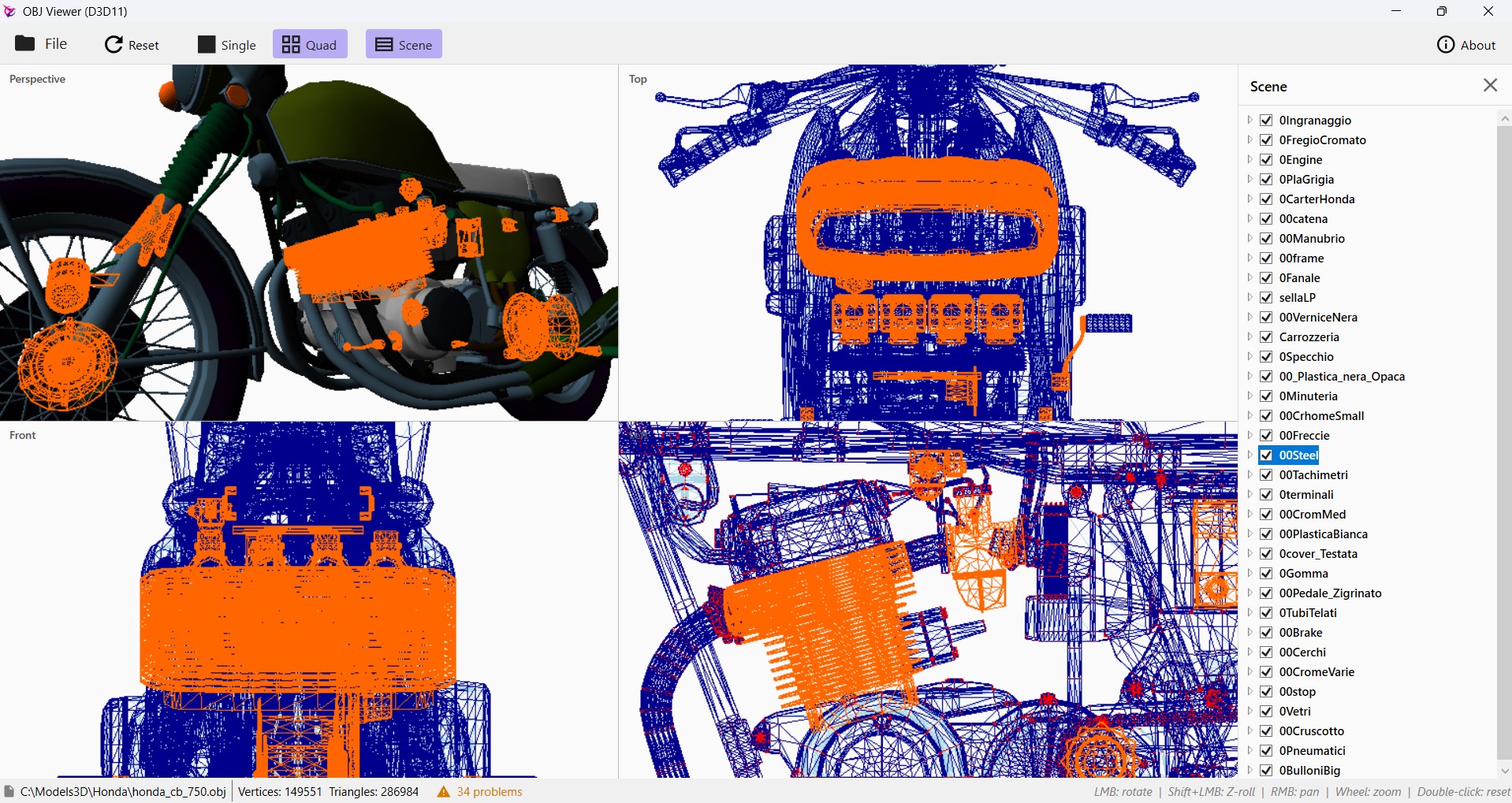
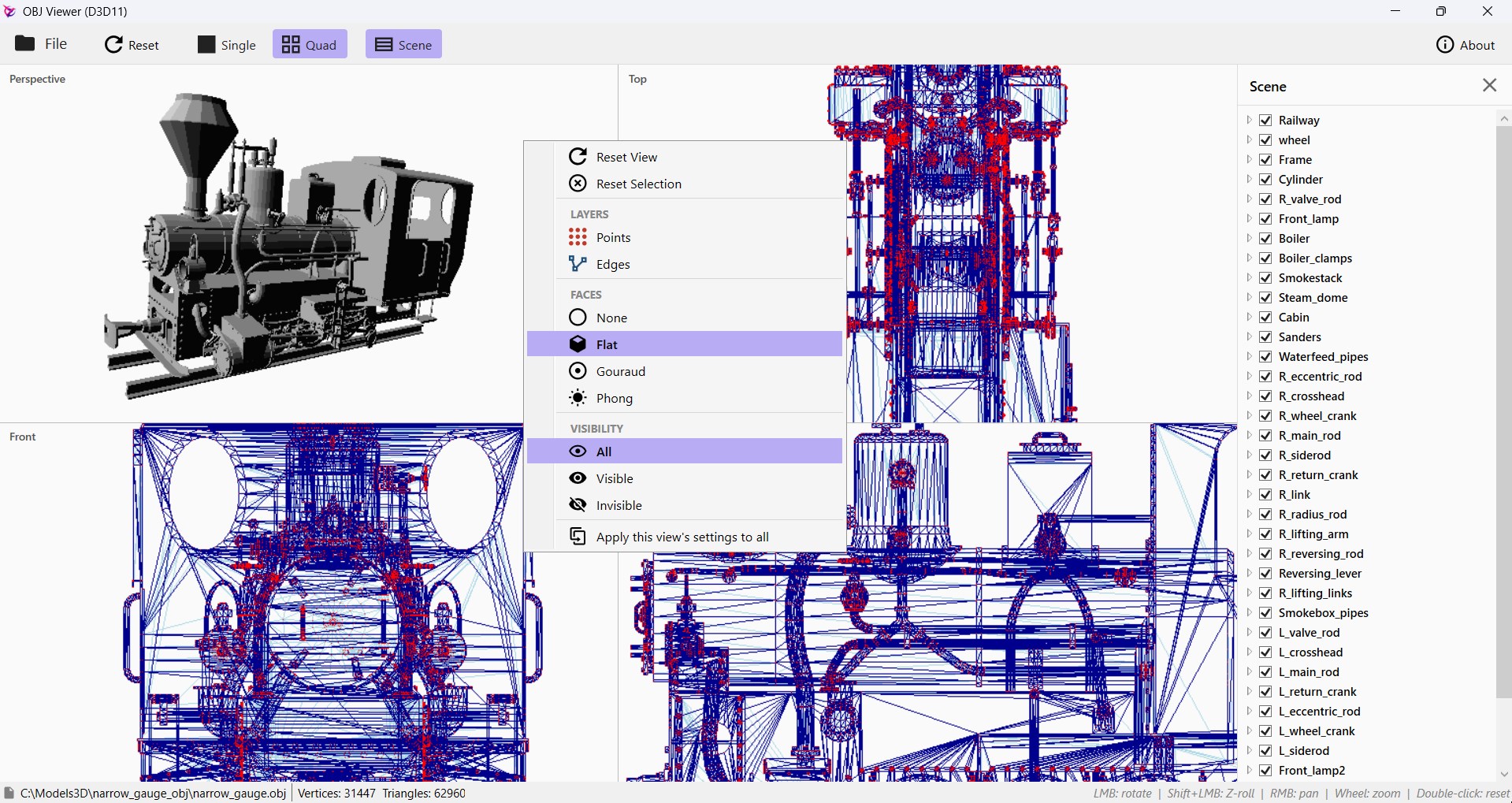
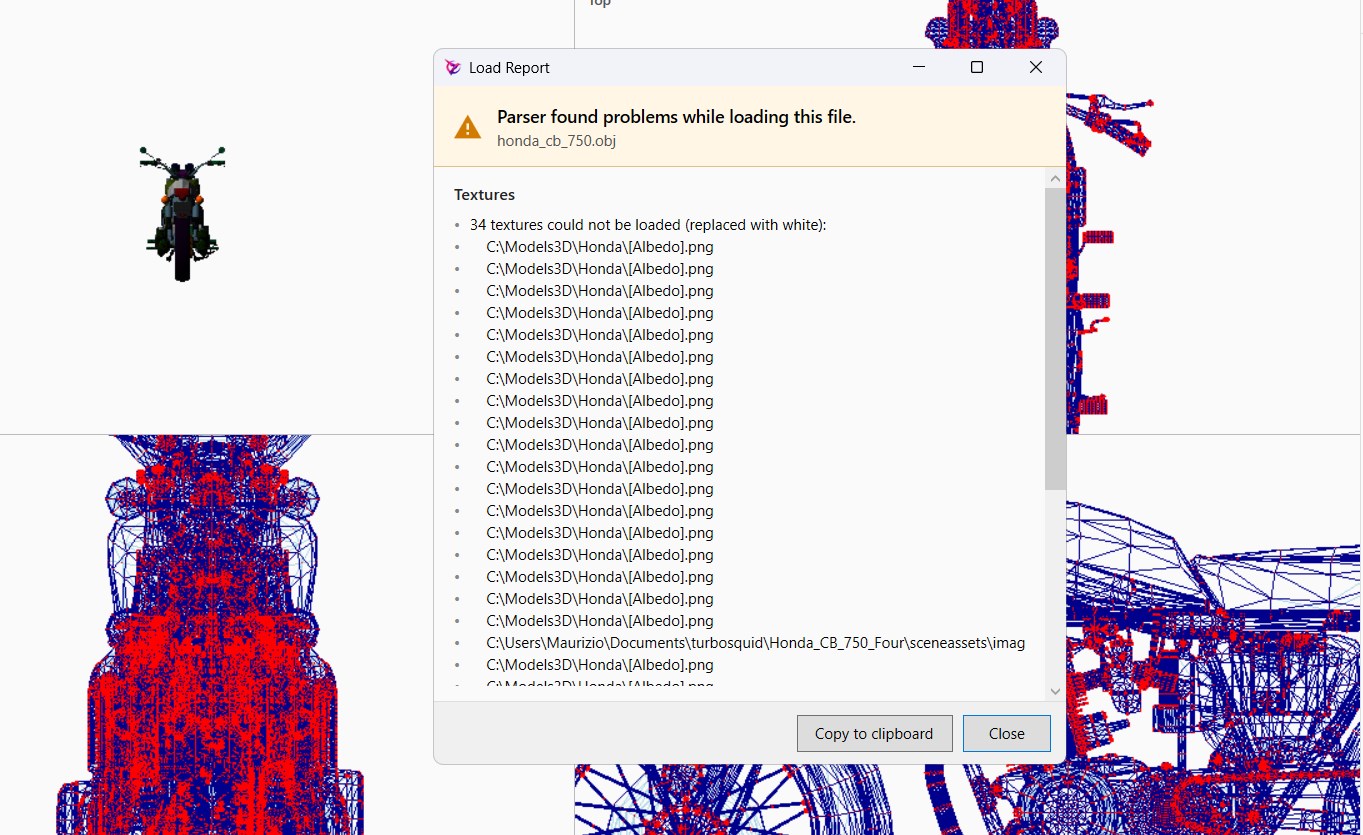
OBJ Viewer is a fast, focused desktop viewer for Wavefront OBJ files. Drop a model onto the window and start inspecting — no project setup, no import dialogs, no learning curve. **Features** - **Single or Quad view.** Switch between a full-window perspective camera and a 2×2 layout that adds locked Top, Front, and Left orthographic views. Drag in the perspective tile to rotate the model; the ortho tiles update in real time. Pan and zoom each ortho tile independently. - **Per-viewport rendering.** Right-click any tile to pick its own face mode (Flat, Gouraud, or per-pixel Blinn-Phong), wireframe edges, vertex points, and visibility filter. Apply the active settings to every tile with one click. - **MTL materials.** When the file references an `.mtl` library, each group is drawn with its own ambient / diffuse / specular / shininess values. The scene panel lists every group and material with a colour swatch and a visibility checkbox. - **Diffuse textures (`map_Kd`).** Bound per-submesh and sampled with trilinear filtering. Models without textures render with the material's flat colour. - **Scene inspection.** Click a group or material in the side panel to outline that submesh across all viewports in a bright accent colour. Click again to clear the selection. - **Async loading with progress + cancel.** Multi-million-line files (we tested with a 2.1 M-line Bugatti) load on a background thread while the UI stays responsive; a cancel button is always one click away. - **Drag and drop.** Drop an `.obj` file anywhere on the window — the app loads it through the same async pipeline as the File menu. - **Verify dialog.** Malformed files don't crash. After a load the app reports out-of-range indices, missing material libraries, unknown `usemtl` names, missing textures, and stripped UTF-8 BOMs. One click copies the full report to clipboard for bug-hunting. **Built for** - 3D modellers checking exports between DCC tools. - Students learning computer graphics — see the same model under different shading modes side by side. - Hobbyists opening assets from the internet without firing up Blender or Maya just to see what they look like. **Doesn't** - Edit geometry (read-only viewer). - Connect to the internet. The app makes zero network calls. The optional Contact link in the About dialog opens your default mail client. - Collect telemetry.
Photo & Video · Windows · Free