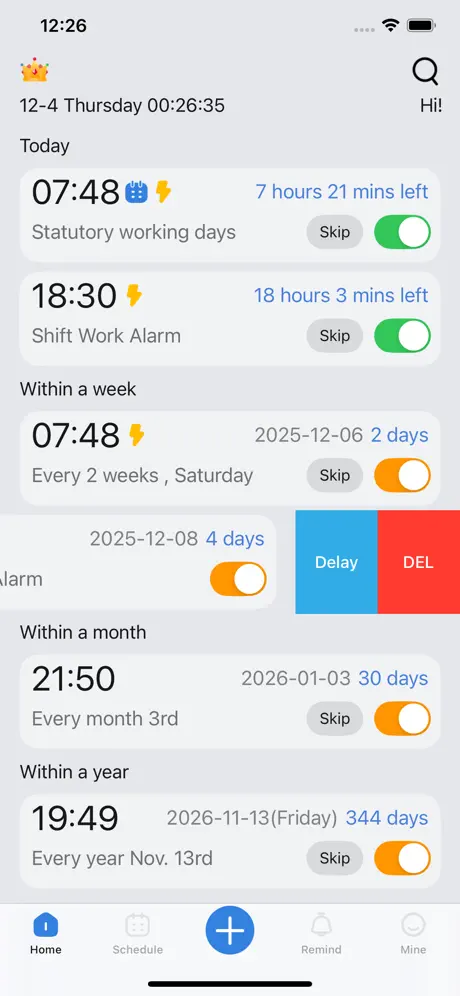
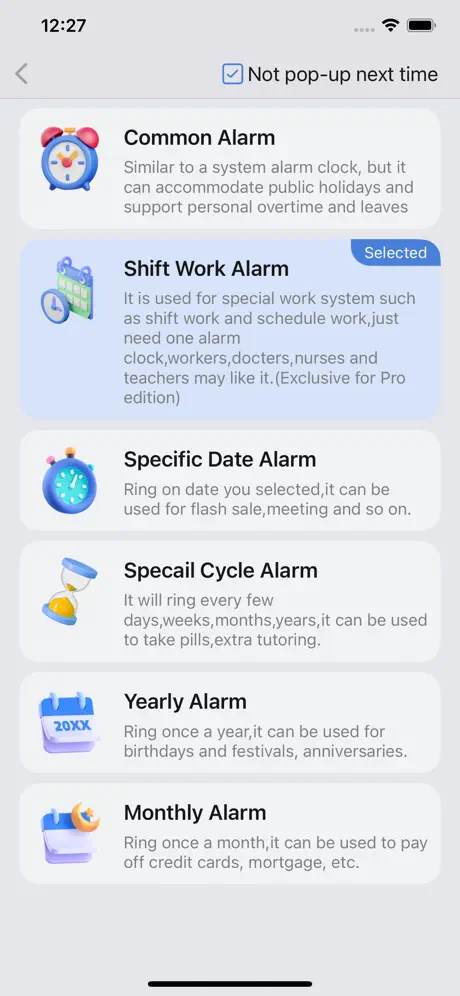
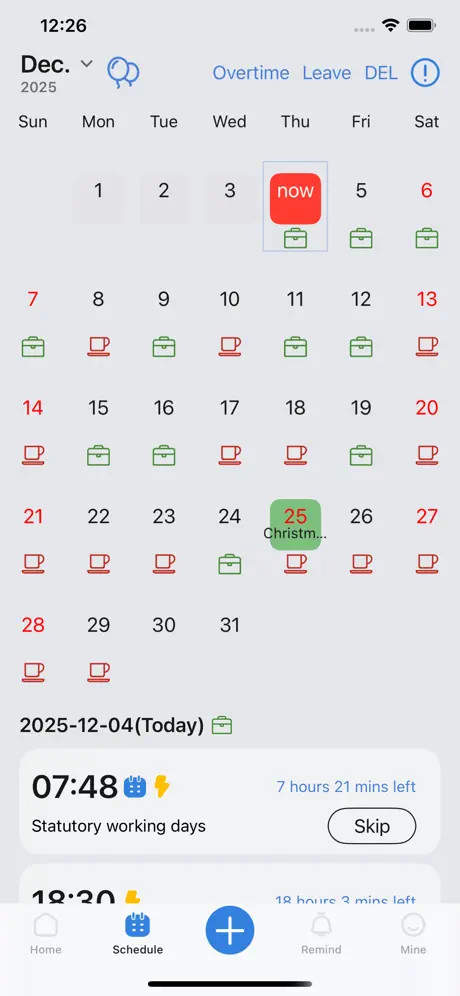
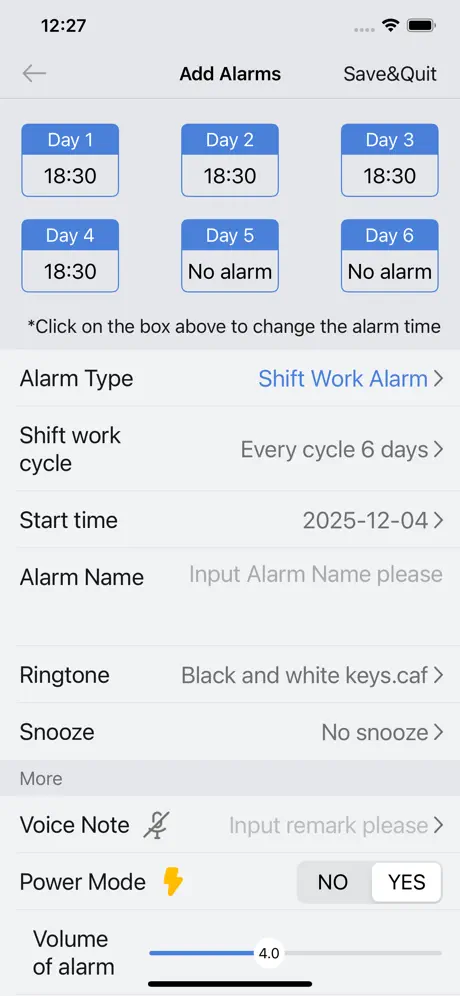
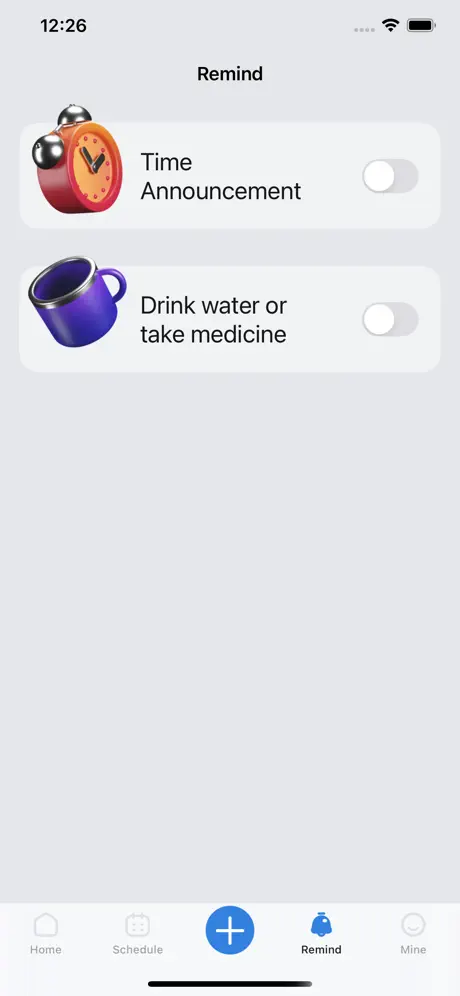
Supports multiple functions such as shift schedules, holidays, specific dates, and time reporting, meeting various needs in work and daily life: ● Common Alarm Clock: Flexibly adapts to official holidays, while supporting personalized scheduling for overtime days and leaves. ● Shift Alarm Clock: A boon for shift workers, requiring just one alarm to handle rotating schedules effortlessly. ● Specific Date Alarm Clock: Set reminders for specific dates, whether it's for snagging limited-time deals or renewing your driver's license. ● Monthly Alarm Clock: Set it once and get monthly reminders for tasks like credit card payments, rent, and more – even on specific weekdays of the month. ● Yearly Alarm Clock: Customized alerts for birthdays and anniversaries, ensuring you never miss those significant moments. ● Custom Recurring Alarm Clock: Stay on track with periodic reminders, perfect for events that repeat every year, month, week, or specific number of days, such as a 5.5-day work week. Featured Highlights: ◆Personalized Alarm Tones: Beyond our selection of 20 preset tones, craft your unique alarm sound using our integrated tone creator. ◆Flexible Controls: Choose to snooze, silence, or postpone alarms with a simple tap. ◆Water & Medication Reminder. ◆Time Announcements: iOS 13 and above users can tailor time announcements, keeping you aware of every passing moment. ◆Dark and Light Modes: Seamlessly adapts to your system theme, providing a comfortable nighttime experience. ◆Widget Support: Get a quick view of upcoming alarms right on your home screen. 【Automatic Renewal Instructions】 The Pro edition is an automatic renewal product,which will be charged from your Apple iTunes account upon confirmation of purchase and automatically renewed 24 hours before your one-year subscription period expires. To cancel the automatic renewal, please manually turn off the automatic renewal in the App Store account Settings 24 hours before the subscription expires. After the automatic renewal is turned off, the fee will not be deducted. Automatic Subscription to Professional Service Agreements https://www.flytiger.work/iOSProtocol.html Privacy Policy https://www.flytiger.work/iOSPrivacy.html
Utilities · iPhone, iPad, Android · Free
Rating: 4.4 out of 5, based on 68 user ratings.
The Story Behind OK Alarm I created OK Alarm because I was frustrated with traditional alarm apps. Most alarms are too simple for real life — they ring at fixed times, but life is not fixed. People have rotating shifts, changing schedules, holidays, special routines, and important reminders that ordinary alarm apps often fail to handle well. As an independent developer, I wanted to build an alarm app that is not just for waking up, but for helping people manage real-world schedules more reliably. OK Alarm was designed to solve problems I personally experienced and that many users face every day: Missing alarms because of complex or changing schedules Difficulty managing shift work and holiday-specific alarms Needing smarter reminders than a basic repeating alarm can offer Wanting stronger alarm options for heavy sleepers What makes OK Alarm special is its focus on flexibility and reliability. It supports advanced recurring schedules, holiday-aware alarms, shift alarms, and customizable alarm behaviors that go beyond what standard alarm apps offer. I also care deeply about user feedback. Many features were inspired directly by users from different countries, and the app keeps evolving based on real needs rather than trends. I built OK Alarm not as a generic productivity app, but as a practical tool people can trust every day — whether they need help waking up, managing work shifts, or remembering important moments. My goal is simple: make alarms smarter, more reliable, and more human.