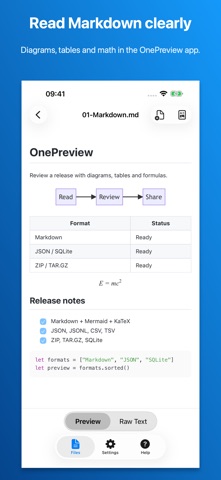
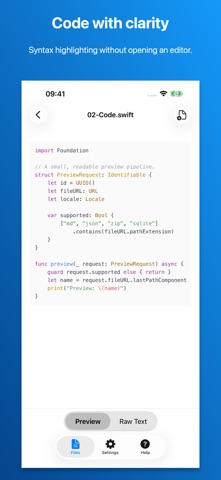
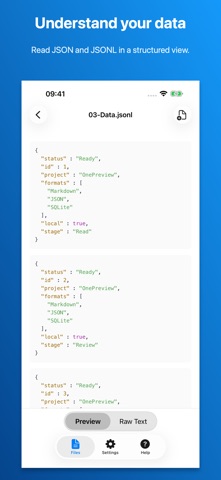
Preview Markdown, source code, structured data and archives on iPhone and iPad. OnePreview is a local-first file viewer with no account required. READ MARKDOWN, DIAGRAMS AND MATH View GitHub-style Markdown with tables, task lists and highlighted code. Switch between rendered content and source. Mermaid diagrams and KaTeX formulas use bundled rendering assets. EXPORT MARKDOWN TO PDF Open a standard Markdown file (.md or .markdown) in OnePreview to create an A4 PDF report. Check the actual PDF preview, with continued table headers, wrapped code, Mermaid diagrams and KaTeX formulas, then save it using the system file interface. Document content is processed on your device. INSPECT DATA, CODE AND ARCHIVES Read structured data and source code, inspect SQLite schemas and sample rows without editing the database, and see the folder hierarchy inside ZIP and TAR.GZ archives before extracting. SUPPORTED FORMATS Markdown (.md, .markdown), MDX, TextBundle, TextPack, JSON, JSONL, YAML, XML, CSV, TSV, TOML, ENV, INI, properties, Apple property lists (plist), SQLite (.sqlite, .sqlite3, .db), source code, plain text, logs, ZIP, TAR.GZ and TGZ. Syntax highlighting supports languages including Swift, Python, JavaScript, TypeScript, Java, C/C++, Objective-C, Ruby, Rust and Shell. OPEN YOUR FILES Tap Open File in OnePreview, or long-press a supported document in Files, choose Open With, then select OnePreview. A normal tap in Files may use Apple's built-in preview; OnePreview does not replace every system preview on iPhone or iPad. Try the sample folder from the home screen to explore supported formats.
Productivity · iPhone, iPad · Free
Rating: 5.0 out of 5, based on 1 user ratings.