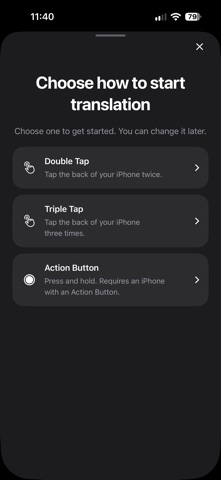
Translate text in screenshots, photos and your camera view. Read the translation on the image, compare it with the original, and copy or share the text. Add the screenshot shortcut and assign it to Back Tap or a supported Action Button. Video guides walk you through setup. Add the camera widget for quick access from your Home Screen or Lock Screen. Text recognition runs on your iPhone. Some translations send recognized text through our Cloudflare service to Google Gemini. Screenshots and camera frames stay on your device unless you choose to share them. Online translations use request limits to keep the service available. Paid subscriptions and subscriptions redeemed with offer codes use the same limits. Apple translation is available when the required languages are installed, including when an online request is unavailable. Apple may ask you to download language files before translating. Downloaded Apple languages can be used offline. Background screenshot previews require iOS 26 or later; earlier supported versions open the app. Camera translation requires a supported iPhone. Language availability and translation quality depend on your device and the translation service. Small text, low light and movement can affect results. Try the free access shown in the app, then subscribe to keep translating. Monthly and annual plans include all translation features. Eligible new subscribers can try them free for seven days when offered by Apple. After the trial, your selected plan renews at the price shown before purchase unless canceled. Prices vary by region. Manage or cancel in your Apple Account subscription settings. Deleting the app does not cancel your subscription. Privacy Policy: https://onscreentranslate.app/privacy/ Terms of Use: https://www.apple.com/legal/internet-services/itunes/dev/stdeula/ Support: https://onscreentranslate.app/support/
Utilities · iPhone, iPad · Free
Rating: 5.0 out of 5, based on 4 user ratings.