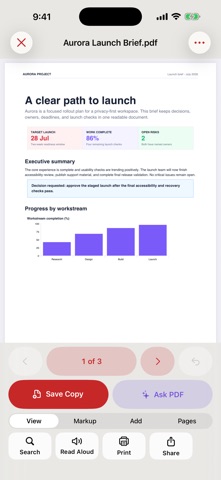
PDF Pro AI gives you 28 practical PDF tools in a private, iOS-native workspace. Open a document from Files, Mail, Safari, or another app, make the changes you need, and save a new copy while the original stays unchanged. EDIT AND REVIEW • Read, search, print, share, and listen to PDFs • Fill compatible AcroForm fields • Add text, signatures, highlights, opaque covers, stamps, and watermarks • Move, resize, edit, or delete app-created document blocks • Ask questions about extractable PDF text on device CREATE AND ORGANIZE • Scan paper documents with Apple's document scanner • Turn selected photos into a PDF • Merge PDFs and extract, rotate, delete, reorder, or number pages • Export rendered pages as PNG images CONVERT AND ENHANCE • Export extractable text as a Word-compatible RTF document • Recognize page text on device and export it as TXT • Enhance scanned pages into a clearer grayscale PDF copy COMPRESS AND PROTECT • Compress one PDF or a batch of PDFs into measured new copies • Choose high-quality, balanced, or small-file output • Protect a compatible PDF copy with a new password • Unlock a compatible PDF using its known password PRIVATE DOCUMENT ASSISTANT Ask questions or summarize extractable PDF text without uploading the document. Eligible devices can use Apple's on-device language model. Other supported devices use a clearly labeled local extractive result with source excerpts. BUILT FOR YOUR CONTROL • No account • No subscription or feature paywall • No advertising or tracking • No app-initiated document upload • Files, camera, photos, printing, and sharing are used only when you choose them Compatibility varies for malformed PDFs, XFA or JavaScript forms, certificate signatures, uncommon encryption, image-only search, and third-party PDF features. Word-compatible export contains extractable text rather than recreating the original layout. OCR and assistant results should be checked before relying on important details.
Productivity · iPhone, iPad · Free