
Screenshots


About PdfMan
PdfMan is a PDF iOS universal app which provides the capability to view PDF documents and manipulate PDF documents. It gives you the ability to read, print, manage, and share your PDF files. Using PdfMan, it is simple to add bookmarks, search text over all the pages, split pages from your PDF files.
PdfMan has a simple but powerful built-in file management system, so it is very easy to import PDF files into PdfMan or export them from PdfMan.
Features:
1. Manipulate PDF Documents
1) Split PDF document pages.
1) Merge two PDF documents.
2) Delete pages from PDF documents.
3) Extract pages from PDF documents.
4) Reorder pages in PDF documents.
2. Read PDF Documents
1) Browse a PDF Document using its outlines and bookmarks.
2) Browse a PDF Document using its links.
3) Powerful but simple to use full text search helps you find any text in your PDF document quickly and easily.
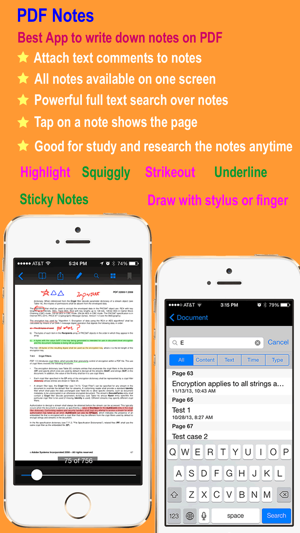
4) Browse a PDF Document using the notes you have taken.
5) Open password-protected PDF documents with a valid password.
6) Browse a PDF Document using thumbnail view.
3. PDF document sharing
1) Open PDF files directly from your email.
2) Send out PDF documents by email.
3) Print PDF document with your notes via AirPrint.
4) Print PDF document without your notes via AirPrint.
5) Open PDF files directly from any other apps which provide the ability to open a PDF file in another app.
6) Provide the ability to open a PDF file in another app.
7) Download from Dropbox or upload into Dropbox.
8) Download from GoogleDrive or upload into GoogleDrive.
9) Download from Sky Drive or upload into Sky Drive.
10) Download from Box or upload into Box.
11) Send and receive PDF files via AirDrop from iOS Device nearby made in 2013 or later.
4. File Management
1) Create folder or delete folder.
2) Copy, move, and delete a PDF or notes file.
3) Rename a folder.
4) Rename a notes or PDF file.
5) Display number of files in a folder.
6) Display file size and last modified date for a file.
7) Display statistics of a notes or PDF document, such as last open time, current page, etc.
8) Provide unlimited depth for folders(you can create subfolder of unlimited sub level).
AVALW Coverage
Not yet mentioned in AVALW articles.
Similar apps


 Phone by GoogleGoogle LLCReliable phone calls with spam protection, caller ID and more helpful features★ 4.4 52440k


 Google Play servicesGoogle LLCGoogle Play services - Google services for Android apps★ 4.3 44573k



 Call of Duty®: Modern Warfare® 4 (Windows)Activision Publishing Inc.War erupts on the Korean Peninsula as North Korea launches a full-scale invasion that threatens to destabilize the world in Call of Duty®: Modern Warfare® 4. A ★ 4.3 16579k


 gov.brServiços e Informações do BrasilGov.br is a means of user access to digital public services.★ 4.6 14047k


 MyTelkomsel – Buy InternetTelkomselBuy credit, internet quota, streaming, game voucher & get cashback with e-wallet★ 3.8 12353k


 myIM3: Data Plan & Buy PackageIndosat Ooredoo HutchisonCheck balance & quota, detect & block spam, exchange IMPoin only on myIM3★ 4.4 11302k


 Files by GoogleGoogle LLCClean up your phone, find files, play media, and share files offline★ 4.5 9097k


 CNH do BrasilServiços e Informações do BrasilDigital driver's license and vehicle registration certificate, first driver's license, traffic violation and vehicle information.★ 4.9 8390k
More by this developer


 PdfNotes+UMateYPdfNotes+ is a notes-taking iOS universal app which provides the capability to make notes on PDF documents and manipulate PDF documents. It gives you the abilit-


 Agile Math +UMateYPractice and improve your math competence all by yourself, or challenge your friends or anyone in the world with your Math competence in Agile Math. How fast ca★ 1.3 3


 zCountriesUMateYzCountries is a mobile tool for those interested in travel geography, and knowing more about the world. It provides four different views for the list of countri-


 PDF NotesUMateYPDF Notes is a professional universal iOS PDF viewer which provides the capability to make notes on PDF documents. It gives you the ability to read, annotate, p★ 1.0 1