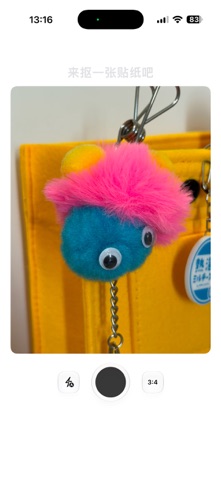
Peelit has a simple idea: turn the photos on your phone into little stickers you can place and arrange however you like. When you see a photo you like, press and hold. Peelit helps you cut out a person, pet, food or everyday object and turn it into a transparent sticker. Drag it onto a canvas, rotate it, resize it and create a scrapbook page, moodboard, wallpaper or a small scene that simply makes you happy. Take a photo or import one from your library. If a photo contains several subjects, choose the one you want to keep. As your collection grows, use tags, search and batch organization. If you record where a sticker was created, you can also revisit its location on a map. A canvas is more than a single image. Create multiple canvases, add text stickers and try outlines, dashed lines and holographic effects. Save a favorite arrangement as a Home Screen widget, or export, copy and save stickers and canvases to your photo library. Peelit does not require an account. Your photos, stickers, tags and canvases stay on your device and are not uploaded to the cloud. Use Peelit for digital scrapbooking, photo collages, collecting inspiration, family cards and wallpapers, or simply to keep the little things you love.
Photo & Video · iPhone, iPad · Free