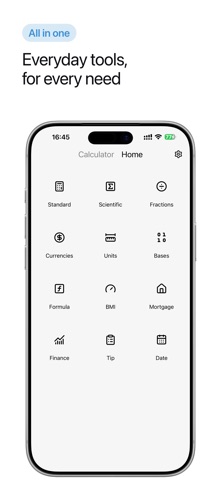
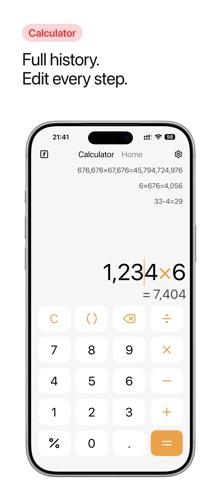
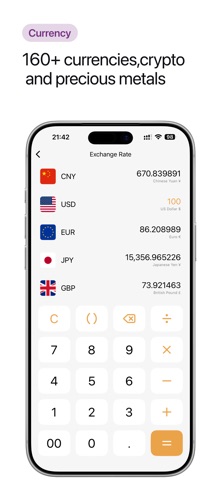
An all-in-one calculation app that brings together a standard calculator, scientific calculator, and a wide range of practical tools. It supports basic and scientific calculations, fractions, currency conversion, unit conversion, base conversion, BMI, custom formulas, financial calculations, and other everyday needs - all in one app. [CORE FEATURES] Standard & Scientific Calculator Perform addition, subtraction, multiplication, division, percentages, calculations with parentheses, powers, trigonometric functions, inverse trigonometric functions, and more. Access custom formulas directly from the Home screen to reduce repetitive input. Freely edit calculations, move the cursor, and double-tap to select the current number. Fraction Calculator Enter and calculate fractions with results displayed in fractional form - useful for school, exams, and everyday tasks. Currency Converter Convert between multiple currencies, precious metals, and cryptocurrencies for travel, online shopping, investing, and everyday reference. Unit & Base Converters Convert common units and number bases for study, work, programming, and everyday use. BMI Calculator Quickly calculate body mass index for everyday health tracking. Custom Formulas Use built-in formulas or create reusable custom formula templates to make repeated calculations faster. Financial Calculators Calculate compound interest and recurring investments for common financial planning needs. History & Editable Calculations View, favorite, delete, and recalculate previous results. Edit calculations directly, so a typo never means starting over. Light & Dark Mode Switch between light and dark themes. [CONTACT US] Email: kingstar19900516@gmail.com QQ Group: 835604202
Utilities · iPhone, iPad, Android · Free
Rating: 4.7 out of 5, based on 351 user ratings.