
Screenshots




About Planify – AI Planner & To-Do
Make room for what matters and for plans that change.
Planify brings your schedule, to-dos, routines and focus sessions together in an iPhone planner you can make your own.
PLAN YOUR DAY
See your tasks and events from connected calendars together in Schedule. Planify supports Apple, Google, and Outlook calendars, plus Canvas calendars, Notion database dates, and Blackboard calendar feeds. With Apple Calendar access, view existing events and edit or delete events in Planify where the calendar permits changes. Connect Google Calendar to view its events in Planify, with links to edit or delete them in Google Calendar. Google Calendar access in Planify is read-only.
TURN IDEAS INTO A PLAN
Plany helps turn typed or spoken ideas, photos, and selected PDF text into editable draft plans. Review and approve suggestions before they change your plan. Cloud AI requires your consent to share the selected content with its service providers.
KEEP THE NEXT STEP CLEAR
Organize to-dos, build routines and use focus sessions to give one thing your attention. Add reminders and keep your plan close with widgets.
MAKE IT YOURS
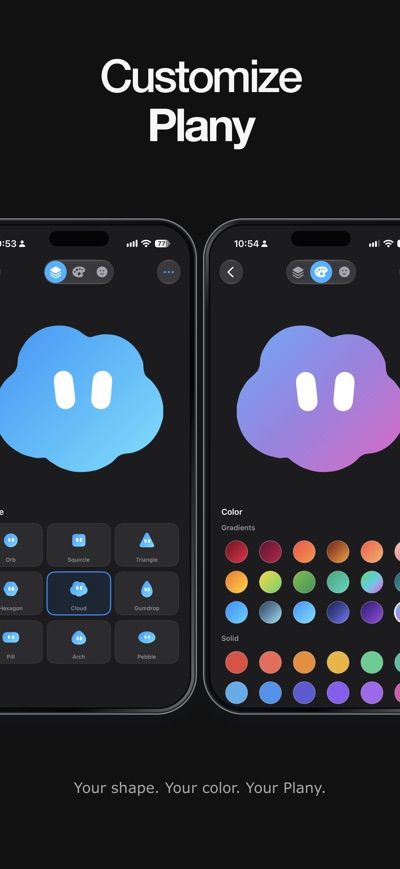
Choose colors and appearance options that feel right for your day.
START WITH FREE PLANNING
Create an account or sign in with Apple, Google or email to get started. Planify 1.1 is for adults 18 and older. Manual planning is included for free. Eligible Free accounts include 30 cloud AI requests per month. Planify Pro includes 1,000. Plany cloud AI requires a supported U.S. network connection and is subject to service limits. Optional Pro subscriptions are available in the app, with prices and any eligible trial shown before purchase.
Subscriptions renew automatically unless canceled at least 24 hours before the end of the current period. Manage or cancel your subscription in your Apple Account settings. Any unused free-trial period is forfeited when purchasing a subscription, where applicable.
For help, open Support in the app.
Privacy Policy: https://useplanify.app/privacy
Terms of Use: https://www.apple.com/legal/internet-services/itunes/dev/stdeula/
AVALW Coverage
Not yet mentioned in AVALW articles.
Similar apps


 MyJio: For Everything JioJio Platforms LimitedTrue 5G, recharges, payments & UPI, music & movies, backup, games, news & more.★ 4.4 27428k


 Microsoft WordMicrosoft CorporationThis application requires a qualifying Microsoft 365 subscription. Microsoft 365 includes premium Word, Excel, and PowerPoint apps, 1 TB cloud storage in OneDri★ 4.8 17535k



 Samsung NotesSamsung Electronics Co, Ltd.(Samsung Notes is optimized for Samsung Galaxy Books. Other computers may have issues running it.) "Samsung Notes allows you to use the enhanced S Pen to write ★ 4.8 15228k



 ChatGPT ClassicOpenAIThe official ChatGPT desktop app brings you the newest model improvements from OpenAI. Do more on your PC with ChatGPT: · Instant answers—Use the [Alt + Space] ★ 4.8 11034k


 ChatGPTOpenAI OpCo, LLCIntroducing ChatGPT for iOS: OpenAI’s latest advancements at your fingertips. This official app is free, syncs your history across devices, and brings you the l★ 4.8 11034k


 Microsoft OutlookMicrosoft CorporationOutlook helps you stay connected and organized at the office and at home with easy access to emails, files, calendar events, and contacts across all your accoun★ 4.3 10673k


 Turbo VPN: Unlimited VPN ProxyINNOVATIVE CONNECTING PTE.LIMITEDDo you want online security and privacy while browsing? Turbo VPN now provides the fastest, reliable and encrypted network. With Turbo VPN, you can get the safe★ 4.7 10243k



 Microsoft ExcelMicrosoft CorporationThis application requires a qualifying Microsoft 365 subscription. Microsoft 365 includes premium Word, Excel, and PowerPoint apps, 1 TB cloud storage in OneDri★ 4.8 9702k


