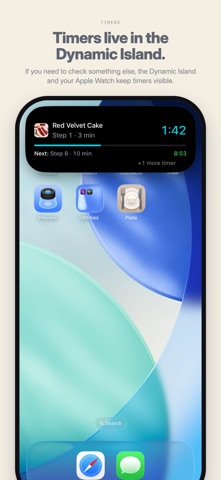
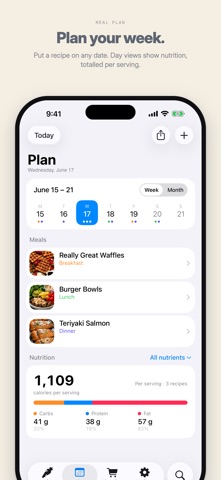
Features - Recipes - Add recipes from your websites, photos, PDFs, text, or enter them yourself - Organization - Keep your recipes organised by creating collections and categories - Shopping Lists - Add ingredients to your shopping list from a recipe, or as you plan. Lists are synced to Reminders, so you can share them with family - Planning - Plan which meals you want to make on which days. Weekly or monthly calendar views. - Sync - Your data automatically syncs across your devices using iCloud, if you change to a new device the data will automatically load - Scaling - Scale ingredients quickly and easily - Cook - Keep the screen on while cooking, use Cook Mode to increase the text size and avoid accidental swipes, cross off ingredients or highlight the current step - Ingredients - Tap highlighted ingredient names in instructions, to see the details inline without having to switch tabs or scroll back to the ingredients - Timers - In instructions, times are highlighted and you can tap them to start a timer - Conversion - Tap an ingredient unit or quantity to see its conversion to comparable units. Tap a temperature to see its conversion to the counterpart unit (Celsius or Fahrenheit) - Import - Import from Paprika, Recipe Keeper, Crouton or Plate's own export - Export - Export to Paprika, Recipe Keeper, Crouton or Plate's own export - Search - Find recipes by keyword, source website, category, collection and more - Share - Share one or more recipes and meal plans via email, iMessage, PDF, or plain text format - Print - Print one or more recipes, or save it as PDF - Extensions - Share recipes directly to Plate from Safari to import it
Food & Drink · iPhone, iPad · Free