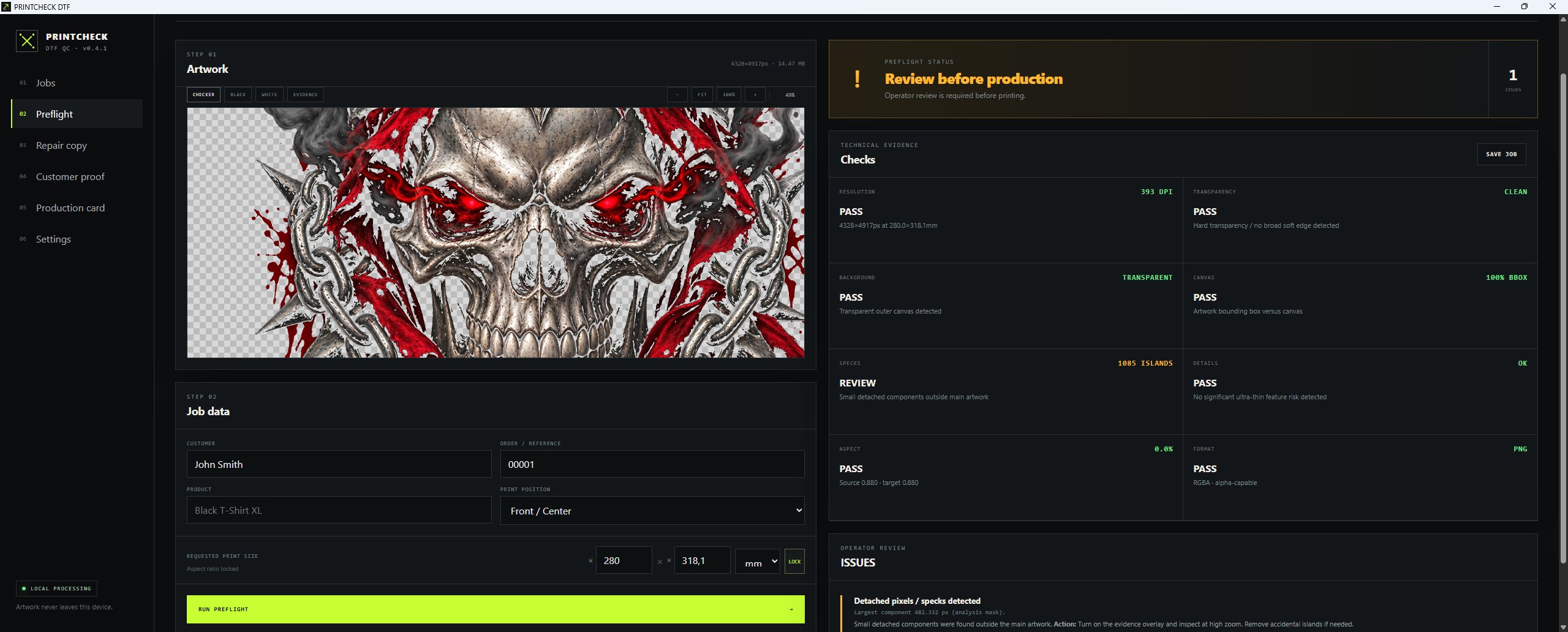
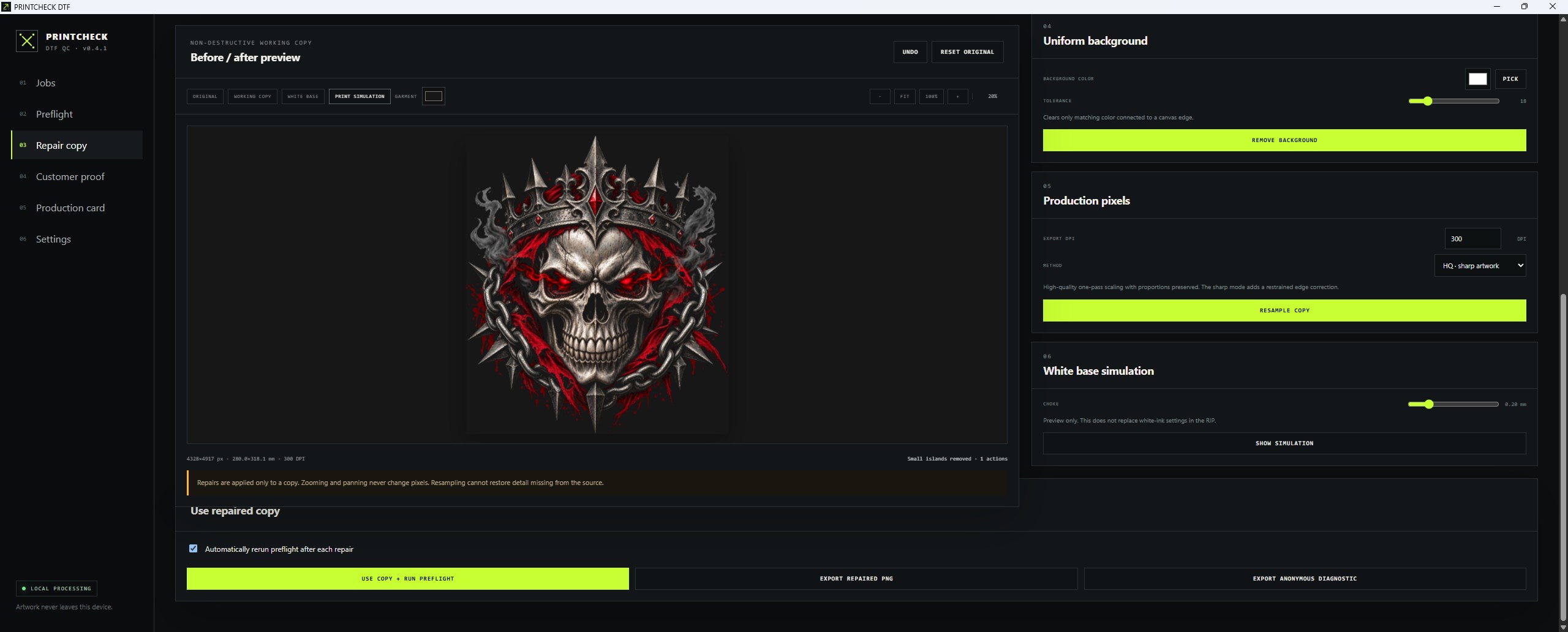
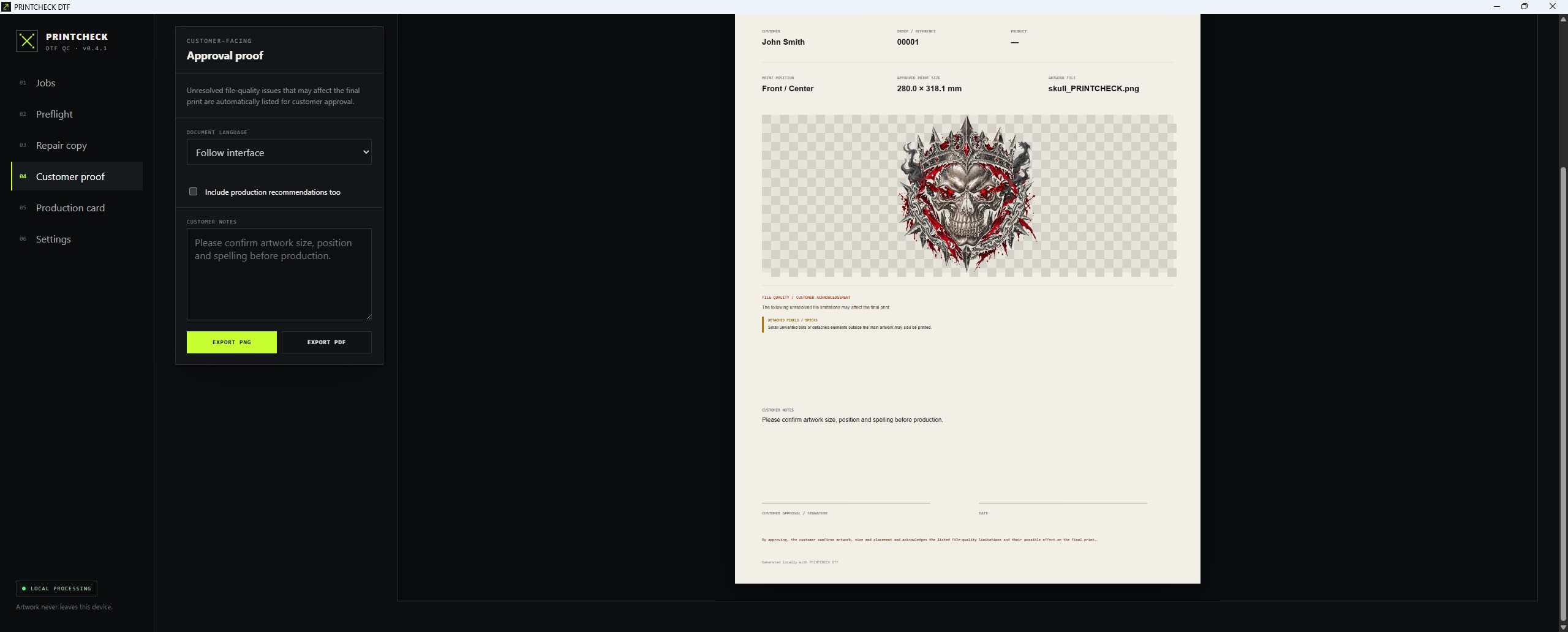
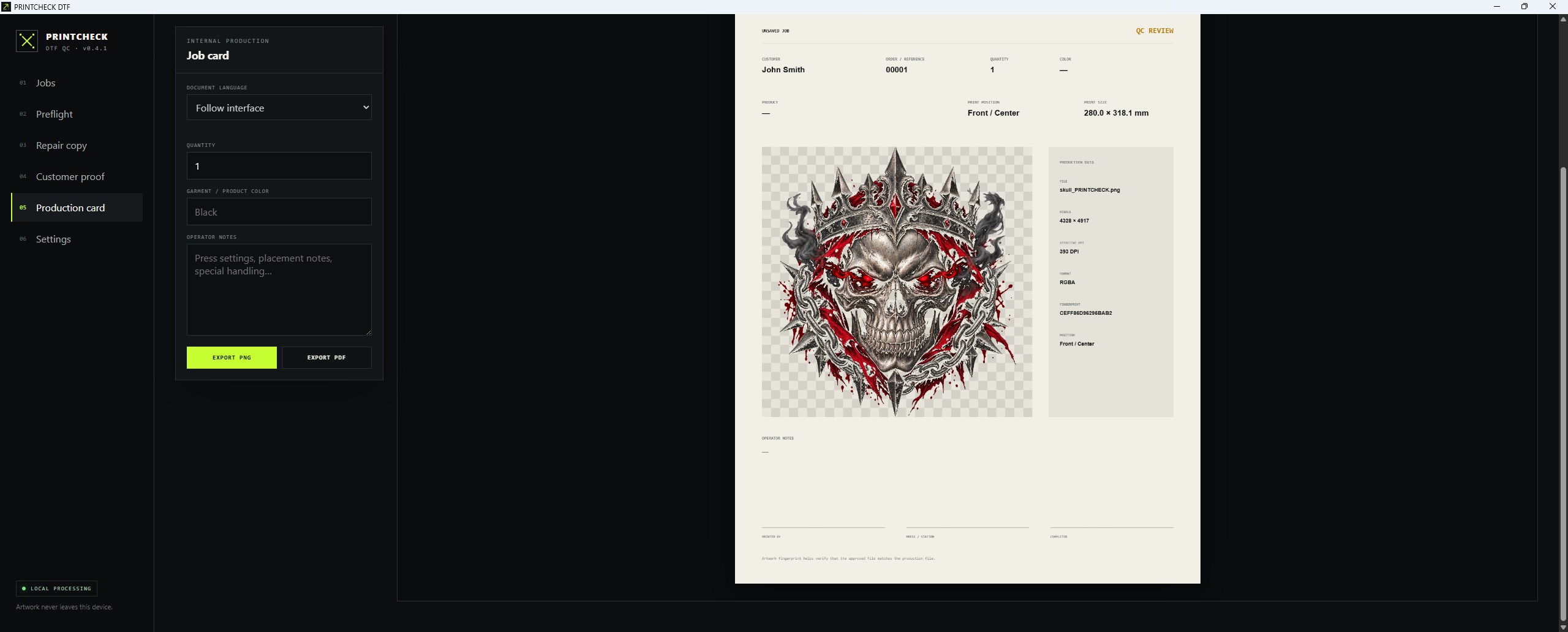
PRINTCHECK DTF is a local preflight and artwork-preparation tool for direct-to-film printing. Load a PNG or JPG file, enter the intended print dimensions and check the artwork before using film, ink, powder and production time. The application checks: • pixel dimensions and effective DPI at the intended print size, • transparency and semi-transparent edges, • unwanted backgrounds, • excessive empty canvas margins, • detached pixels and small isolated elements, • very thin details, • aspect-ratio compatibility and file information. The Repair Copy workspace lets you work on a separate copy while keeping the original file unchanged. It can crop transparent margins, apply an alpha threshold, remove small isolated components, remove a uniform background connected to the edge and resample the artwork to production dimensions. Smooth and restrained sharp scaling modes are available, together with zoom, pan, undo and original-versus-working-copy comparison. PRINTCHECK DTF can also create customer approval sheets and internal production cards in PDF or PNG format. Print position, custom placement, sleeve side, customer information, production notes and shop contact details can be included in the generated documents. Jobs, QC profiles and settings can be stored locally and exported as backups. The interface and generated documents support English, German and Polish. All artwork processing takes place locally on the computer. PRINTCHECK DTF does not upload files, require an account or use advertising, analytics, telemetry or tracking. The Microsoft Store edition includes all available tools and does not require a separate activation code. PRINTCHECK DTF is an operator-assistance tool. Its results do not replace operator inspection, a test print or the correct configuration of RIP software.
Photo & Video · Windows · Free