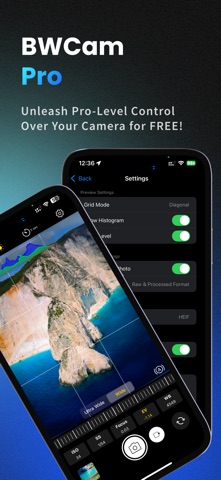
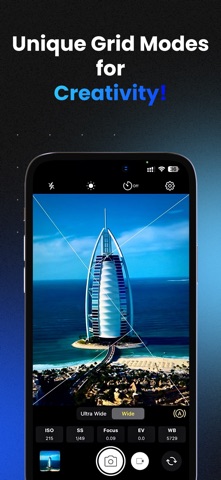
Pro Camera – BWCam Pro | Manual DSLR Camera, RAW Photo, 4K Video & Video Editor Turn your iPhone into a professional manual camera with true DSLR-style control over ISO, shutter speed, focus and white balance — then finish the shot with 90 cinematic filters, a full photo editor and a multi-track video editor, all in one app. BWCam Pro is built for photographers, filmmakers, vloggers and creators who want complete manual control and a real editing workflow without ever leaving the app. Capture it. Then create it. No watermarks, ever. PROFESSIONAL MANUAL CAMERA CONTROLS Take control of your camera like a real DSLR: Manual ISO Control Manual Shutter Speed (SS) Manual Focus Exposure Compensation (EV) White Balance (WB) Adjustment Auto & Full Manual Shooting Modes Tap to Focus, Tap to Expose, Tap to Lock Split Focus & Exposure Mode Ultra Wide, Wide & Telephoto Lens Switching Pinch to Zoom Front & Back Camera Every control adapts to what your lens actually supports. RAW PHOTOGRAPHY & HIGH-RESOLUTION CAPTURE RAW Photo Capture RAW + Processed Capture in One Shot HEIF, JPEG & TIFF Output CINEMATIC 4K VIDEO RECORDING 4K, 1080p HD & 720p Recording Frame Rates: 24, 30, 60, 120 and 240 fps Slow Motion at High Frame Rates Manual ISO, Shutter Speed & White Balance Stabilization: Standard, Cinematic, Cinematic Extended Efficient HEVC Encoding Live Histogram & Level While Recording 90 CINEMATIC FILTERS Transform your photos with beautifully crafted, professionally built LUT looks — previewed live on screen before you press the shutter. Nine curated collections: Cinematic Film Looks Black & White Filters Portrait Filters Moody & Dramatic Effects Landscape Looks Nature & Wildlife Tones Lifestyle & Commercial Looks Vintage Film Prints Colour Boost Styles Filters also apply to any clip inside the video editor. FULL VIDEO EDITOR Cut your footage into a finished film without leaving BWCam Pro: Multi-Track Timeline with Pinch-to-Zoom Trim, Split & Rearrange Clips Speed Control from 0.1x to 3x Freeze Frame 12 Transitions — Dissolve, Fade, Slide, Wipe and Zoom Picture-in-Picture Overlay Layers Pinch, Drag & Rotate Overlays on Canvas Crop & Transform Any Clip Per-Clip Filters & Colour Adjustments Per-Clip Volume & Mute Mix Video and Photos on One Timeline Aspect Ratios: Original, 9:16, 1:1, 16:9, 4:3, 3:4 Export at 720p, HD or 4K with your choice of frame rate and audio bitrate — straight to your photo library, with no watermark. PHOTO EDITOR 90 LUT Filters Brightness, Contrast, Saturation, Vibrance, Hue, Warmth & Sharpness Precision Crop & Straighten Before / After Compare Save Directly to Your Photo Library PRO COMPOSITION & MONITORING TOOLS Composition Grids: Rule of Thirds, Golden Triangle, Phi Grid, Diagonal Live RGB Histogram Horizon Level Indicator Shutter Timer: 3, 5 or 10 seconds Silent Shutter Option Flash & Torch Control Optional GPS Location in Photo Metadata PERFECT FOR Professional Photographers Filmmakers & Cinematographers Travel & Street Photography Portrait Photography Social Media Creators & Vloggers WHY CHOOSE BWCAM PRO? DSLR-style manual camera controls 90 professional LUT filters RAW photo capture 4K video recording up to 240 fps Complete photo and video editing built in Clean, fast, professional interface No watermarks Stop relying on automatic settings. Take full creative control with BWCam Pro — the professional camera and editor for iPhone. Download BWCam Pro today and shoot like a pro. Premium unlocks unlimited captures and exports as an auto-renewing monthly or annual subscription. Payment is charged to your Apple Account at confirmation of purchase and renews automatically unless cancelled at least 24 hours before the period ends. Manage or cancel anytime in Apple Account settings. Privacy Policy: https://sites.google.com/view/muhiminulislam/privacy-policy Terms of Service: https://sites.google.com/view/muhiminulislam/terms-conditions Support: app.care.muhiminul16@gmail.com
Photo & Video · iPhone, iPad · Free
Rating: 5.0 out of 5, based on 26 user ratings.