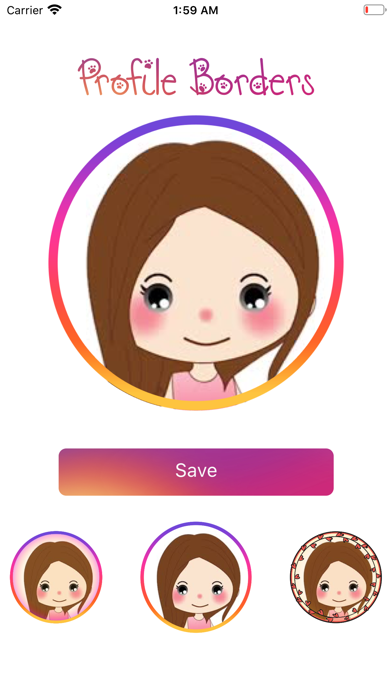
Give your profile picture a beautiful frame in seconds. Profile Borders puts a stylish border around your photo, ready for any social network, messaging app or contact card. Take a new photo or choose one from your library, pick a border, and your new profile picture is ready to save and share. HOW IT WORKS 1. Choose a photo — take a new one or pick any photo from your library. 2. Frame your face — pinch and drag to position your photo inside the circle. 3. Pick a border — every border previews live on your own photo. 4. Save & share — save a high-resolution picture to Photos, set it as a contact photo, or send it to any app. BORDERS FOR EVERY STYLE • A growing collection of frames, from gradient rings to floral wreaths • Live previews of every border on your own photo • Borders spin smoothly into place as you switch between them • Your photo and favorite border are remembered for next time ONE SUBSCRIPTION, EVERY APP A Profile Borders subscription also unlocks our suite of creator apps, including Carousel, Fonts Keyboard, Fonty, CaptionFonts and Device Tracker! PRIVATE BY DESIGN Your photos are edited 100% on your device and never uploaded. Profile Borders only sees the photos you choose, and no account, ads or tracking are involved. SUBSCRIPTION & AUTO-RENEWAL • Saving and sharing your bordered pictures requires a Profile Borders subscription. Previewing every border is free. • Profile Borders is available as a monthly subscription with a free trial for new subscribers. • Payment is charged to your Apple Account upon purchase confirmation. • Subscriptions renew automatically unless turned off at least 24 hours before the end of the current billing period. • Your account will be charged for renewal within 24 hours prior to the end of the current period. • Manage or cancel subscriptions anytime in Settings > Apple Account > Subscriptions. Privacy Policy: https://paddyviewfoundry.com/profileborders/privacy Terms of Use: https://paddyviewfoundry.com/profileborders/terms
Social · iPhone, iPad · Free
Rating: 3.0 out of 5, based on 1 user ratings.