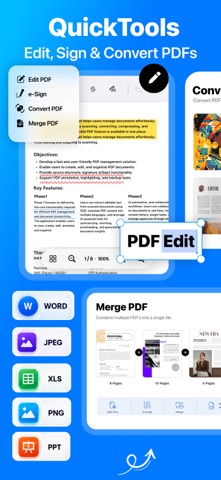
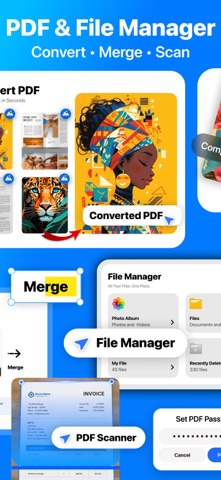
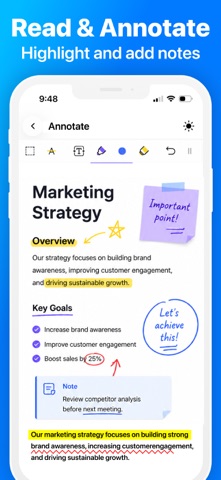
Edit PDFs, compress videos, convert files and organize everything in one app. QuickTools brings 30+ everyday tools for PDFs, documents, photos, videos, GIFs, audio and files into one simple workspace. Get more done without switching between multiple apps. PDF & DOCUMENTS Create, edit and manage PDFs on your iPhone or iPad. • Convert images, Word, PowerPoint and Excel files to PDF • Scan documents and save them as PDFs • Edit and annotate PDF pages with text, drawing and watermarks • Merge and split PDFs, reorder pages and jump to any page • Fill out forms and sign documents with eSign • Protect and unlock PDFs with passwords FILES & ORGANIZATION Keep your documents and media organized. • Import files from Photos or the Files app • Create folders and organize your file library • Search your files and folders • Automatically save files created with QuickTools • Recover deleted files from Recently Deleted PHOTO TOOLS Convert and compress images for everyday use. • Compress photos to save storage space • Convert images between JPG, PNG and HEIC formats • Create passport and ID photos • Capture photos with Dual Camera VIDEO & GIF TOOLS Manage, compress and convert your videos. • Compress videos to a target file size • Convert videos between supported formats • Extract video frames as images • Extract audio from videos • Trim video clips • Convert videos to GIFs and GIFs to videos AUDIO TOOLS Work with audio files in one place. • Convert audio between supported formats • Trim audio files • Merge multiple audio tracks STORAGE & FILE UTILITIES Find and manage files taking up space on your device. • Find large videos and other files • Delete unwanted files • Create ZIP archives and extract ZIP files EVERYDAY UTILITIES Access useful tools for daily tasks. • Generate QR codes • Generate passwords • Test internet speed • Run device and hardware tests ONE WORKSPACE FOR YOUR FILES & MEDIA QuickTools brings essential file management, document editing and media utilities together in one convenient app, designed for work, study and everyday tasks on iPhone and iPad. Have a question or feature request? arraydev1977@gmail.com Terms & Conditions: https://obsidian-tin-ee3.notion.site/Terms-Conditions-2de09a72d75080ab860ef6fad39842e9
Utilities · iPhone, iPad · Free
Rating: 4.8 out of 5, based on 117 user ratings.