
Screenshots


About QwikCapture
QwikCapture is a focused screenshot and screen-recording tool for macOS. Capture exactly what you need, add clear annotations, and choose the fastest way to share your result.
SCREENSHOTS MADE SIMPLE
• Drag to capture any area of your desktop
• Copy the result directly to your clipboard
• Save a local PNG whenever you need a file
• Create a shareable link for quick collaboration
ANNOTATE BEFORE YOU SHARE
• Add text, arrows, rectangles, and circles
• Draw freehand to highlight important details
• Blur or mosaic sensitive information
• Move and resize annotations before finishing
RECORD YOUR SCREEN
• Record with optional microphone and system audio
• Pause and resume while recording
• Trim the finished clip
• Save locally, export as MP4, or upload a 24-hour share link
READY FROM ANYWHERE
Keep QwikCapture in the menu bar and use customizable global shortcuts to start a screenshot or recording without interrupting your workflow.
MADE FOR MORE WORKFLOWS
QwikCapture supports English, Simplified Chinese, Traditional Chinese, Japanese, and Korean.
Screen Recording permission is required for desktop capture and recording. QwikCapture provides clear guidance and a direct link to the relevant macOS System Settings page.
AVALW Coverage
Not yet mentioned in AVALW articles.
Similar apps


 MyJio: For Everything JioJio Platforms LimitedTrue 5G, recharges, payments & UPI, music & movies, backup, games, news & more.★ 4.4 27428k


 Microsoft WordMicrosoft CorporationThis application requires a qualifying Microsoft 365 subscription. Microsoft 365 includes premium Word, Excel, and PowerPoint apps, 1 TB cloud storage in OneDri★ 4.8 17535k



 Samsung NotesSamsung Electronics Co, Ltd.(Samsung Notes is optimized for Samsung Galaxy Books. Other computers may have issues running it.) "Samsung Notes allows you to use the enhanced S Pen to write ★ 4.8 15228k



 ChatGPT ClassicOpenAIThe official ChatGPT desktop app brings you the newest model improvements from OpenAI. Do more on your PC with ChatGPT: · Instant answers—Use the [Alt + Space] ★ 4.8 11034k


 ChatGPTOpenAI OpCo, LLCIntroducing ChatGPT for iOS: OpenAI’s latest advancements at your fingertips. This official app is free, syncs your history across devices, and brings you the l★ 4.8 11034k


 Microsoft OutlookMicrosoft CorporationOutlook helps you stay connected and organized at the office and at home with easy access to emails, files, calendar events, and contacts across all your accoun★ 4.3 10673k


 Turbo VPN: Unlimited VPN ProxyINNOVATIVE CONNECTING PTE.LIMITEDDo you want online security and privacy while browsing? Turbo VPN now provides the fastest, reliable and encrypted network. With Turbo VPN, you can get the safe★ 4.7 10243k



 Microsoft ExcelMicrosoft CorporationThis application requires a qualifying Microsoft 365 subscription. Microsoft 365 includes premium Word, Excel, and PowerPoint apps, 1 TB cloud storage in OneDri★ 4.8 9702k
More by this developer


 QwikZipJAYU SOFTWARE-STUDIO OPCQwikZip is a fast, private archive utility built for macOS. Browse archives before extracting, drag in files to create ZIP, 7Z, or TAR archives, and protect ZIP-


 OpoChat: Live TranslationJAYU SOFTWARE-STUDIO OPCOpoChat brings live speech, face-to-face conversation, text and camera translation into one clear workspace. Free on-device Live and Conversation translation is-


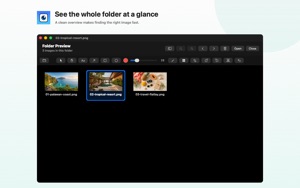
 QwikSeeJAYU SOFTWARE-STUDIO OPCQwikSee is a fast, lightweight image viewer and markup tool built for Mac. Open images or folders and quickly review screenshots, photos, and design assets usin-


 TelepetJAYU SOFTWARE-STUDIO OPCTelepet brings your Telegram conversations together with an animated desktop cat. CHAT IN TELEPET Read your conversations in a full chat window with history and-