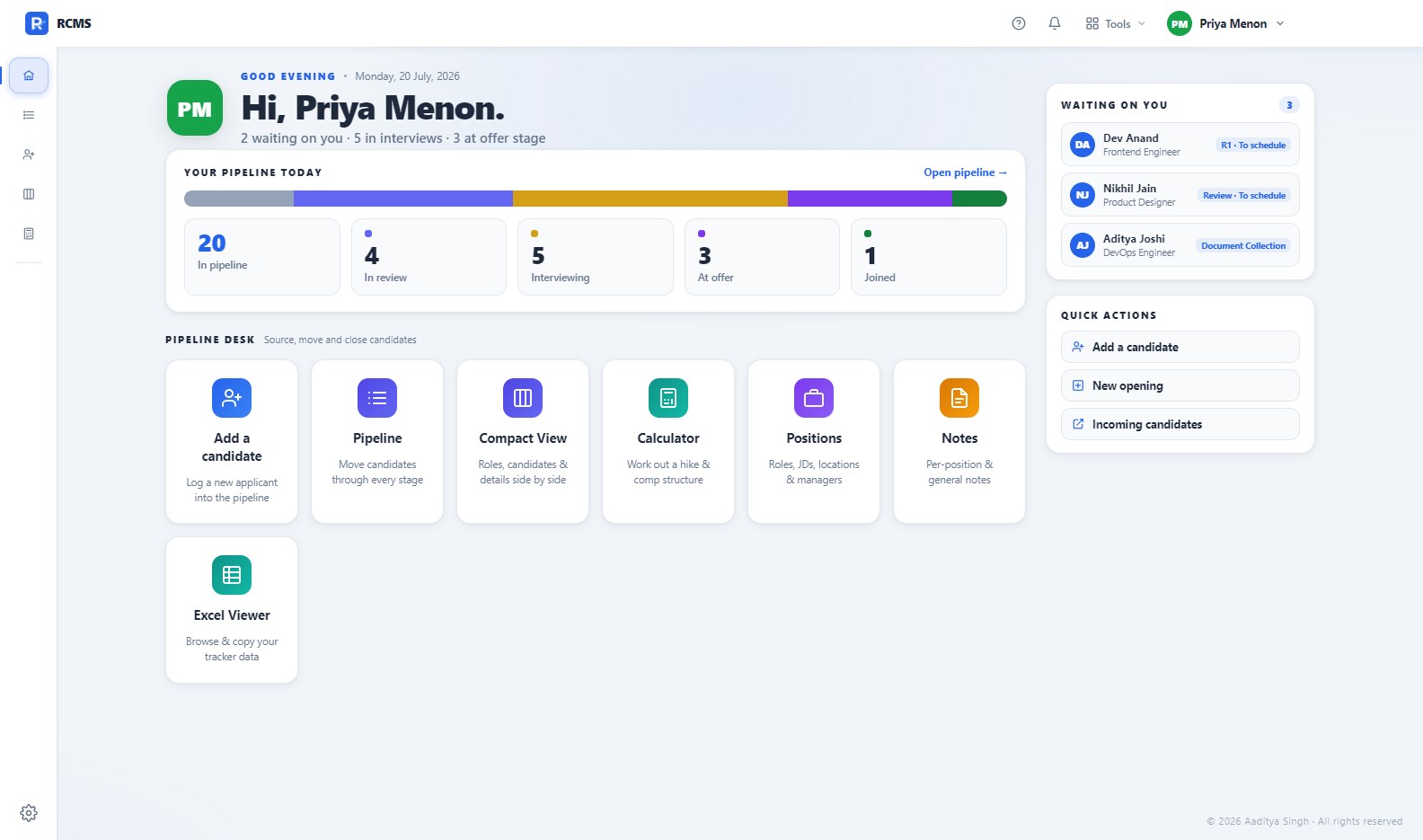
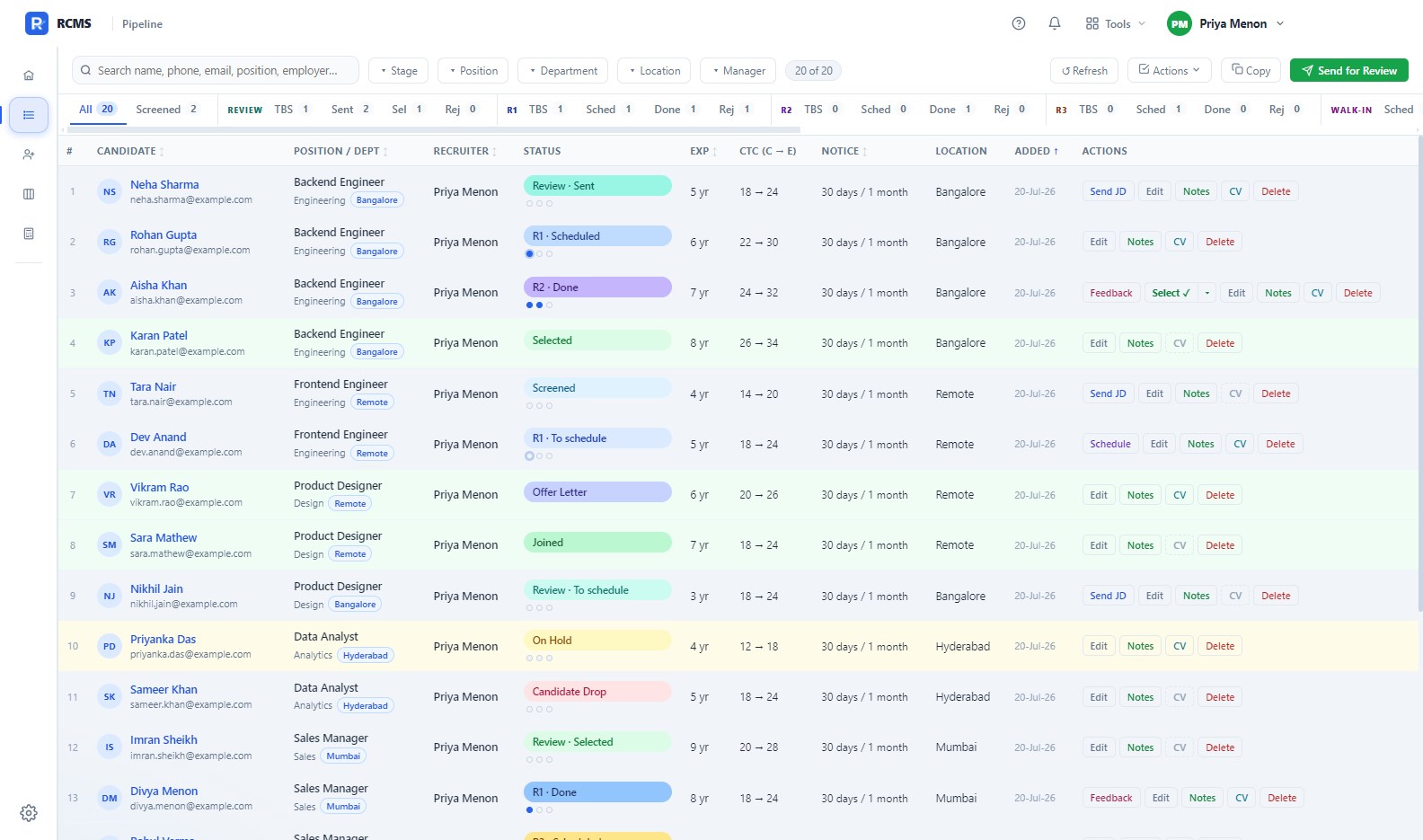
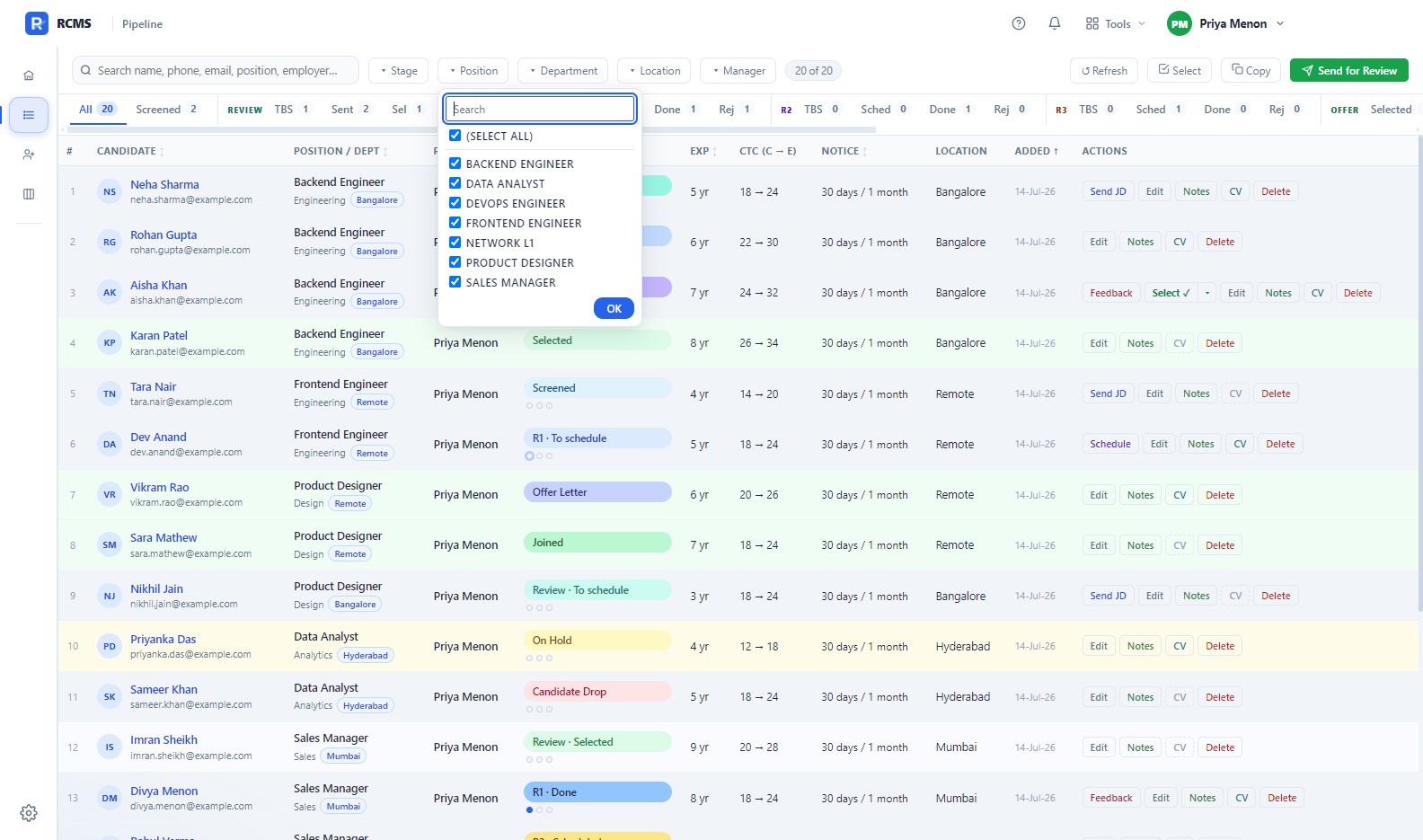
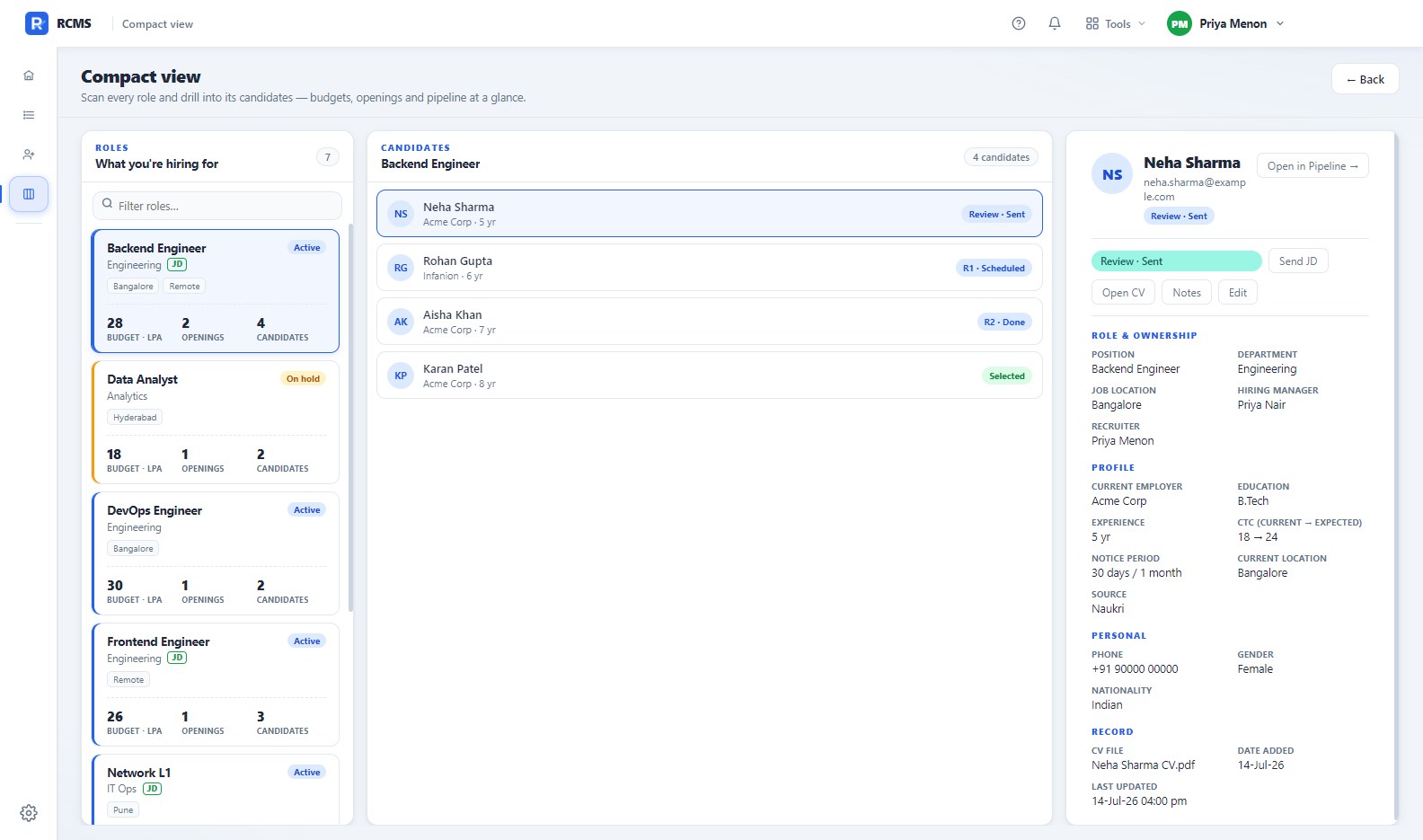
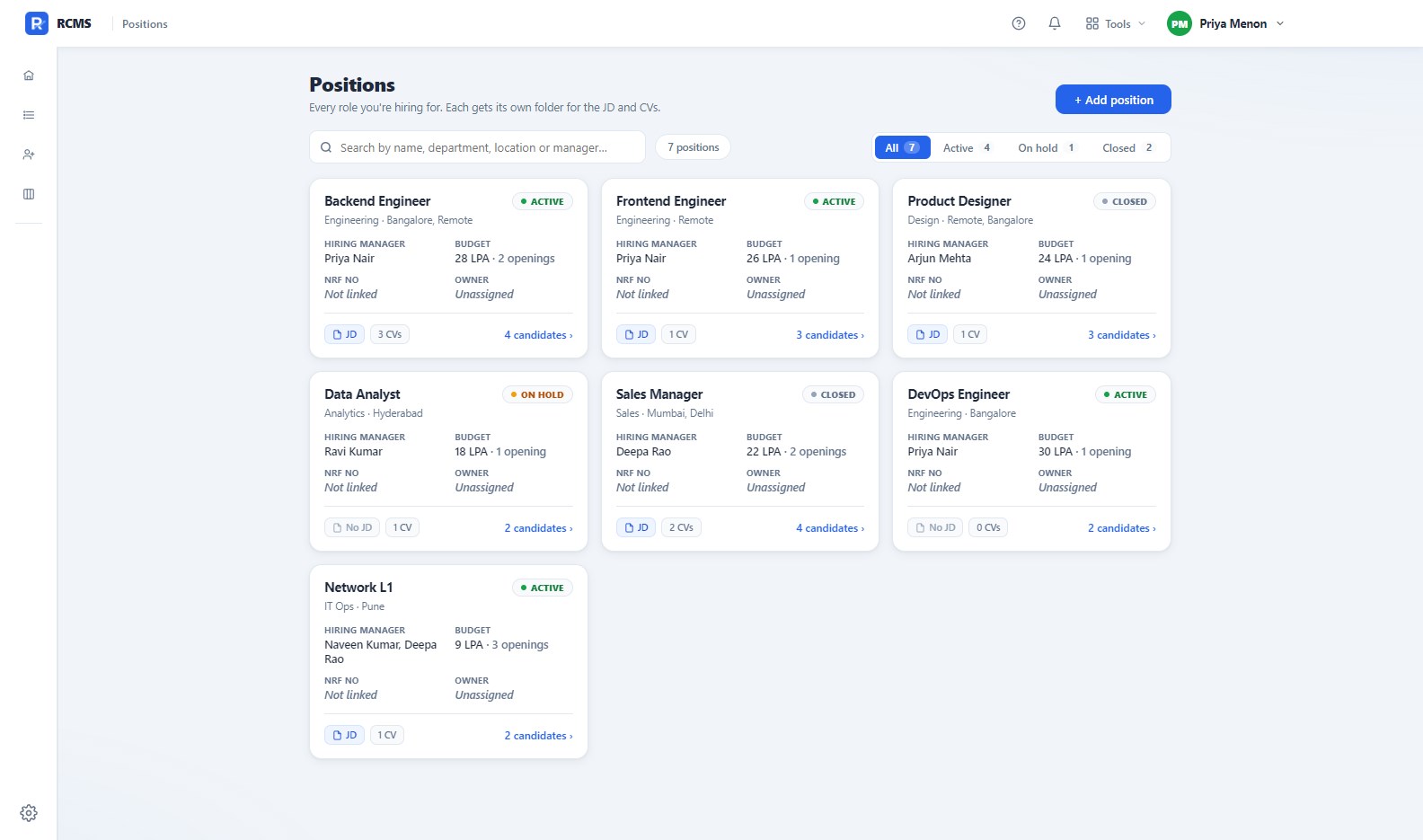
RCMS (Recruiter Candidate Management Software) gives recruiters one place to track every candidate, from the first screening call to a signed offer. Set it up in about a minute. Choose "Just me" and everything stays on your own PC, with no sign-in and nothing shared. Choose a team workspace instead and your colleagues connect to one shared folder, each signing in with their own PIN, each seeing the view their role allows. You can start on your own and move to a team later. Your candidates sit in a clear, sortable table. Search by name, phone, or employer, filter by position, department, location, or hiring manager, then click any row to open the full record: contact details, interview history, CV, and notes. The pipeline covers 30 stages, from Screened through three interview rounds to Selected, Offer Letter, and Joined. Rows are colour coded, so a selected candidate turns green and one on hold turns amber. You can see where everyone stands without opening a single row. The filters work together. Narrow to one position and the Department, Location, and Manager lists narrow with it, offering only the values that role actually has instead of every value in your tracker. Widen the position again and your earlier choices come back. A single role can be open twice. The same job title in two cities, under two managers, at two budgets, is two different requisitions, and RCMS treats it that way. It files each one in its own folder, attaches the right Job Description, suggests the right hiring manager, and keeps their candidates apart. Move a candidate from one city to the other and their CV moves with them. An interview round often needs more than one interviewer. Add the whole panel and every one of them lands on the invite as a required attendee, in Outlook or in the calendar file, with the JD and the CV already attached. Not every interview happens on a call. Mark a round as in-person, pick the venue, and the invite tells the candidate where to go, what time to report, and what to send ahead if they are driving in. Save the addresses you use once and pick them from a list after that, or type a one-off address without saving it. A walk-in drive is one day, one venue, and a lot of people. Tick the candidates you want, choose the date, the venue, the dress code, and who will be at the gate to meet them. RCMS writes each candidate their own invite, greeting them by name and attaching their own CV and the right JD, and each one opens in Outlook as a calendar meeting, with the venue as its location and the reporting time as its start, so it lands on their phone. Nobody sees anyone else's address. After the day, mark each person Selected or Rejected straight from the board, and a rejection sends everyone the same courteous note in one go, in batches with every address hidden. The Compact View puts your work side by side: roles on the left, the candidates on the chosen role in the middle, and one person's full record on the right. You sweep from a role to a person to every detail without losing your place. The Positions page reads as a clean card grid. Each role shows a status dot for Active, On hold, or Closed, worked out from its candidates rather than typed in by you, plus its hiring manager, budget, the filed JD, and how many CVs are on file. RCMS also takes care of the repetitive email work. Send a JD, set up an interview, ask a panel for feedback, share a shortlist for review, or request documents, each one in a single click and filled in from the candidate and the role. Statuses move along by themselves as you act, so sharing a profile for review marks it Review Sent. When a candidate walks, RCMS asks why, from a short list you can add to. Offers lost to a counter offer, to compensation, or to a long notice period roll up into a clear picture of where you are losing people, instead of disappearing into free text. It asks the same question when the decision is yours. Turn a candidate down at CV review, at any interview round, or after a walk-in drive, and RCMS asks what the panel found, from its own short list. Rejecting a whole walk-in group asks once, not once per person. The two answers are kept apart, so why you turn people down and why you lose them stay separate questions with separate answers. The money is in your currency, and in the units your market uses. Pick from fifteen currencies in Settings, and every salary, stipend, and budget is labelled in it. A position can be Regular, Internship, or Contract, and an internship asks for a monthly stipend rather than an annual figure, so 25,000 a month is entered and read as exactly that. Type a candidate's expected pay and RCMS shows the hike it represents over what they earn now, right beside the budget for the role, so the number you are negotiating against is never a mental calculation. Changing the currency relabels what you see and never rewrites what you saved. There is a built-in Calculator for the compensation maths. Work out a raise in a moment, in lakhs per annum, and build a full CTC breakup on your own pay policy: set Basic as a share of CTC, HRA as a share of Basic, add PF, bonus, fixed allowances, and the balancing figure that fills the rest, and read the yearly and monthly numbers back. Copy the whole table straight into a spreadsheet. Make it yours: six accent colours, a light or dark theme, and a Reduce motion switch if you prefer things still. Every dropdown is keyboard friendly, the whole app works snapped to half a screen, and Ctrl+K jumps you anywhere. Everything lives in an ordinary Excel file on your own computer. No cloud, no account, no subscription. Open that file in Excel whenever you like, and if you already keep a tracker, RCMS imports it and matches your columns for you.
Business · Windows, Android · Free