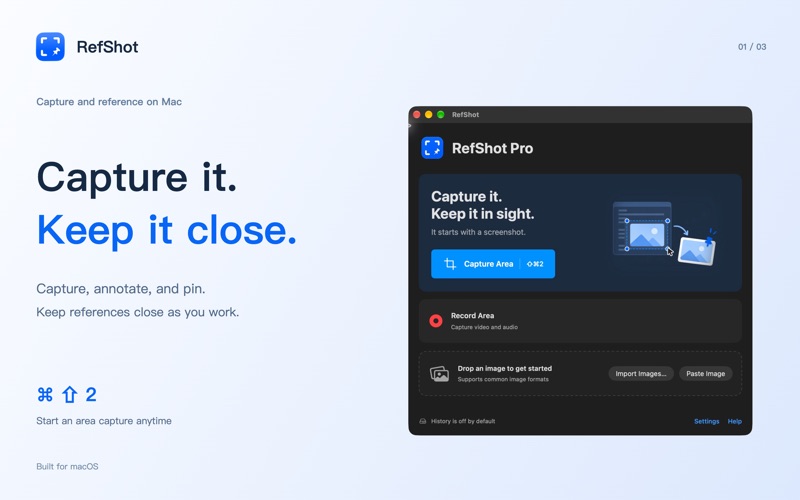
Capture what matters. Keep it in view. RefShot brings screenshots, annotations, floating reference images and text recognition together in a native Mac app. CAPTURE AND EXPLAIN Capture a region, a window or a display. Add arrows, rectangles, text, numbered steps and freehand marks. Crop the result, cover sensitive areas with solid blocks, then copy or save it. KEEP REFERENCES CLOSE Pin a screenshot or an imported image above other windows. Move, resize, lock or hide your pins while you compare designs, follow instructions or write notes. COPY TEXT FROM IMAGES Recognize text locally on your Mac. Read it in paragraph or line order, copy a selection or all the text, and export detected tables as tab-separated text for a spreadsheet. EXTRACT A SUBJECT Remove an image background, refine the cutout with restore and erase tools, and export a transparent PNG. Save regular images as PNG, JPEG, HEIC, TIFF or BMP. RECORD WITH REFSHOT PRO A one-time, non-consumable purchase unlocks region recording with optional system audio, microphone and cursor. Preview and save MP4 recordings, or trim a clip of up to 30 seconds and export a GIF. No subscription. Screenshots, annotation, pins, OCR and subject extraction remain free. LOCAL BY DESIGN No account required. Screenshots and recognized text are processed on your Mac, without cloud uploads. Optional local history is off by default; enable it and choose retention limits when you need it. Requires macOS 14 or later. Screen capture requires macOS screen recording permission. Microphone permission is requested only when recording microphone audio. Text recognition and subject extraction results depend on the source image. Terms of Use (Apple Standard EULA): https://www.apple.com/legal/internet-services/itunes/dev/stdeula/
Productivity · iPhone, iPad · Free