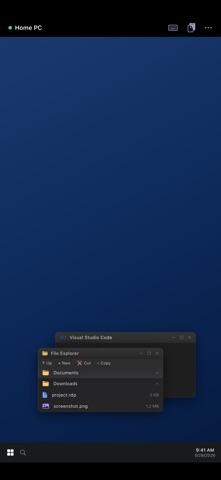
Remote Desktop lets you securely control your Windows PC, server, or Mac from your iPhone and iPad. Built on the industry-standard RDP and VNC protocols, it connects directly to your computers — no account, no cloud middleman, no subscription required to get started. CONNECT YOUR WAY • RDP for Windows (NLA + TLS security) and VNC for Mac, Linux, and Raspberry Pi • Quick Connect — type an address and connect instantly, nothing to set up • Save your PCs, mark favorites, and reconnect in one tap • Auto-reconnect keeps your session alive through network drops BUILT FOR TOUCH • Trackpad and direct-touch modes with adjustable sensitivity • Full gesture set: tap, right-click, middle-click, scroll, pinch-to-zoom, pan • On-screen keyboard plus special keys (Esc, Tab, Ctrl, Alt, Win, F1–F12, Ctrl+Alt+Del, arrows) • Hardware keyboard support • Designed for iPad with a sidebar layout and Split View A REAL DESKTOP, NOT A SLIDESHOW • Crisp Metal-accelerated rendering with fit, fill, native, and integer scaling • Per-connection quality presets, resolution, and color depth • Two-way clipboard sync • Audio redirection • Send files to your PC (they appear under \\tsclient on Windows) KNOW YOUR CONNECTIONS • Usage statistics with charts and per-connection health scores • Smart suggestions to fix unstable or high-latency connections • Exportable PDF usage reports • On-device AI assistant (iPhone/iPad with Apple Intelligence) that explains your usage and helps troubleshoot — running entirely on your device PRIVATE BY DESIGN • No account, no analytics, no tracking • Passwords stored only in the device Keychain • AI runs on-device — your data never leaves your iPhone or iPad Connect to the computers you already own. Remote Desktop never sees your data.
Productivity · iPhone, iPad · Free
Rating: 4.0 out of 5, based on 3 user ratings.