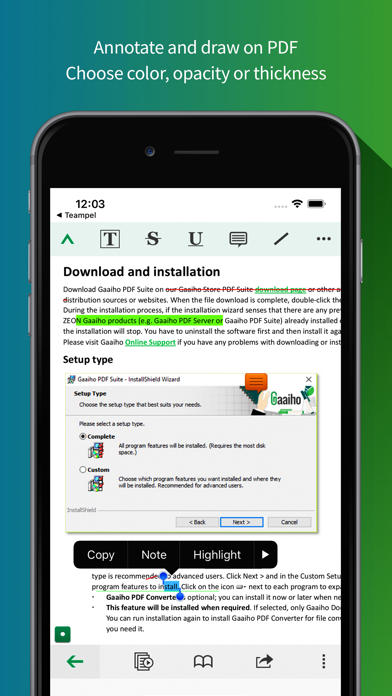
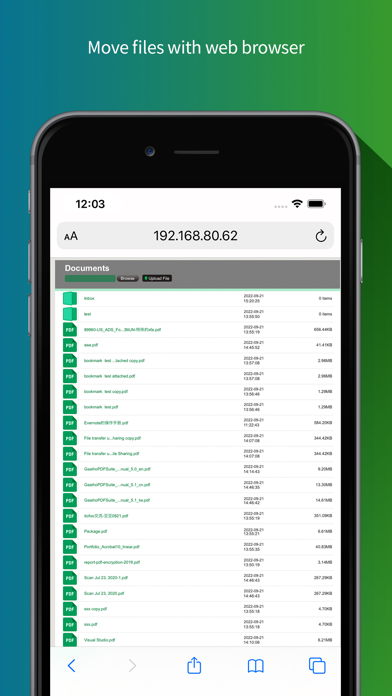
Right PDF Reader goes beyond a free PDF reader app. Created by a team of professionals in the PDF software business since 1993, Right PDF Reader has a simple UI that is easy to navigate and more features than average free readers. PDF Viewing - Fast document open speed - Browse lets you view PDFs in the device or iCloud - Supported thumbnail view - View PDF portfolio, comment, attachment and protected document - Single page view or continuous view available - Fit page width or whole page are also available under single page view - Use Day/Night mode to adjust brightness - After tapping page number, you can enter a number and jump to that page directly. - Quickly add and edit Bookmarks and Marks - Search document Note and Comments - Use highlight, cross-out and underline to annotate PDF with customizable color and opacity - Note lets you to add text comment anywhere in PDF - Use Draw Tools to mark up PDF with color, thickness and opacity of your choice. Move and undo are also supported - Batch remove comments Document Management - Create folder to organize PDFs better - Move or copy multiple documents to a folder - Compress multiple documents or folders, or extract any package quickly - Rename document - Attach one or multiple PDFs to an e-mail - Select and delete multiple documents Online Sharing - Get documents in and out of Dropbox - Add WebDAV servers to upload/download documents easily - Access documents in Gaaiho PDF online or upload documents directly to the app (permissions required), breaking the barrier between computer and your iPhone/iPad Handwritten signature - You can create a handwritten signature by drawing, using an image, or taking a photo - Sign anywhere in document Other Features - Fill a form - Use “open in” to share PDF files with other applications - Auto-memorize the point you quitted reading last time - Protect PDF with an open password - Print document
Productivity · iPhone, iPad, Android · Free
Rating: 4.6 out of 5, based on 5 user ratings.