
Screenshots







About ROO
ROO turns your mouse into a presentation tool. It draws on a transparent layer above every window, so you can mark up a slide, a spreadsheet, a web page or a video call without leaving it.
What you get:
- Pen, highlighter, shapes, arrows, text labels and numbered steps, each with its own colour and thickness.
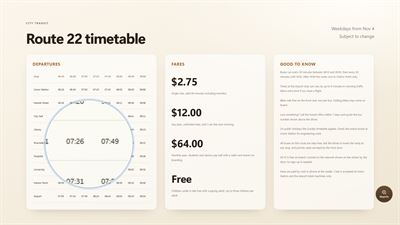
- A spotlight that follows the cursor and dims everything else, with a zoom inside it.
- A magnifier lens from 2x to 5x.
- Mouse trails, click ripples and an on-screen display of the shortcuts you press, for teaching and demos.
- An infinite canvas with a page frame when you need a whiteboard.
- A tool wheel on the middle mouse button, the corner badge or Ctrl+Alt+W, so every tool is one click away, even on a laptop touchpad with no middle button.
- Switch to any open window straight from the wheel.
- Snaps: Ctrl+Alt+S saves a picture of your screen to Pictures\ROO or a folder you choose.
- Streaming mode keeps your annotations visible to OBS, Zoom and Teams.
- Multi-monitor aware: the overlay follows the cursor from screen to screen.
- Save a drawing as a transparent PNG to drop onto a slide.
- Seven themes: Midnight, Cinematic, Cream, Onyx, Forest, Burgundy and Linen.
- A short guided tour on first launch shows every tool.
ROO lives in the system tray and stays out of the way until you need it. It can start with Windows if you turn that on. There is no account, nothing is uploaded, and your settings stay on your computer.
AVALW Coverage
Not yet mentioned in AVALW articles.
Similar apps


 MyJio: For Everything JioJio Platforms LimitedTrue 5G, recharges, payments & UPI, music & movies, backup, games, news & more.★ 4.4 27428k


 Microsoft WordMicrosoft CorporationThis application requires a qualifying Microsoft 365 subscription. Microsoft 365 includes premium Word, Excel, and PowerPoint apps, 1 TB cloud storage in OneDri★ 4.8 17535k



 Samsung NotesSamsung Electronics Co, Ltd.(Samsung Notes is optimized for Samsung Galaxy Books. Other computers may have issues running it.) "Samsung Notes allows you to use the enhanced S Pen to write ★ 4.8 15228k



 ChatGPT ClassicOpenAIThe official ChatGPT desktop app brings you the newest model improvements from OpenAI. Do more on your PC with ChatGPT: · Instant answers—Use the [Alt + Space] ★ 4.8 11034k


 ChatGPTOpenAI OpCo, LLCIntroducing ChatGPT for iOS: OpenAI’s latest advancements at your fingertips. This official app is free, syncs your history across devices, and brings you the l★ 4.8 11034k


 Microsoft OutlookMicrosoft CorporationOutlook helps you stay connected and organized at the office and at home with easy access to emails, files, calendar events, and contacts across all your accoun★ 4.3 10673k


 Turbo VPN: Unlimited VPN ProxyINNOVATIVE CONNECTING PTE.LIMITEDDo you want online security and privacy while browsing? Turbo VPN now provides the fastest, reliable and encrypted network. With Turbo VPN, you can get the safe★ 4.7 10243k



 Microsoft ExcelMicrosoft CorporationThis application requires a qualifying Microsoft 365 subscription. Microsoft 365 includes premium Word, Excel, and PowerPoint apps, 1 TB cloud storage in OneDri★ 4.8 9702k