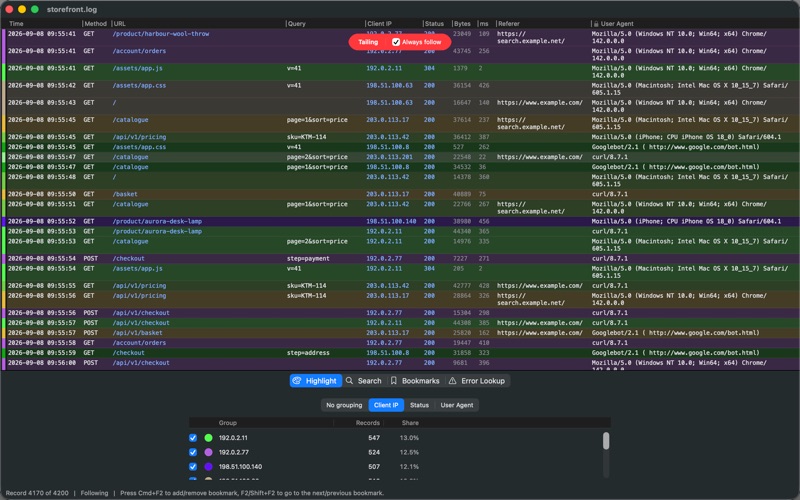
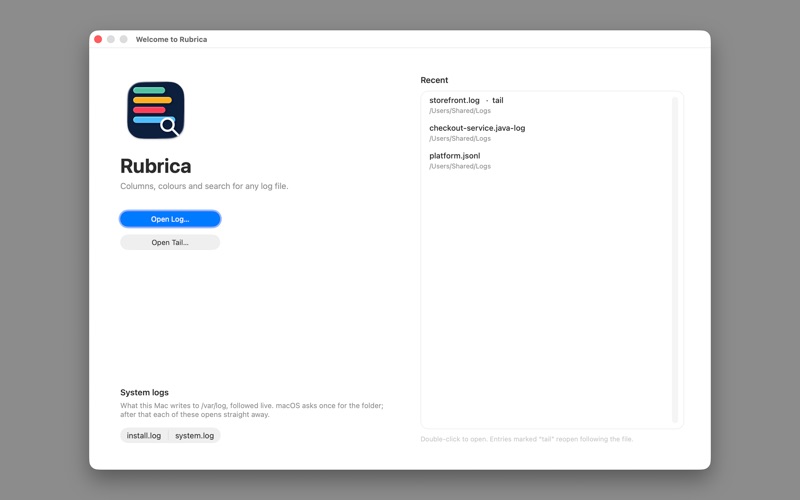
Rubrica is a log file viewer for macOS. It parses a log into columns - one per field - colours the rows by any value you pick, searches inside the cells, reads twenty-nine formats out of the box, and follows a file that is still being written. When it does not know your format, you describe it in a small configuration file and it behaves like the rest. TWENTY-NINE FORMATS, OUT OF THE BOX For text logs: IIS and W3C extended (u_ex*.log), Apache access, nginx access and error, Squid, HAProxy, syslog, Cisco ASA and IOS, Android logcat, AWS CloudFront, ELB and ALB, VPC Flow, Kubernetes CRI, Zeek TSV, Java and Log4j, PostgreSQL, MySQL slow query, Windows Installer, Apple's install.log. For JSON logs: Elastic Common Schema, Bunyan and Pino, AWS CloudTrail, Docker json-file, Serilog CLEF, MongoDB, Cloudflare Logpush, systemd journal. More than one format can claim .log, so Rubrica reads what is actually in the file and offers only the ones that could match it, best first, each with a line saying why. WHEN YOURS IS NOT ONE OF THEM, DESCRIBE IT A format is a small configuration file. In it you put a pattern - a regular expression - saying what a line of your log looks like, and a name for each part you want as a column. That is the whole of it: nothing to compile, no plug-in to write, no scripting language to learn. File > Open Settings Folder opens the folder they live in, with examples to copy. Drop yours in, restart, and it behaves exactly like the ones that ship. If one has a mistake in it, Rubrica names the file and the reason and carries on. BUILT FOR VERY LARGE FILES The log is mapped into memory rather than loaded, what is held is compressed, and repeated text is stored once - most of a real log is values you have already seen. Moving to the end is instant. FOLLOW A LOG AS IT IS WRITTEN Open Tail starts at the end of a growing file and keeps up with it. Search, colours and bookmarks keep working as records arrive, and nothing on screen moves unless you asked it to follow. Always follow works like tail on a console: no scrolling, the latest line always in view. Tail System Log opens install.log and system.log straight from /var/log once you have granted the folder. A STACK TRACE IS ONE ROW One entry is not always one line. A Java exception with forty lines of trace, a PostgreSQL error with the statement that caused it, a slow MySQL query with its timings: each is a single row here, however many lines it takes in the file. Read as separate records they are forty rows with no timestamp and nothing to group on. OPEN THE BUNDLE, NOT THE LOG Rubrica reads .gz, including the multi-part files rotation produces, plus .tar, .tar.gz, .tgz and .zip, without unpacking anything first, and offers you the logs it recognises inside. It also reads UTF-16. COLOUR BY VALUE, THEN HIDE WHAT YOU DO NOT WANT Pick any column and every distinct value in it gets its own colour, with the rows tinted to match. Untick a value and those rows go. Or right-click a row and choose Hide selected and every record sharing that value disappears; Show only selected does the inverse. SEARCH THAT DOES WHAT YOU EXPECT One search box. Matches are highlighted inside the cell; F3 steps through them and a results list fills beside them. Plain text by default - regex is a checkbox and it starts off, because most searches are literal. Search covers exactly the columns that are visible, so hiding one really does change the results. LOOK UP A CODE YOU DO NOT RECOGNISE Select some rows, or a column of status codes, and Rubrica lists each distinct code with what it means, how often it appears, and a link to look it up. COLUMNS, AND COMING BACK LATER Show, hide, wrap or reorder columns from the heading; a column that does not wrap sizes itself to its contents, so nothing is clipped. Save Session keeps your place, your bookmarks, your search and your columns in a small file you can send to a colleague. PRIVACY https://roundtoe.com/free-utils/rubrica#privacy
Developer Tools · iPhone, iPad · Free