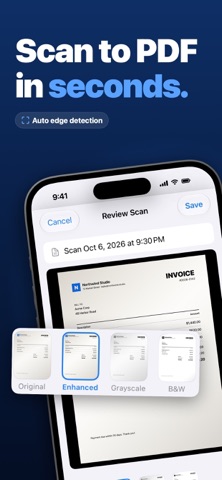
Scan any document into a clean PDF in seconds. Point your iPhone at a page: GoScan detects the edges, straightens the shot and turns it into a crisp, shareable PDF — then sign it, extract the text, or convert photos and images into PDFs. Start with a 3-day free trial. Everything is included. SCAN & CONVERT • Smart camera scanner with automatic edge detection and perspective correction • Multi-page PDFs — combine as many pages as you like • Convert photos, pictures and JPGs into PDFs, or import existing PDFs • ID card mode: front and back of an ID, passport or licence on one tidy page • Re-crop edges anytime with a zoom loupe; Original, Enhanced, Grayscale and Black & White filters • Export pages as JPG or share the PDF anywhere SIGN DOCUMENTS • Draw your signature once, save it, and place it on any page — drag and resize • Reuse a saved signature on the next document in two taps • No printing, no scanning back EXTRACT TEXT (OCR) • On-device text recognition in your language — nothing leaves your iPhone • Scans become searchable, selectable PDFs; find any document by the words inside it ORGANIZE & PROTECT • A tidy library with full-text search, filters (All · Recent · Signed) and multi-select • Reorder, rotate, add or delete pages • Protect a PDF with a password, lock the app with Face ID PRIVATE BY DESIGN • No account, no cloud — your documents stay on your device • Light and dark appearance, 7 languages, iPhone and iPad, VoiceOver support SUBSCRIPTION GoScan Pro is available as a weekly plan with a 3-day free trial or a yearly plan. Payment is charged to your Apple Account at confirmation of purchase, after the free trial ends. Subscriptions renew automatically unless cancelled at least 24 hours before the end of the current period. Manage or cancel anytime in your App Store account settings. Privacy Policy: https://pdftoscan.website/privacy.html Terms of Use: https://pdftoscan.website/terms.html
Business · iPhone, iPad · Free