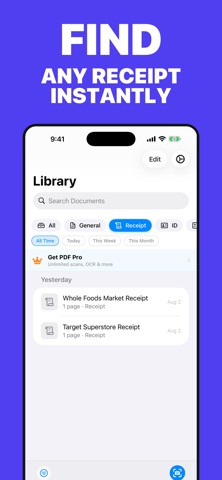
ScanBox turns your iPhone into a fast, precise document scanner — no more piles of paper, blurry phone photos, or hunting for a receipt you swear you kept. Point your camera at any document and ScanBox automatically detects the edges, corrects perspective, and produces a clean, sharp scan in seconds. Save it as a searchable, shareable PDF — ready to send, print, or file away. SCAN ANYTHING - Receipts, contracts, ID cards, business cards, handwritten notes, and multi-page documents - Automatic edge detection and perspective correction - Import existing photos from your library EXTRACT TEXT WITH OCR - Pull real, selectable text out of any scan in seconds - Copy, search, and share extracted text with a single tap - Great for archiving receipts, saving contract clauses, or digitizing notes SIGN & PROTECT YOUR PDFs - Draw your signature and apply it to any document - Lock sensitive PDFs with a password - Choose your export quality — fast, standard, or high-resolution STAY ORGANIZED - Sort scans into categories: General, Receipts, ID, Contracts, and Notes - Filter by date — today, this week, this month - Search your entire library instantly PRIVATE BY DESIGN - Lock your library with Face ID - Your documents sync privately through your own iCloud account - Nothing is shared without your permission ScanBox Free lets you create and manage your first three documents. Upgrade to ScanBox Pro for unlimited scans, full OCR, editing tools (crop, rotate, filters), and PDF password protection. Whether you're a student digitizing lecture notes, a freelancer organizing contracts, or just tired of losing receipts, ScanBox keeps every important document one tap away.
Business · iPhone, iPad · Free