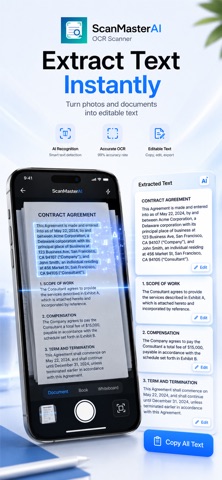
Scan, extract, and turn any document into a clean PDF in seconds. ScanMaster AI is a powerful OCR document scanner that helps you capture, recognize, and convert text from photos with speed and precision. Whether it's receipts, notes, or business documents, everything becomes organized, searchable, and ready to share. Key Features Smart AI Scanning Auto-detect edges, enhance clarity, and correct perspective instantly. Accurate OCR Text Recognition Extract text from images and photos with high precision in seconds. Create Ready-to-Share PDFs Convert scans into clean, professional PDFs instantly. Export in Multiple Formats Save and share as PDF, TXT, JPG, or PNG with ease. Print Anytime Print your documents directly from your device. Multi-language Support Recognizes English, French, German, Portuguese, Spanish, Italian, and Japanese. Perfect For Scanning documents on the go Digitizing receipts and invoices Extracting text from photos Saving handwritten notes Organizing important files Why ScanMaster AI Fast, accurate, and easy to use. ScanMaster AI simplifies document scanning and text extraction into a seamless experience. Privacy First Your scans stay secure and private on your device. Download Now Download ScanMaster AI and turn your photos into powerful, shareable documents today. Auto-Renewable Subscription Info: - Title: ScanMaster AI Pro (Weekly / Monthly / Yearly) - Length: 1 week / 1 month / 1 year (depending on selected plan) - Price: Displayed in-app based on your region and App Store pricing - Payment is charged to your Apple ID at confirmation of purchase - Subscription renews automatically unless canceled at least 24 hours before the end of the current period - You can manage or cancel your subscription in App Store account settings Terms of Use (EULA): https://www.apple.com/legal/internet-services/itunes/dev/stdeula/ Privacy Policy: https://www.aigamebox.cc/ScanMasterAI/privacyPolicy.html
Utilities · iPhone, iPad · Free