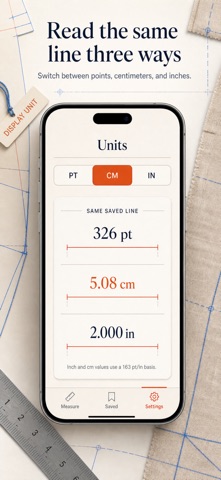
PREMIUM — PURCHASE REQUIRED: All features described below are part of Pro and require a purchase: a weekly or yearly auto-renewing subscription, or a one-time lifetime purchase. Lay a coin, a ring, a screw, or a slip of paper directly on your iPhone and read its true size. MeasureLine turns the display into an actual-size on-screen ruler — real millimeter and fraction-inch graduations drawn at 1:1 scale, matched to your exact device. Most ruler apps guess your screen density and hope for the best. MeasureLine looks up the published pixel density for your specific iPhone model, then lets you true it against a bank card — the same 85.60 mm standard everywhere in the world — so the tick marks on the glass line up with the tick marks on a steel rule. WHAT YOU GET • A ring laid on the glass reads 17.3 mm across — no squinting between the lines of a worn tape • The mystery screw from the drawer identified before the hardware store closes: lay it down, drag end to end • 15/16" on the readout instead of 0.94 — fractional inches the way a tape measure speaks • One 30-second calibration against a bank card, coin, or AA battery, and every reading after it is trued to your screen • Snap the line to the real graduations so tiny parts land exactly on the millimeter • Every measurement saved with its own label — "curtain hook", "ring for Anna" — still there when you reach the store PERFECT FOR • Jewelry makers sizing rings, beads, and clasps without hunting for a caliper • DIYers matching screws, washers, and drill bits to what is already in the wall • Sewists and crafters checking buttons, seams, and hems on the spot • Collectors verifying coin and stamp dimensions against catalog specs WHY NOT JUST USE AN AR MEASURING APP? Camera-based measuring is built for couches, not coins — useful at room scale and hopeless below a few centimeters. For small objects, nothing beats laying the part on a calibrated 1:1 ruler and reading it directly. MeasureLine never opens the camera, and it tells you plainly how each reading was derived: calibrated by you, known device, or estimate. PRIVATE BY DEFAULT No camera, no microphone, no location, no account, no ads, no analytics. Your measurements stay inside the app on your device; the only connection made is to Apple's App Store when you purchase or restore. PREMIUM (PURCHASE REQUIRED) MeasureLine Pro unlocks unlimited saved measurements and the fractional-inch readout. Pick the plan that fits: a Weekly or Yearly auto-renewing subscription, or a one-time Lifetime purchase. Put the tape measure back in the drawer — lay the part on the screen and know its size in seconds. Terms of Use: https://leanstudio.asia/terms-of-use Privacy Policy: https://leanstudio.asia/privacy-policy Support: support@leanstudio.asia
Utilities · iPhone, iPad · Free