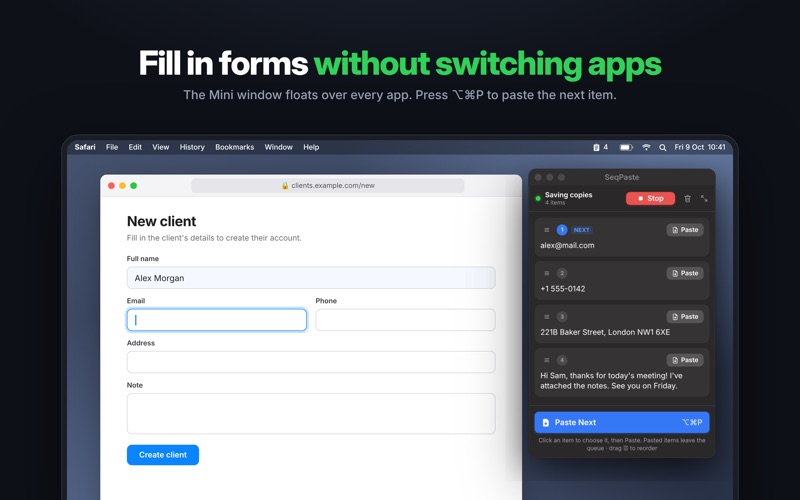
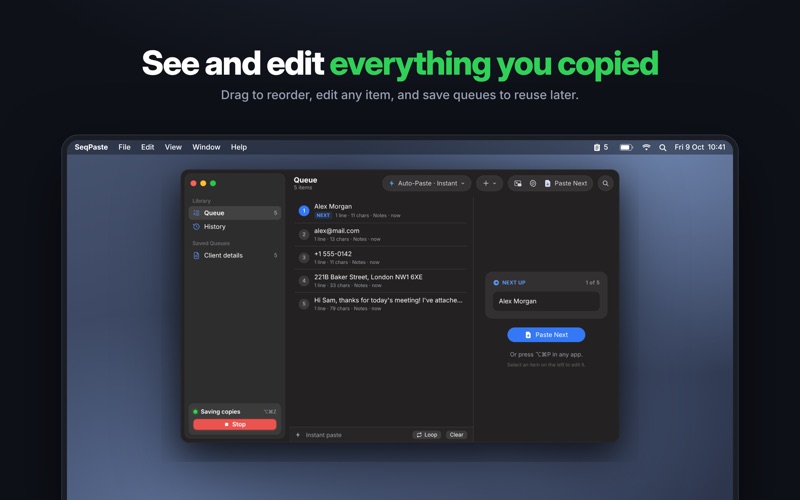
Your clipboard normally holds one thing at a time. SeqPaste turns it into a queue. Press Start, copy a few things with ⌘C, and they line up in order. Then paste them back one by one — in exactly the same order — with a single shortcut. PERFECT FOR - Filling in forms: name, email, phone, address, one field after another - Coding videos and tutorials: prepare your snippets, then have them typed out live with no typos - Demos and presentations: no fumbling or copy-paste mistakes on stage - Writing and research: collect quotes and links, then drop them into your document in order TWO WAYS TO PASTE - Auto-Paste: press ⌥⌘P and the next item is pasted straight into the app you're using - Manual Paste: press ⌃⌘L to load the next item, then press ⌘V yourself with no special permission needed TYPING EFFECT FOR CODING VIDEOS Copy your code before you record. While recording, SeqPaste types each snippet out character by character with a natural, human-like rhythm. Your viewers watch the code being written with zero typos. ALWAYS AT HAND - Menu bar: see what's next, paste it, switch modes, start or stop - Mini window: a small window that stays on top of every app without stealing focus - Floating "Next up" panel: always know what's coming next while presenting - Queue window: search, drag to reorder, edit any item, view history SAVE AND REUSE - Save a queue and load it again later which is great for demos you give often - Import a text file and split it into items automatically - Loop mode reuses items so you can go through them again - Step back with ⌥⌘B if you pasted the wrong one WORKS WITH EVERYTHING YOU COPY SeqPaste keeps text, formatted text, images and files. Each app gets the best version it supports: formatting in Pages or Mail, plain text in Terminal, file paths where files can't be pasted. PRIVATE BY DESIGN - What you copy stays on your Mac and it's never uploaded - No accounts and no tracking - Copies from password managers are skipped automatically - Choose apps that are never recorded, and clear history any time FULLY CUSTOMIZABLE Change every keyboard shortcut, typing speed, queue size, and what gets saved. SeqPaste only presses keys when you press a paste shortcut or button. It never records what you type or reads your screen. By subscribing, you agree to Apple’s standard Terms of Use: https://www.apple.com/legal/internet-services/itunes/dev/stdeula/ Privacy Policy: https://seqpaste.pntapps.com/privacy Terms of Use: https://seqpaste.pntapps.com/terms
Developer Tools · iPhone, iPad · Free