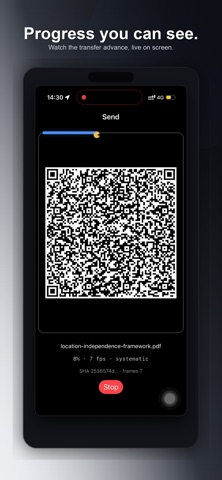
ShareByLight moves files from one device to another using only the screen and camera. What it’s for • Pass a file when you don’t want (or can’t use) Wi-Fi or Bluetooth, between air gapped devices • Share between iPhone, iPad, and Mac without a network • Keep the transfer offline and local to the devices in front of you How it works 1. On one device, choose a file and start the stream 2. On the other device, open Receive and point the camera at the screen 3. When the transfer finishes, save the file Features • Send and receive on the same app • Works across iPhone, iPad, and Mac • Optional password protection for the file • Clear progress while the transfer runs • Free: one direction and small files • Pro: both directions and larger files Tips for a smooth transfer • Max brightness on the sending screen • Hold steady and fill the frame • Reduce glare and strong backlight No account required. No cloud. Data moves as light between the devices you choose.
Utilities · iPhone, iPad · Free