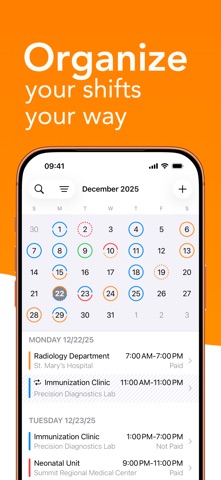
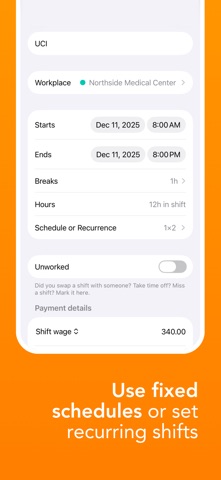
Shift Calendar is a simple and efficient way to manage your work shifts. Organize your schedule with rotations, days off, swaps, and absences, track your earnings, create payout reports, and keep a clear overview of your professional routine, without relying on spreadsheets or manual tracking. Designed for professionals who work in shifts. Why choose Shift Calendar? • Organized schedule: manage your shifts, personal events, swaps, and days off in one place, with full visibility of your work schedule. • Financial clarity: know how much you will earn and when you will get paid, with the option to generate PDF reports for payouts, sharing, or printing. • Time-off planning: avoid surprises and enjoy your rest periods with more peace of mind. • Simple, practical, and intuitive: built to support your daily routine. Main features: • Automatic shift schedules and recurring patterns • Personal events registration • Calendar synchronization • Earnings tracking with amounts, payment dates, and custom payment rules • Custom colors to differentiate shifts • Mark unworked shifts as swaps, days off, or absences • Home screen widgets • Export shift reports to PDF, with filters and multiple formats • Schedule conflict alerts • Secure cloud backup Perfect for professionals like: • Nurses, doctors, EMTs, and caregivers • Firefighters, police, and security guards • Bartenders, restaurant and hotel staff • Drivers, cleaners, and rotating shift workers The app can be used for free. The Pro version offers additional features, with a free trial available before subscribing. ——— Support and Contact: We’re here to help! Contact us via email at: support-shiftcalendar@bivis.app Terms & Conditions and Privacy Policy: https://tenhoplantao.com.br/terms-conditions-and-privacy-policy
Productivity · iPhone, iPad · Free
Rating: 4.6 out of 5, based on 27 user ratings.