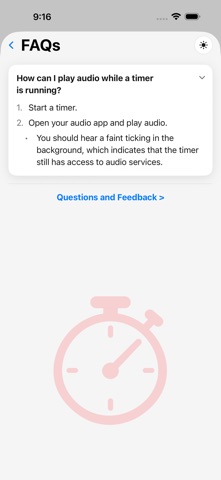
Simple Timer cuts out the friction between "I need a timer" and "the timer is running." Tap a preset or dial in a custom duration — hours, minutes, seconds — and go. No menus, no fuss. FEATURES • Quick One-Tap Start — tap a saved preset or dial in a custom duration and go • Reusable Presets — save your go-to timers by unique name and start them again with one tap; free tier saves 3, or go unlimited for $2.99/year • Past Timers — a history of every timer you've finished, grouped by month and year; tap one to run it again, or save it as a preset (included with the $2.99/year subscription) • Voice or Typed Labels — name any timer by typing or just speaking it, with a Voice Announcements toggle to choose whether it's spoken aloud at completion • Alerts You'll Actually Hear — a chime plus your label spoken aloud, playing right over silent mode, backed up independently by both a scheduled notification and a system-level alarm • Keeps Your Music Playing — audio only briefly ducks for the few seconds your alert speaks, then picks right back up • One-Tap Snooze — right from the Lock Screen or the completion screen • Lock Screen & Dynamic Island — watch your countdown without unlocking your phone • AirPlay & Bluetooth Output — switch your timer's audio to your speaker, AirPlay, or a Bluetooth device right from the app • Live Volume & Audio Status — see your current volume right on the running timer, with a gentle nudge when it's low and a heads-up if your alerts might route to a Bluetooth device you won't hear • Keep Screen Awake — a Lock Screen button on the running timer (on by default, adjustable in Settings) keeps the display on while you watch • Built-In FAQ — quick answers to common questions from the "?" on any screen, with a direct link to send feedback, or to leave an App Store review • Light, Dark, and Retro 16-bit Themes • No Account, No Data Collection — everything stays on your device Simple Timer doesn't collect your data. Everything stays on your device — no account, no sign-up, no tracking. Terms of Use (EULA): https://www.apple.com/legal/internet-services/itunes/dev/stdeula/ Privacy Policy: https://gist.github.com/tm4747/a6de81dd1764762b20c81358ee95f97a
Productivity · iPhone, iPad · Free
Rating: 5.0 out of 5, based on 1 user ratings.