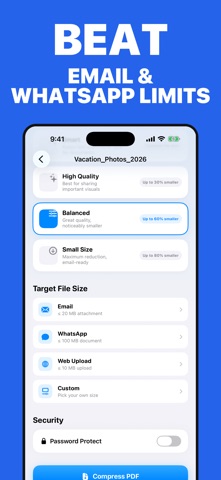
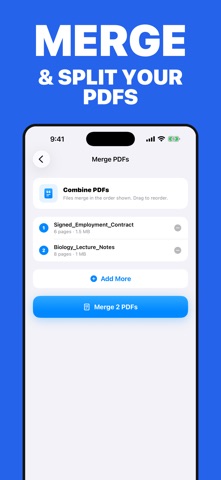
Slim PDF makes oversized PDFs smaller in seconds, directly on your iPhone or iPad. Your PDF files are processed on-device and are never uploaded to a document-processing server. COMPRESS FOR EMAIL AND UPLOADS Choose Email, WhatsApp, Web Upload, or a custom target size. Slim PDF automatically works toward the limit you select. SEE EXACTLY WHAT YOU SAVED Compare the original and compressed sizes, preview the result, then share it or save it to Files. BATCH COMPRESS Compress several PDFs in one run instead of processing them individually. MERGE AND SPLIT Combine multiple PDFs or divide a large document into smaller files without switching apps. PRIVATE PDF PROCESSING PDF compression, merging, and splitting happen on your device. No account is required, and your PDF contents are not uploaded for processing. SLIM PDF PRO Unlock unlimited compression, all compression presets, target-size tools, batch processing, merge and split, and biometric app lock. Monthly, annual, and lifetime options are available. Questions or feedback? Contact support from Settings inside the app. Terms of Use (Apple Standard EULA): https://www.apple.com/legal/internet-services/itunes/dev/stdeula/ Privacy Policy: https://docs.google.com/document/d/e/2PACX-1vRznAH_B9JavfvM4hbre2eIJYm1aBoXo02aw5T7ccS3XMh7VqV1LT3kqyLbojMguCsW0vDy08MUsa9q/pub
Productivity · iPhone, iPad · Free