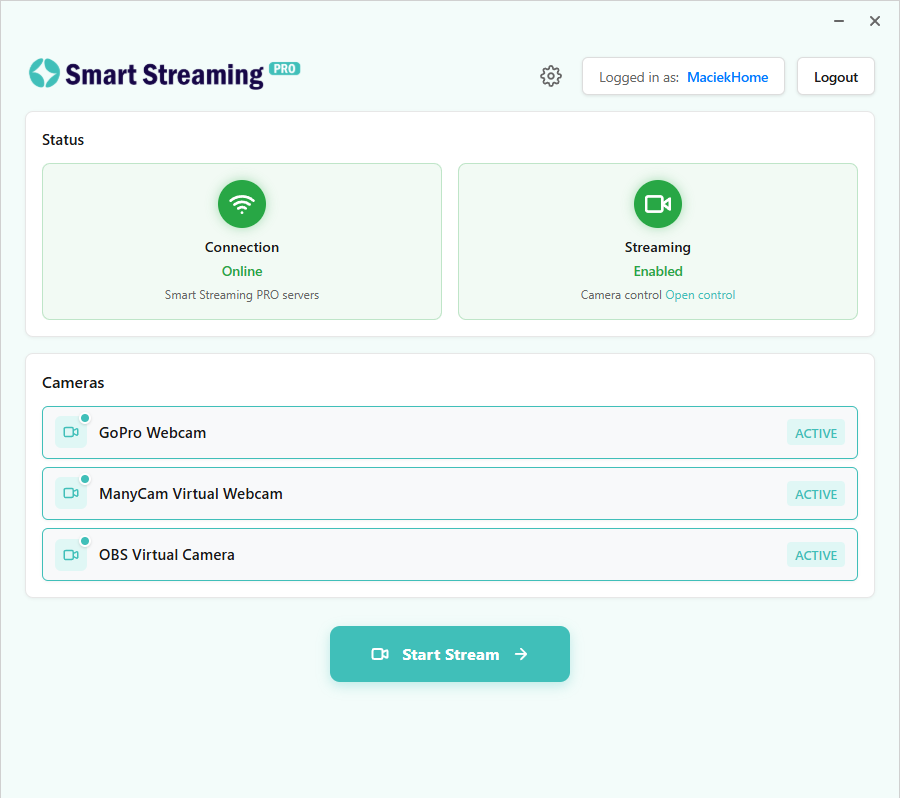
Smart Streaming PRO is the official desktop application for the Smart Streaming PRO service. It allows you to manage cameras connected to your Windows PC and stream video to your Smart Streaming channels. What you can do Sign in securely Log in or register using your web browser. The desktop app connects to your account using a secure token so you don’t need to sign in each time. Manage cameras View cameras detected on your PC, enable or disable them, and synchronize your setup with the Smart Streaming web application. Stream from your PC Start and control streaming directly from the desktop app. Video and audio are sent to the Smart Streaming platform according to your Smart Streaming PRO account plan and the Smart Streaming PRO service. Device pairing Pair your computer with your Smart Streaming account so it appears in the web application and can be managed remotely. Run in the background The app can run in the system tray while you work and optionally start automatically with Windows. Diagnostics and troubleshooting Check connection status, view local logs, and send diagnostic information to support when needed. Who it's for Smart Streaming PRO desktop is designed for streamers and operators who use the Smart Streaming PRO service and want a dedicated Windows application to manage cameras and stream from their PC. Requirements Windows 10 or later A Smart Streaming account Internet connection required for streaming Some features depend on your Smart Streaming PRO account plan and the Smart Streaming PRO service. Trial information The Smart Streaming PRO service offers a 7-day free trial so you can test the service and its features. After the trial period ends, continued streaming and access to certain features require an active Smart Streaming PRO account plan and access to the Smart Streaming PRO service.
Photo & Video · Windows · Free