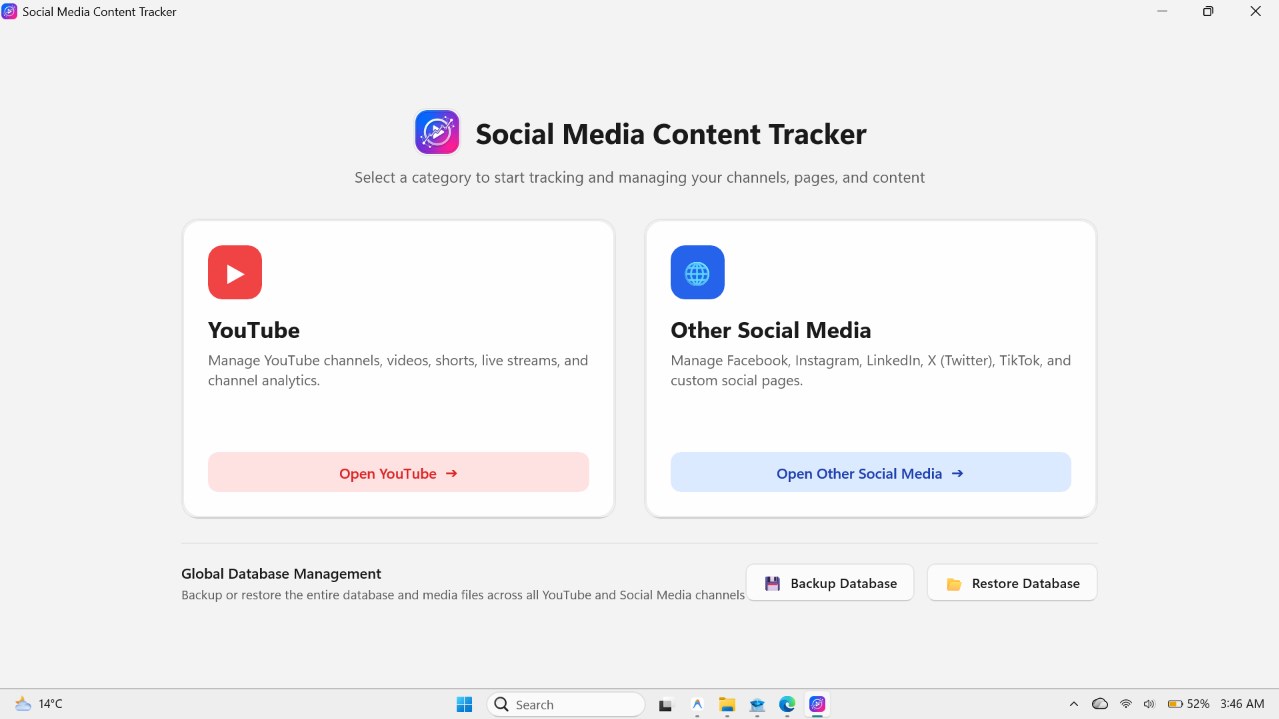
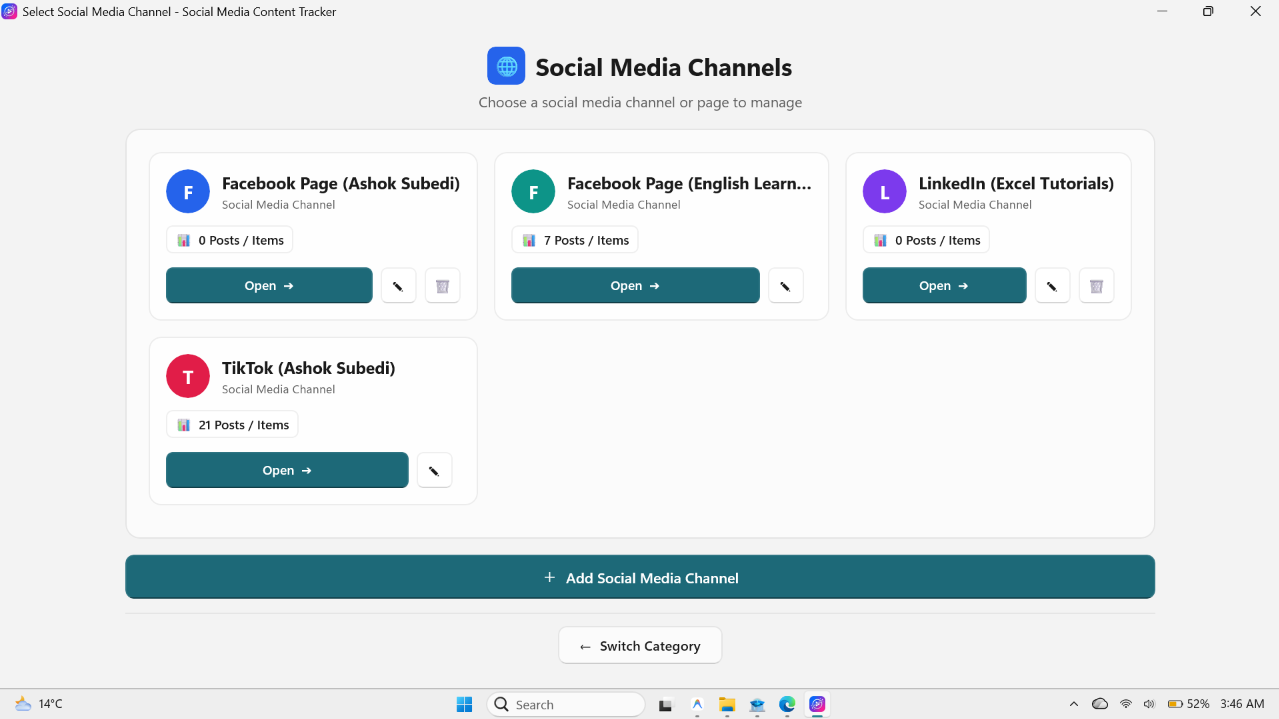
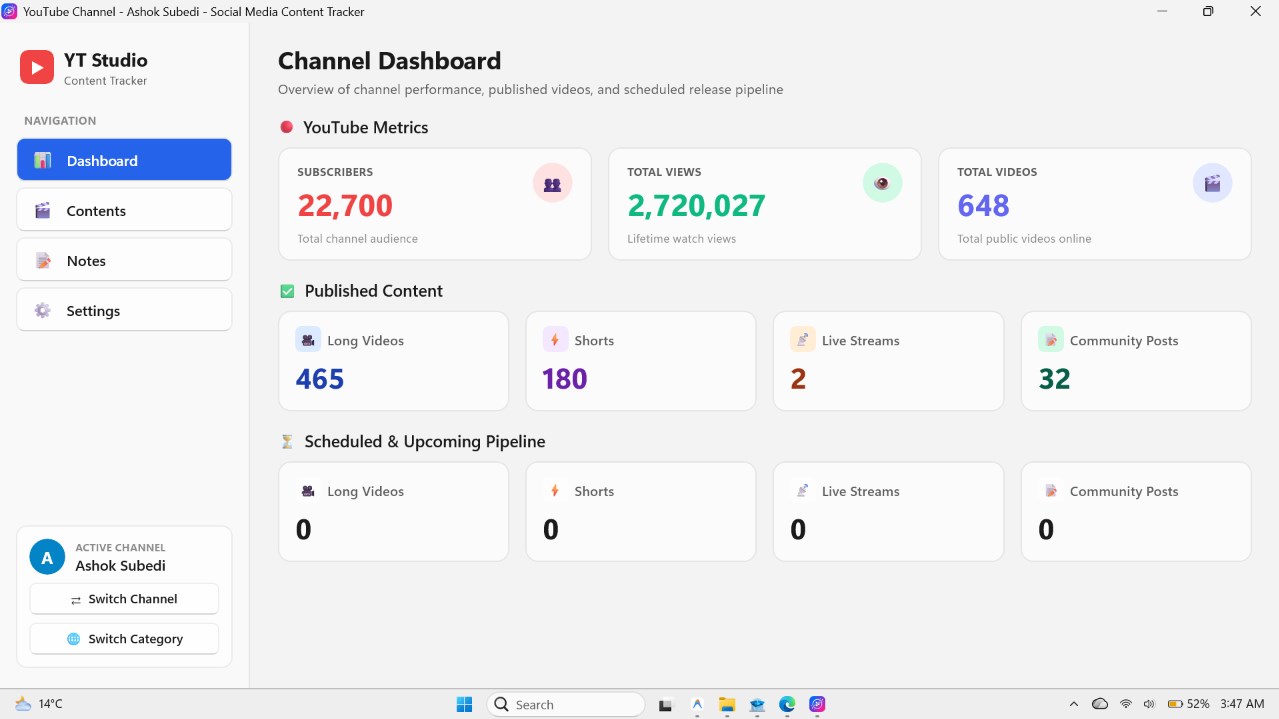
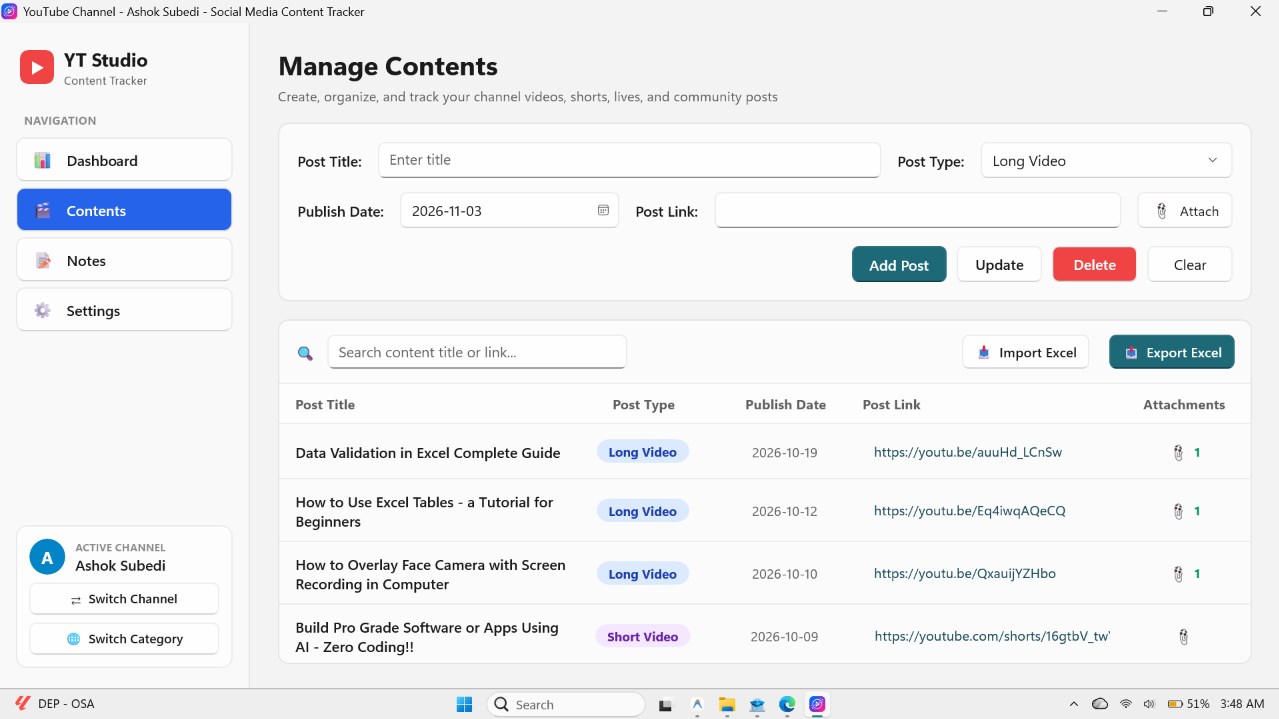
Take full control of your content creation workflow with Social Media Content Tracker, the clean, modern, and private desktop planning studio designed specifically for Windows 10 and Windows 11. Whether you are a solo YouTuber, social media manager, content creator, marketing agency, educator, or business owner, staying consistent across multiple channels and platforms can quickly become overwhelming. Social Media Content Tracker brings structure, clarity, and focus to your creative process by unifying all your ideas, drafts, assets, scripts, and posting schedules into one streamlined workspace. Unlike cloud subscription platforms that lock your data behind recurring monthly fees or expose your proprietary strategies to third-party servers, Social Media Content Tracker is built on a 100% local-first architecture. All your schedules, titles, notes, and attached files are stored securely on your own computer in a dedicated local database. MULTI-PLATFORM AND MULTI-CHANNEL MANAGEMENT Organize your online presence across dedicated categories: - YouTube Channels: Track long-form videos, Shorts, and scheduled live streams. - Social Media Channels: Plan content for Facebook, Instagram, LinkedIn, X (Twitter), TikTok, Pinterest, and custom business pages. - Visual Channel Cards: View all your channels in a clean, responsive card grid with quick access buttons, color-coded avatars, and real-time post counts. - Switch seamlessly between separate channels, client brands, or projects in seconds. COMPREHENSIVE CONTENT FORMATS Track and plan every format your brand publishes: - Videos: Plan video titles, production notes, links, and scheduled launch dates. - Live Streams: Organize live topics, talking points, and broadcast times. - Images and Photos: Plan thumbnails, photo posts, and infographics. - PDFs and Documents: Organize multi-page carousels, slide decks, and digital guides. - Links and Articles: Curate shared resource links, blog posts, and references. - Custom and Other Posts: Quick announcements, quotes, and text updates. STRUCTURED WORKFLOW PIPELINE Never lose track of where a post stands in your production queue: - Move items through clear workflow stages: Draft, In Progress, Ready, Scheduled, and Published. - Filter and search content by keyword, category, or workflow stage with instant results. - Review upcoming release dates so your publishing pipeline stays consistent. ATTACHMENT PREVIEWS AND LOCAL FILE MANAGEMENT Keep your media files connected directly to the post they belong to: - Attach thumbnails, graphics, scripts, PDFs, and reference images. - Built-in preview gallery to inspect attached images without leaving the app. - Copy images directly to your Windows clipboard with one click. - Launch linked files directly in your default Windows software. DEDICATED CHANNEL NOTES STUDIO Capture inspiration and strategy right where you work: - Maintain separate, persistent notes for each individual channel. - Plan long-term milestones, sponsor deliverables, video outlines, and hashtag libraries. - Clean, distraction-free text editor designed for quick writing. BUILT-IN GLOBAL BACKUP AND RESTORE Protect your work with zero hassle: - Create complete backups of your database and media files into a single compressed ZIP file. - Restore your entire content workspace to a new PC with a single click. DESIGNED EXCLUSIVELY FOR WINDOWS - Built with modern Windows App SDK and WinUI 3 for smooth performance and high-DPI clarity. - Works completely offline without requiring cloud logins or internet access for daily use. - Zero advertisements, zero third-party tracking.
Utilities · Windows · Free