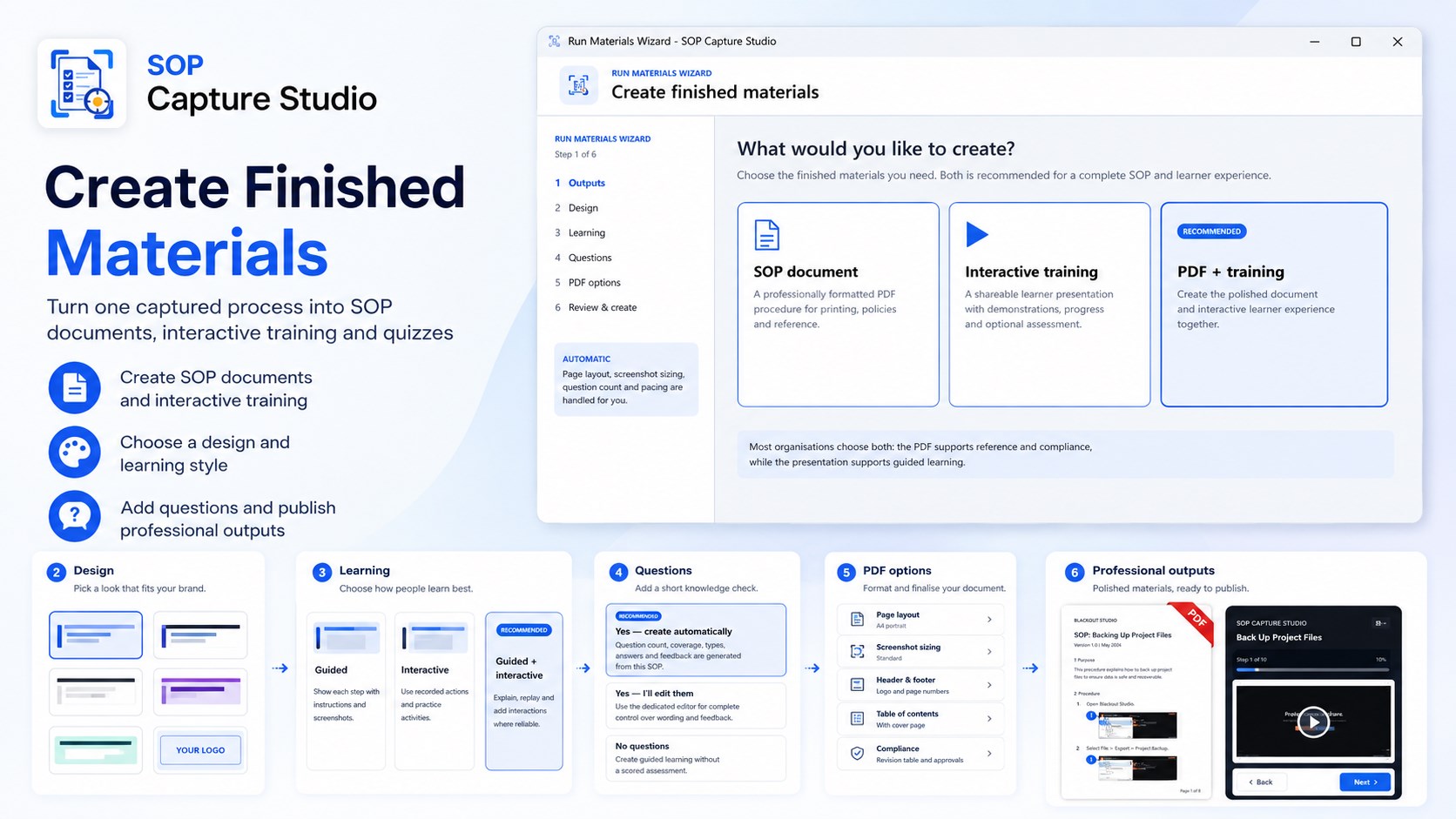
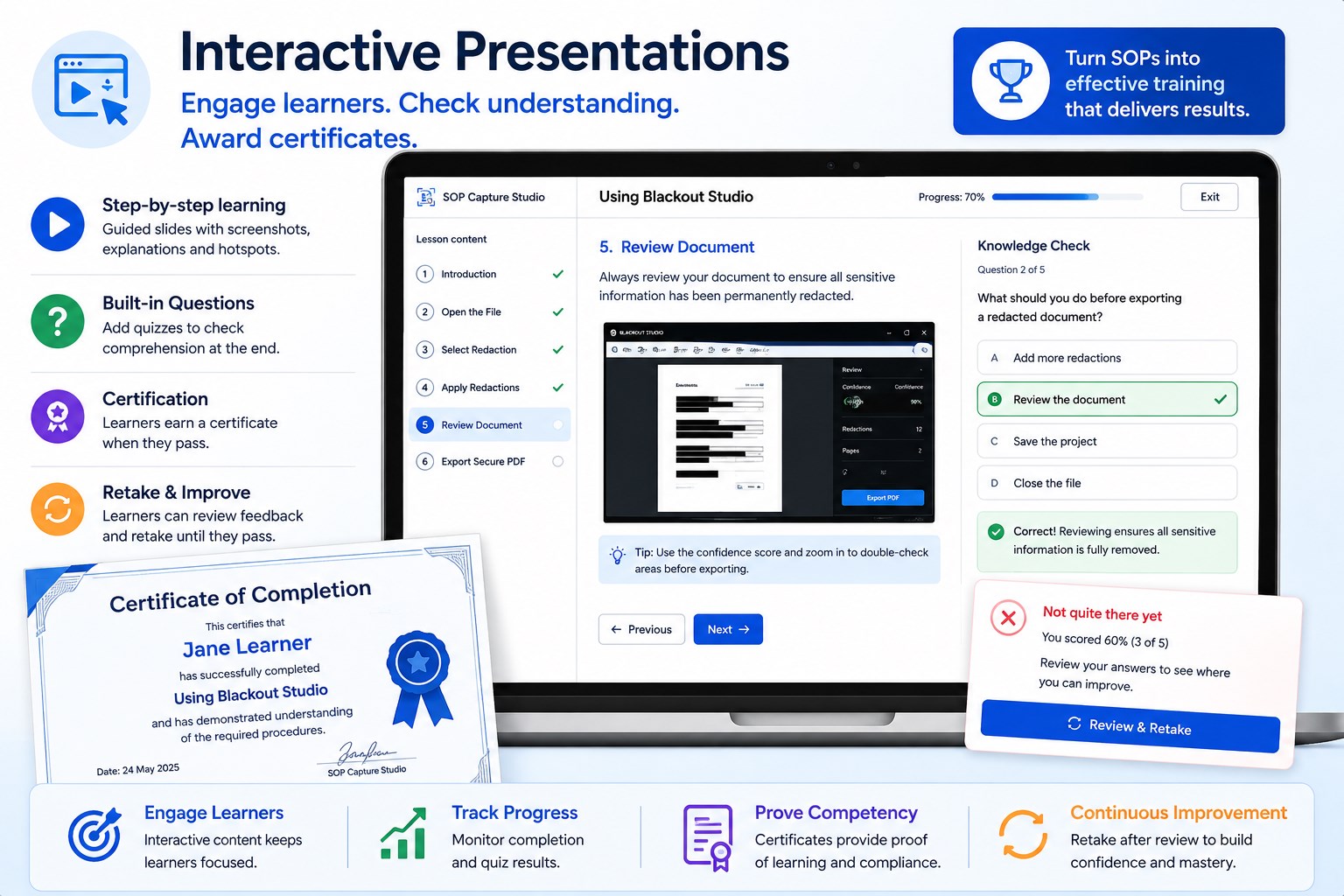
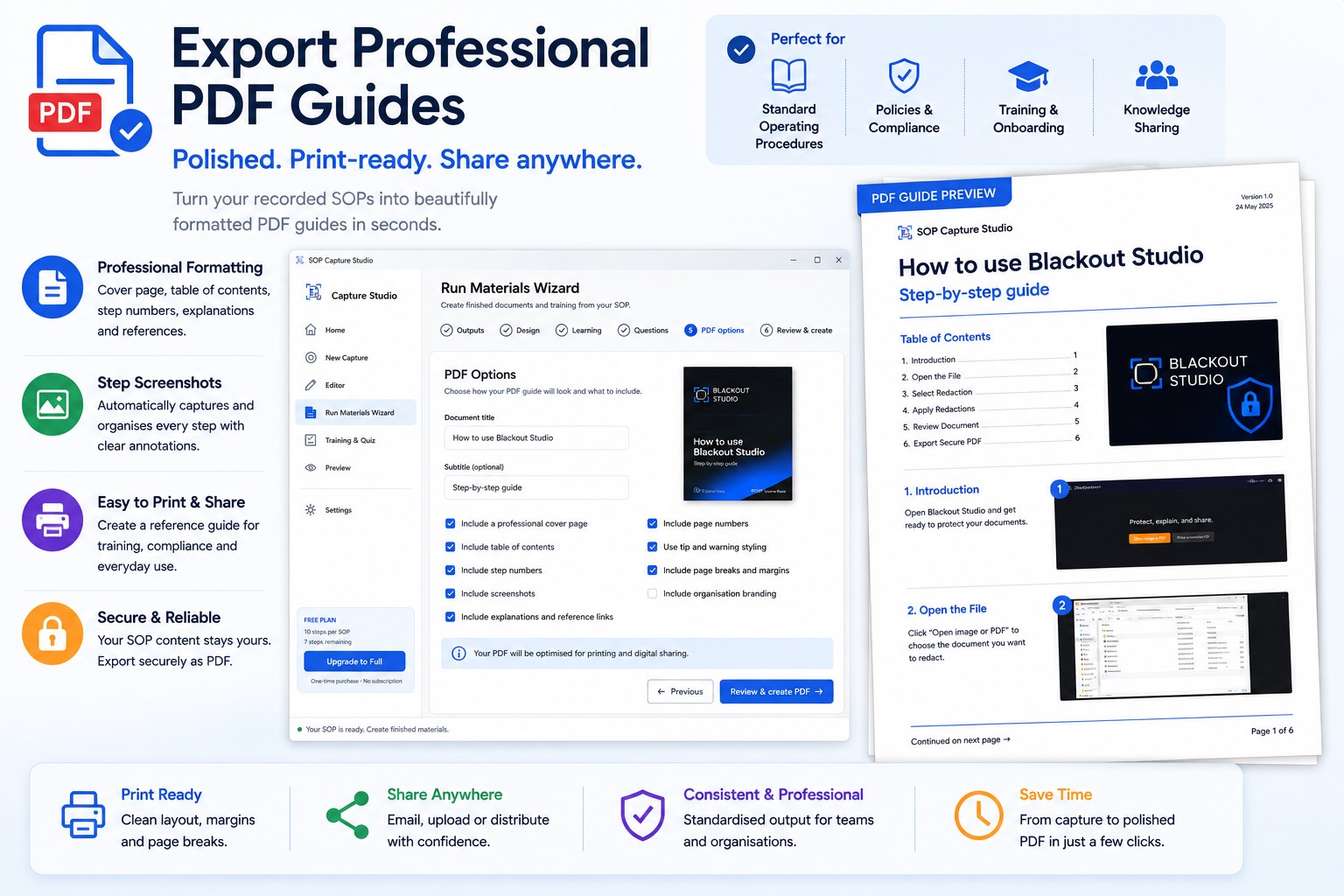
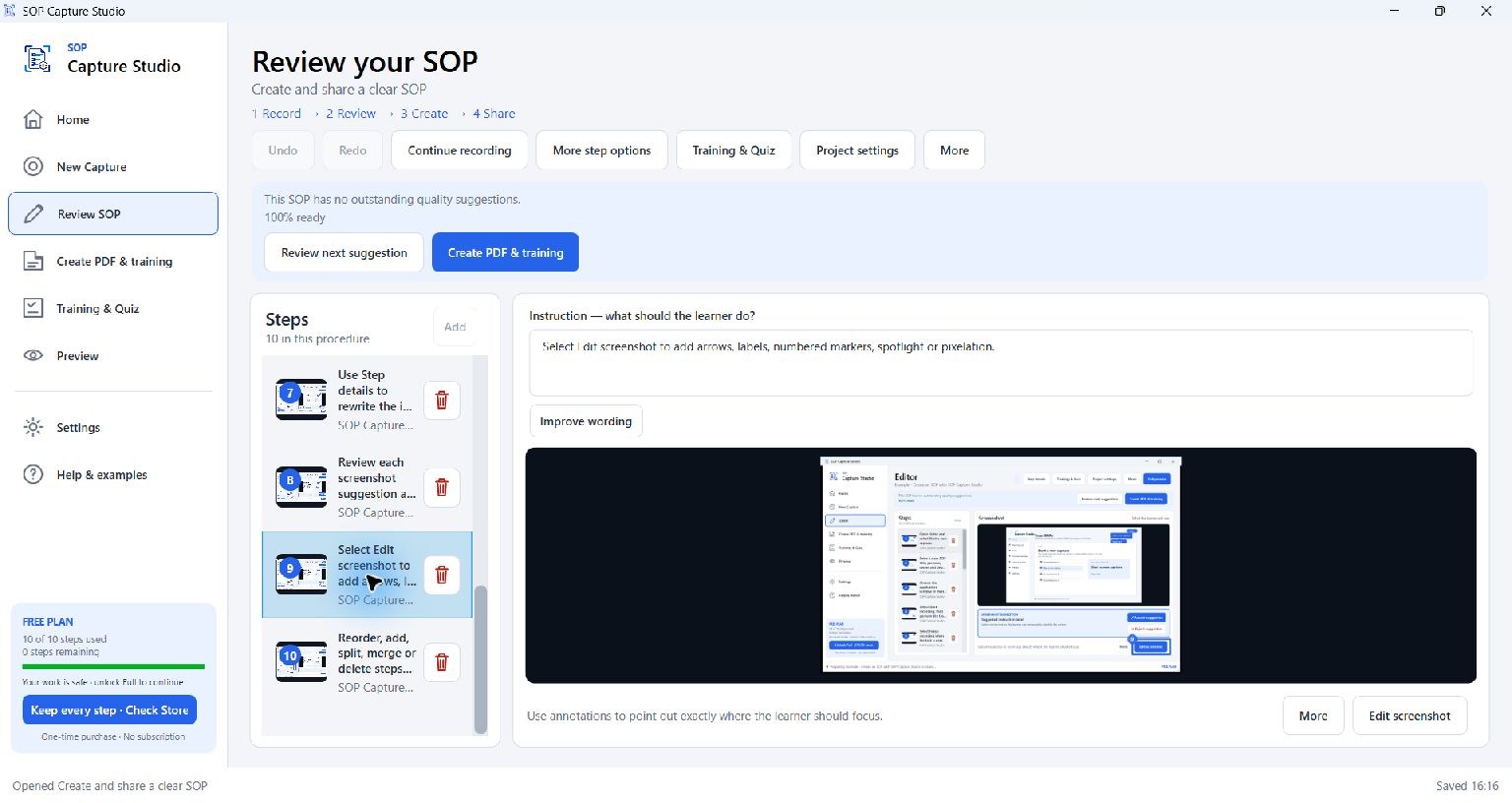
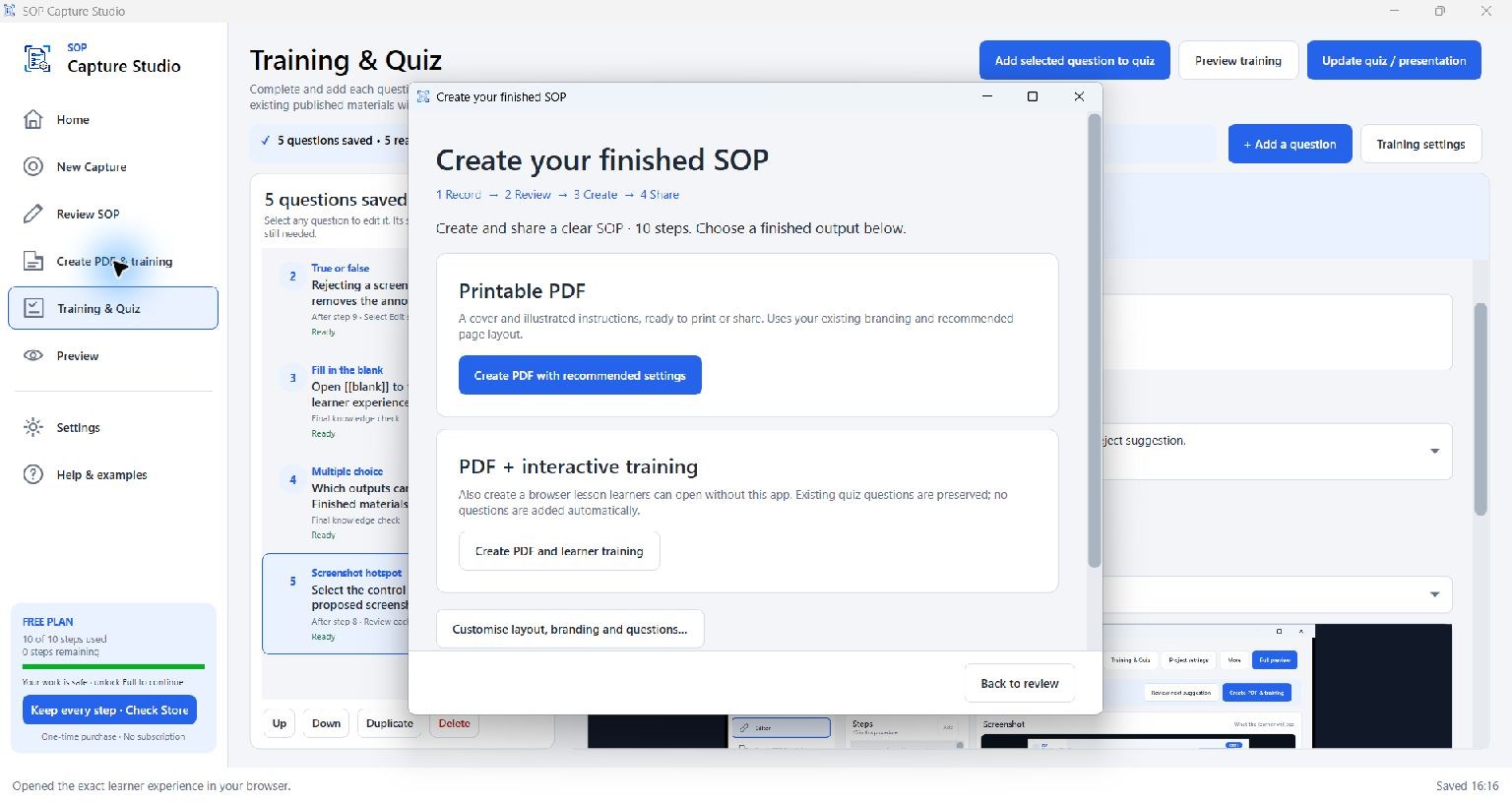
Show the task once. Give people a guide they can follow. Turn a real Windows workflow into editable, illustrated instructions, a professional PDF and interactive training. SOP Capture Studio brings recording, screenshot editing and knowledge checks together, so you can create useful materials from the work you already do. Start with a complete short SOP for free: up to 10 steps per procedure, including PDF export, screenshot editing, interactive training and quizzes. No SOP Capture Studio account is required. Capture the work Record meaningful clicks, keyboard shortcuts and application changes as you perform a task. Review the captured steps, correct the wording and continue a recording when you need to add more. Make every step clearer Edit instructions directly beside the screenshot. Add arrows, highlights, labels, tips and warnings to show people what matters. Undo recent edits while you refine the procedure. Create a document and a learning experience Produce a printable PDF with recommended settings, or create a PDF and an interactive browser lesson together. Add multiple-choice questions, true/false checks, fill-in-the-blank questions, screenshot hotspots and keyboard-shortcut questions. Learners can open exported training in a modern browser without installing SOP Capture Studio. Keep your knowledge under your control Recording, editing and exporting happen locally. SOP Capture Studio does not upload your procedure content or screenshots. No separate AI subscription is required. You choose where to save and share the finished files. Put it to work Create new-starter guides, software instructions, process handovers, IT support walkthroughs and repeatable admin procedures. Record ownership and review dates, and see when finished materials need updating after an edit. Free: create a complete SOP with up to 10 steps Save and reopen your projects, edit screenshots, export PDFs, create interactive training and add quizzes. The limit applies to the number of steps in each SOP. Full: longer workflows and reusable tools An optional one-time Microsoft Store purchase unlocks: • Unlimited steps in each SOP. • Multiple reusable brand profiles and SOP templates. • Advanced presentation styles. • Publication history, revision comparisons and change reports. • Publication bundles and bulk branding/material updates. • A local training dashboard and CSV reporting for imported completion receipts.
Business · Windows · Free