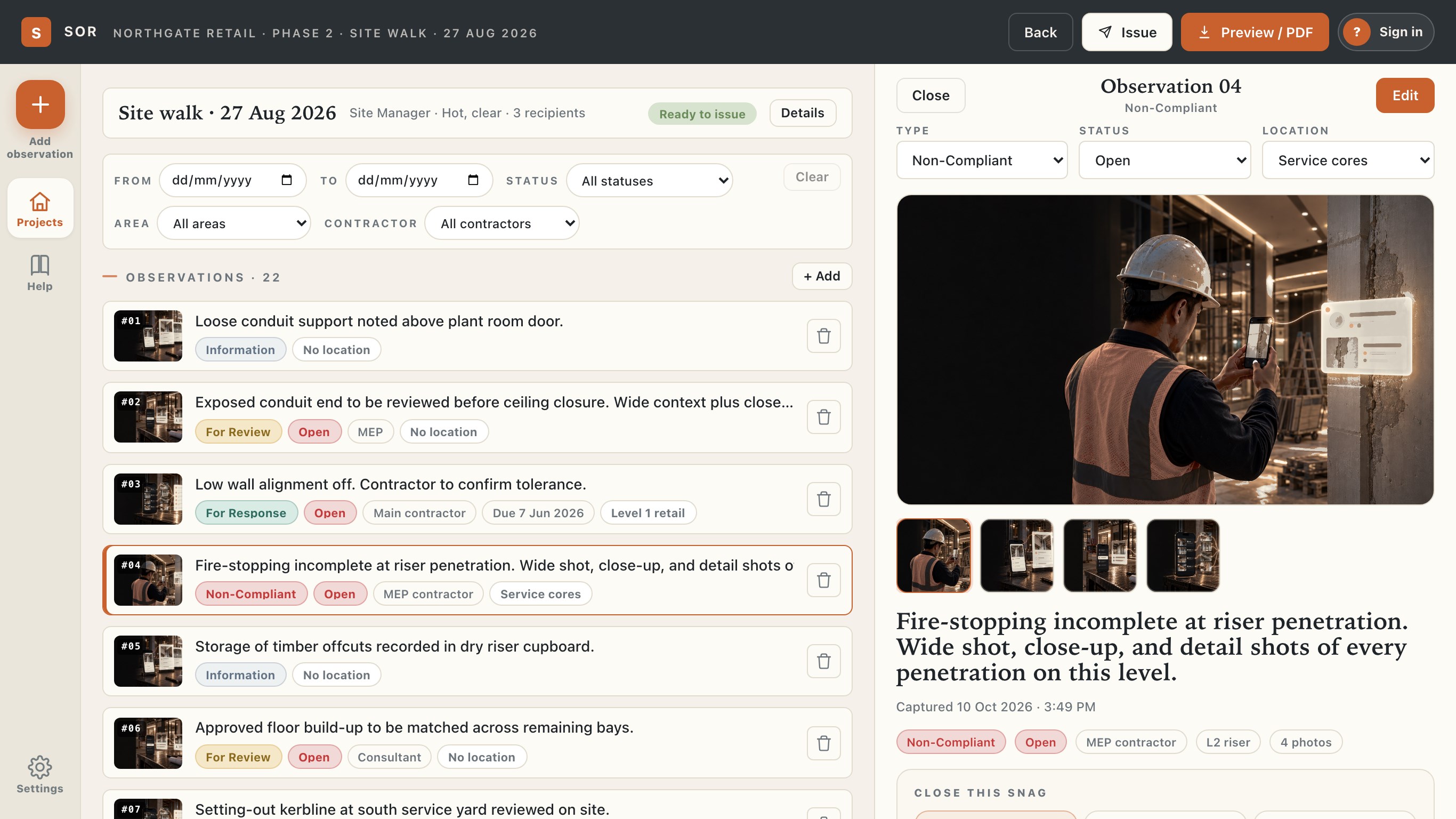
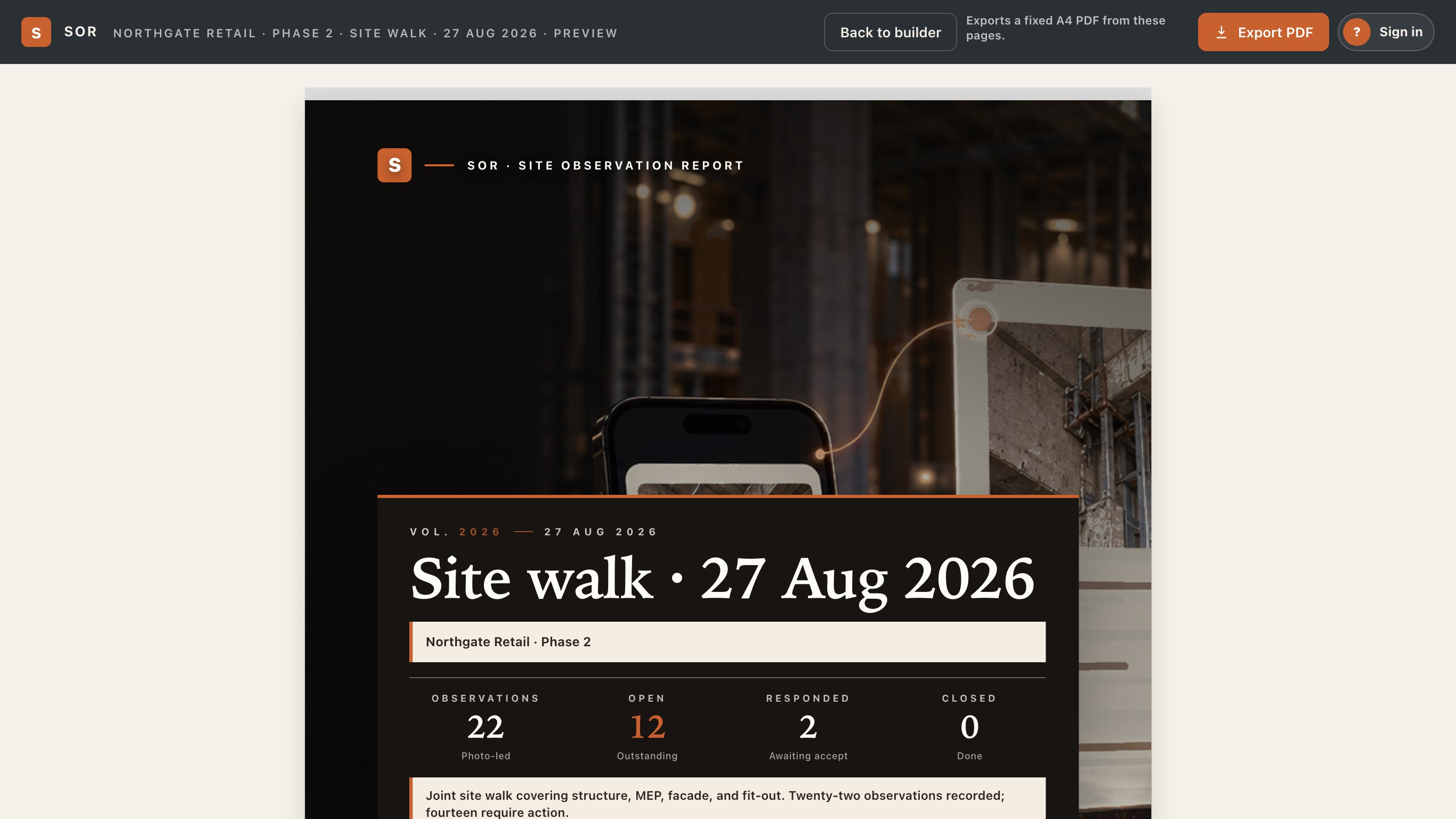
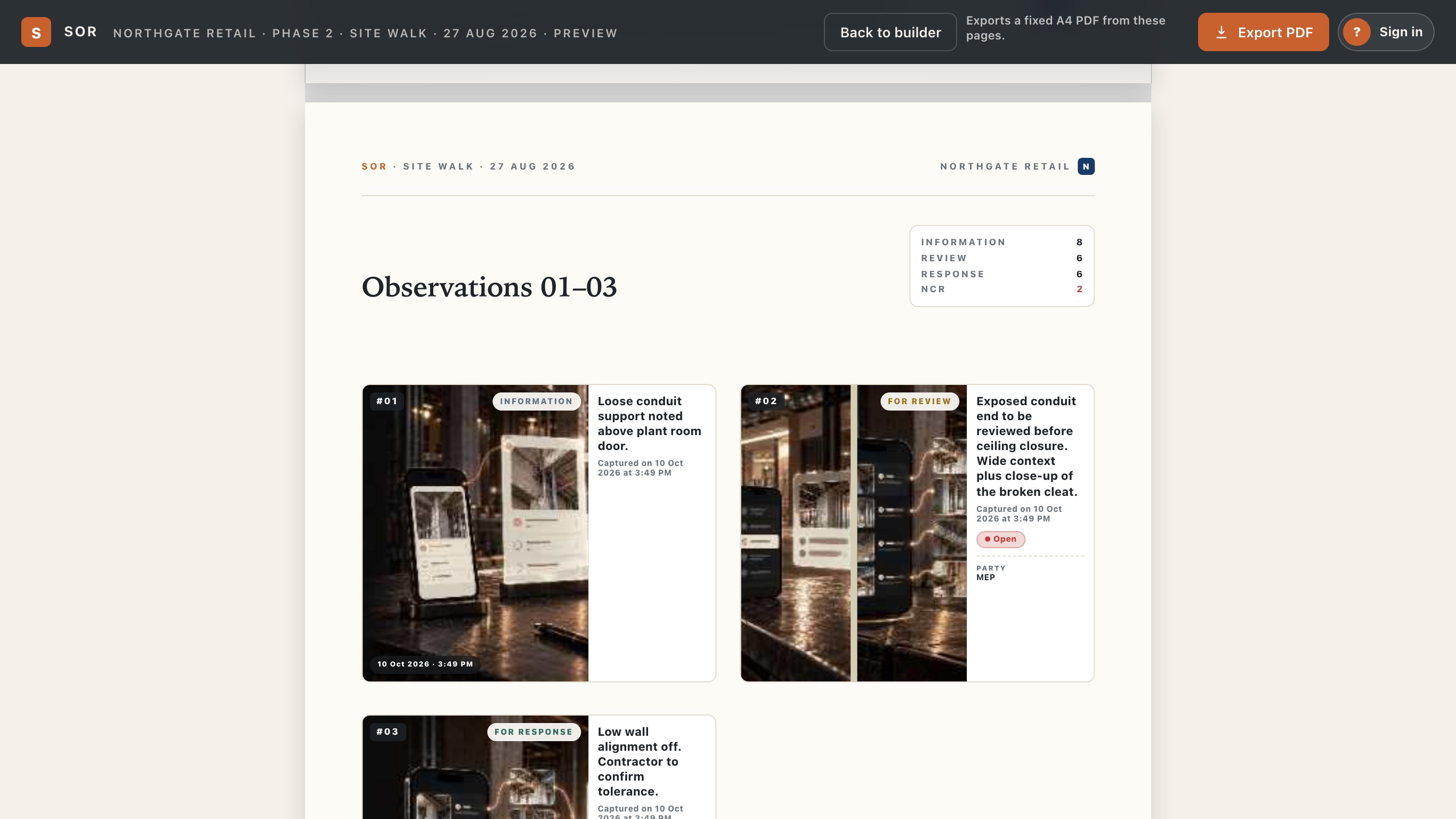
SOR turns a site walk into a finished, branded observation report. Photograph the condition on your phone as you walk. Then sit down at your desk and finish the job properly: SOR for Windows opens the same SOR account, so this morning's walk is already on screen. WORK DOWN THE LIST • The report list sits beside the observation you have open, so you can check twenty items without losing your place. • Use the arrow keys to move through a walk, Enter to edit. • Change an observation's type, status and location without leaving the list. SAY WHAT NEEDS DOING • Mark up the photo: draw, add arrows, shapes and text on the image. The markup is saved into the photo, so it survives the export. • Set the responsible party and a due date when something needs fixing. • Mark each item as information, for review, for response or non-compliant. ISSUE A CLEAN REPORT • Preview the whole report as A4 pages before it leaves you. • Export a PDF with your company name and logo on the cover. • Keep one project for the job, with its areas, contractors and plans, and a dated report for every walk. ONE ACCOUNT, EVERY DEVICE SOR is also on iPhone, iPad and Android. Sign in with the same free SOR account and your projects, reports and photos are on all of them. SOR for Windows needs an internet connection.
Business · Windows, iPhone, iPad, Android · Free