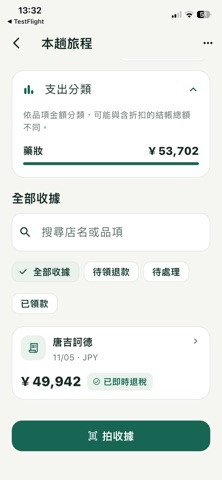
Shopping in Japan or Korea? Read your receipts, estimate refunds and keep track of payments with Spendlo. Your trip at a glance See pending refunds, recorded payments and receipts needing confirmation. Tap a summary to open its filter, or search store names and original or translated item names. Understand your receipts Take a photo or choose receipt images from your library. AI reads Japanese and Korean store names, dates, items and amounts, and translates item names. Review photos before recognition. Save up to 5 images for one long receipt and correct results while comparing the original photo. Separate tax from your expected payout Estimates use the purchase country, date, printed tax rate and refund status. Manually record total fees, payout method and the refund amount quoted on your voucher. Unknown fees are flagged. Voucher quotes are not charged fees twice. Follow up by refund provider Record J-TaxRefund, PIE VAT, Smart Detax, Global Blue, or another or unconfirmed provider. Track shop registration separately from your payout registration. Save a refund reference, an HTTPS entry link and an expected payment date. Tasks are grouped by provider and currency, and refund references are searchable. With Pro, turn on a local notification for the expected payment date. Confirm the provider and link on your shop voucher; update progress manually. Keep a refund record Track store registration, customs export confirmation and completed payment separately. Record the amount and date received. Filter unreceived refunds and view recorded received totals in each trip. You update these records manually. Japan’s new refund system For eligible purchases from November 1, 2026, pay the tax-inclusive price first. After departure customs confirms export, the store or its provider handles the refund. The guide explains confirmation before checking bags, carrying goods out and payment steps. Estimates distinguish the old and new systems by purchase date. Some shops also offer cash refunds downtown; customs confirmation at departure is still required, and Japan receipts from November 1 can be recorded as paid downtown. Korea’s refund options The guide distinguishes in-store instant refunds, downtown general refunds and airport refunds. Payments already deducted at checkout or received downtown are excluded from pending refunds. Downtown advance payments still require export confirmation. Follow the voucher amount and provider instructions. Trip reminders and spending records Set your Japan/Korea trip and return dates. With notifications enabled, reminders are scheduled three days before your trip, on the evening before your return and on return morning. Return reminders use Japan/Korea local time. Organize receipts by trip, review spending categories and see reference currency conversions. Free and Pro The free version includes ads and a total allowance of 30 successful scans. A one-time Pro purchase unlocks payment-date reminders and trip export (text summary or CSV), removes ads and raises the total allowance to 3,000 scans; it does not add 3,000 extra scans. Reminders turned on before this update keep working. Your App Store displays the price. AI scanning and exchange-rate queries require internet and are subject to service usage limits. Eligibility, fees, payout methods and timing depend on shops, customs and refund providers. Spendlo offers estimates and manual tracking. It does not process refunds or automatically check bank payments. Receipt photos do not replace your passport, original vouchers or goods.
Travel · iPhone, iPad · Free