
Screenshots


About Sprig: To-Do & Checklists
Sprig turns messy paragraphs, screenshots, or curated notes into a clean checklist, then reskin everything with theme colors, fonts, and custom looks that feel like you.
Paste a rambling note, snap a photo of a handwritten list, or drop in a screenshot. Sprig’s on-device AI turns it into editable checklist items. Review before you save, then check things off with a swipe.
WHY SPRIG
• Paste, photo, or camera → checklist (Intelligent Add using Apple Intelligence)
• Swipe to check off or delete; pull down to add; shake to undo
• Beautiful themes and fonts
• Per-list looks so each list can have its own vibe
• Archive deleted lists until you restore them
FREE
Unlimited lists, Intelligent Add, gestures, font style and size options, and a starter set of themes.
ONE-TIME UNLOCK ($4.99)
Every theme, List looks, custom app icons, and future Pro features — buy once, keep forever. No subscription.
MADE FOR IPHONE DUO
Interface beautifully adjusts for the new iPhone Duo. Try it closed or open, looks great either way!
Requires iOS 26. On-device AI with Apple Intelligence on supported iPhones; other devices use Sprig’s built-in parser.
AVALW Coverage
Not yet mentioned in AVALW articles.
Similar apps


 MyJio: For Everything JioJio Platforms LimitedTrue 5G, recharges, payments & UPI, music & movies, backup, games, news & more.★ 4.4 27428k


 Microsoft WordMicrosoft CorporationThis application requires a qualifying Microsoft 365 subscription. Microsoft 365 includes premium Word, Excel, and PowerPoint apps, 1 TB cloud storage in OneDri★ 4.8 17535k



 Samsung NotesSamsung Electronics Co, Ltd.(Samsung Notes is optimized for Samsung Galaxy Books. Other computers may have issues running it.) "Samsung Notes allows you to use the enhanced S Pen to write ★ 4.8 15228k



 ChatGPT ClassicOpenAIThe official ChatGPT desktop app brings you the newest model improvements from OpenAI. Do more on your PC with ChatGPT: · Instant answers—Use the [Alt + Space] ★ 4.8 11034k


 ChatGPTOpenAI OpCo, LLCIntroducing ChatGPT for iOS: OpenAI’s latest advancements at your fingertips. This official app is free, syncs your history across devices, and brings you the l★ 4.8 11034k


 Microsoft OutlookMicrosoft CorporationOutlook helps you stay connected and organized at the office and at home with easy access to emails, files, calendar events, and contacts across all your accoun★ 4.3 10673k


 Turbo VPN: Unlimited VPN ProxyINNOVATIVE CONNECTING PTE.LIMITEDDo you want online security and privacy while browsing? Turbo VPN now provides the fastest, reliable and encrypted network. With Turbo VPN, you can get the safe★ 4.7 10243k



 Microsoft ExcelMicrosoft CorporationThis application requires a qualifying Microsoft 365 subscription. Microsoft 365 includes premium Word, Excel, and PowerPoint apps, 1 TB cloud storage in OneDri★ 4.8 9702k
More by this developer


 Typing AttackBSR Films, LLCType Attack is a fast, friendly typing arcade game. Words fall from above — type them to blast them out of the sky before they reach the bottom. Sharpen your ty-


 ScorePad: Game Points TrackerBSR Films, LLCScorePad keeps score for the games you already play—card nights, board games, mini golf, pickleball and more. Enter each round and ScorePad handles the totals. -


 TripStubBSR Films, LLCTripStub is a fast, private expense tracker built for business travel and reimbursement — log a receipt in seconds and send a finished report when the trip's do★ 5.0 1


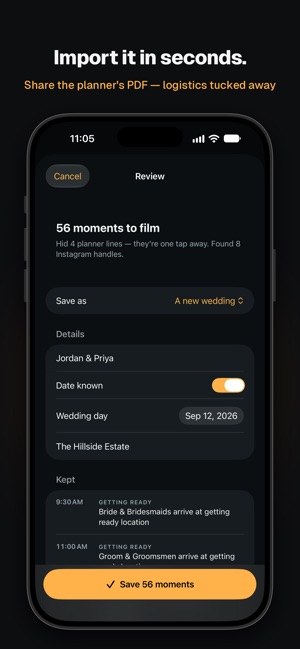
 Timeline by BSRBSR Films, LLCThe planner's timeline is built for everyone at the wedding. Vendor load-in, shuttles, linens, meal counts. Somewhere in there are the moments you're actually t★ 5.0 1