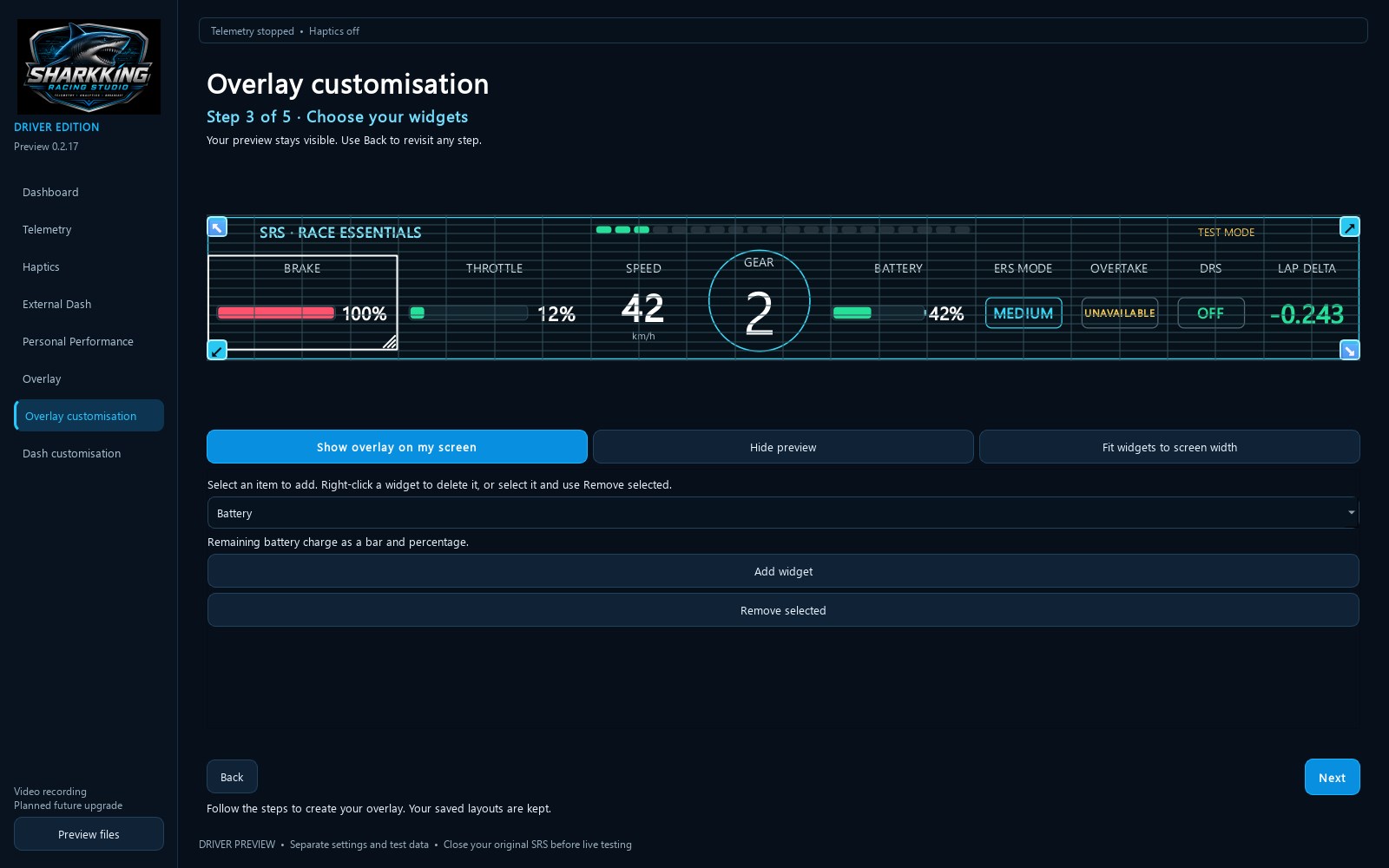
SRS Driver requires an SRS account and an approved activation key. This preview includes 14 days of access from first activation on one PC. Internet access is required for activation and periodic licence checks. Downloading the app does not automatically grant tester approval. A compatible racing game is supplied separately and must have UDP telemetry enabled for live driving data. Bring your driving inputs into view with live telemetry, a customisable in-game overlay, recorded lap analysis and optional supported pedal vibration. Build an overlay using the guided layout editor. Add, move and resize widgets for brake, throttle, speed, gear, RPM, battery charge, ERS mode, overtake, DRS, lap delta and sector times. Available indicators depend on the telemetry supplied by your game. Simulated preview helps you set up your layout before driving. Record and import telemetry, compare completed laps, and review steering, braking, throttle and time differences. Online references use eligible recorded SRS telemetry when a matching reference is available. Browse separate assisted and no-assist leaderboards by game and track. Optional haptics require supported pedal hardware. External SRS dash support is coming soon and is not available in this release. Connected telemetry collection is explained in the activation notice and at sharkkingracingstudio.com/data-use. Sign up and request access at sharkkingracingstudio.com.
Utilities · Windows · Free