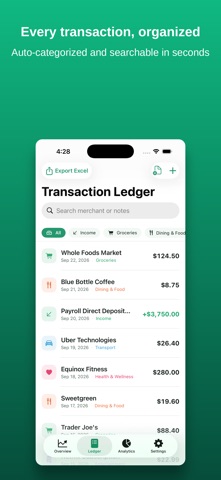
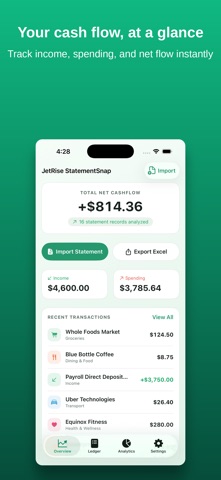
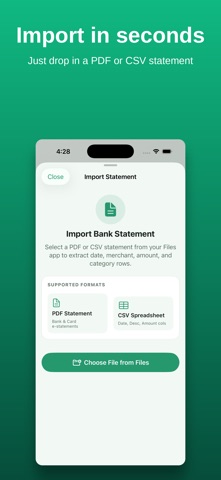
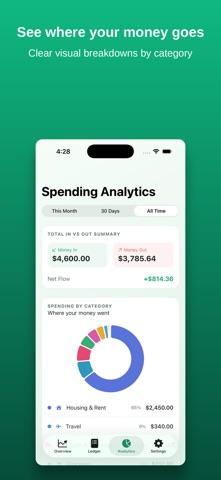
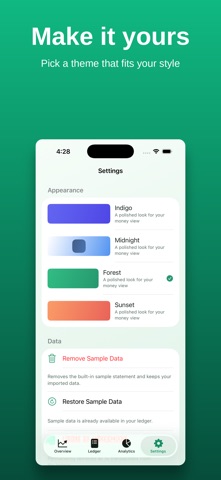
Import PDF or CSV bank statements, review your transactions, and organize your spending with StatementSnap. Start free: your first statement import and Excel export cost nothing. Pro unlocks unlimited imports and exports. IMPORT AND REVIEW Choose a bank or card statement from Files. StatementSnap extracts transaction details for you to review before adding them to your ledger. For password-protected PDFs, enter the document password when prompted. Statement layouts vary. Extraction may be incomplete or require corrections, so check dates, descriptions and amounts against your original statement. Not every PDF or CSV format is supported. KEEP A CLEAR TRANSACTION LEDGER Browse categorized transactions, search by merchant, and filter by category. Review and edit your records to keep your ledger accurate. UNDERSTAND YOUR SPENDING See income, spending and net cash flow in your overview. Explore spending by category and merchant, and choose a date range for your records. EXPORT TO EXCEL Export your ledger to an Excel file for your own spreadsheets or to share with an accountant. Your first export is free; Pro adds unlimited exports. Review your records before using them for bookkeeping or tax preparation. YOUR RECORDS STAY ON YOUR DEVICE StatementSnap stores your imported records on your device. You choose when to export and share a file. FREE AND PRO Free includes one statement import, one Excel export, and access to your ledger and spending views. Pro adds unlimited PDF and CSV statement imports and Excel exports. Choose a monthly or yearly auto-renewing subscription, or a one-time lifetime purchase. Any eligible introductory trial and the price that follows it are shown in the purchase screen before you confirm. A subscription trial is separate from the free statement import and export. Payment is charged to your Apple Account at purchase confirmation, or after an applicable free trial. Subscriptions renew automatically unless cancelled at least 24 hours before the current period ends. Your account is charged for renewal within 24 hours before that period ends. Manage or cancel subscriptions in your Apple Account settings. Terms of Use: https://www.apple.com/legal/internet-services/itunes/dev/stdeula/ Privacy Policy: https://jetriseitsolutions.com/Privacy-Policy/ Support: https://jetriseitsolutions.com/support/
Finance · iPhone, iPad · Free
Rating: 1.0 out of 5, based on 1 user ratings.