
Screenshots


About Sumipon: Lock Screen To-Do
Sumipon puts your to-do list where you already look: the lock screen.
Type a short task in seconds. The app opens with the cursor ready, and you can also start from Control Center, the Action button, or Siri ("Add a task").
LOCK SCREEN
- Lock screen widgets: a rectangular list with tap-to-stamp, a circular progress ring, and an inline line
- A list wallpaper image you can export, or update automatically with a Shortcuts automation (Set Wallpaper)
- Optional Live Activity for "today focus" on the lock screen
A note on iPhone limits: when the phone is locked, widget buttons work after Face ID unlock. That is an Apple rule, not something an app can change.
DONE MEANS DONE
Finish a task and Pon the red panda gives it a red 済 hanko stamp. Tasks you finish never come back by mistake. Made a mistake? Undo it. You can also reorder, rename, and delete with undo. The Stamp Book shows what you finished, and Pon levels up as you collect stamps.
PRIVATE AND SIMPLE
- Works offline
- No account, no data collected
- English and Japanese
FREE TO USE, ONE-TIME UNLOCK
The core to-do list and lock screen widgets are free. "Sumipon Pro" is a one-time purchase (no subscription) that unlocks all wallpaper styles, Live Activity, more than one list, and history export.
AVALW Coverage
Not yet mentioned in AVALW articles.
Similar apps


 MyJio: For Everything JioJio Platforms LimitedTrue 5G, recharges, payments & UPI, music & movies, backup, games, news & more.★ 4.4 27428k


 Microsoft WordMicrosoft CorporationThis application requires a qualifying Microsoft 365 subscription. Microsoft 365 includes premium Word, Excel, and PowerPoint apps, 1 TB cloud storage in OneDri★ 4.8 17535k



 Samsung NotesSamsung Electronics Co, Ltd.(Samsung Notes is optimized for Samsung Galaxy Books. Other computers may have issues running it.) "Samsung Notes allows you to use the enhanced S Pen to write ★ 4.8 15228k



 ChatGPT ClassicOpenAIThe official ChatGPT desktop app brings you the newest model improvements from OpenAI. Do more on your PC with ChatGPT: · Instant answers—Use the [Alt + Space] ★ 4.8 11034k


 ChatGPTOpenAI OpCo, LLCIntroducing ChatGPT for iOS: OpenAI’s latest advancements at your fingertips. This official app is free, syncs your history across devices, and brings you the l★ 4.8 11034k


 Microsoft OutlookMicrosoft CorporationOutlook helps you stay connected and organized at the office and at home with easy access to emails, files, calendar events, and contacts across all your accoun★ 4.3 10673k


 Turbo VPN: Unlimited VPN ProxyINNOVATIVE CONNECTING PTE.LIMITEDDo you want online security and privacy while browsing? Turbo VPN now provides the fastest, reliable and encrypted network. With Turbo VPN, you can get the safe★ 4.7 10243k



 Microsoft ExcelMicrosoft CorporationThis application requires a qualifying Microsoft 365 subscription. Microsoft 365 includes premium Word, Excel, and PowerPoint apps, 1 TB cloud storage in OneDri★ 4.8 9702k
More by this developer


 Courtpenny: Settlement FinderSang HuynhCourtpenny shows open US class action settlements so you can see which ones you may qualify for and file the claim yourself on the official, court-approved sett-

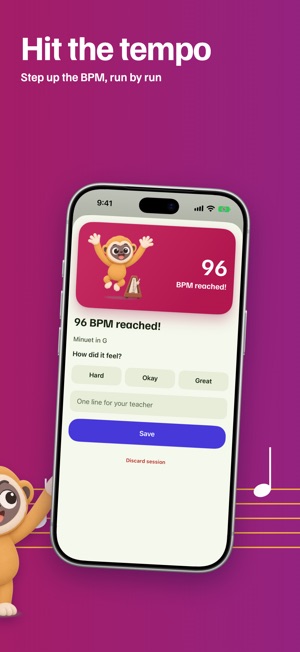

 Tempino: Tuner & MetronomeSang HuynhOne app for every practice session. Tempino is a tuner, a metronome and a practice log for music students and their teachers. Open it when you pick up your inst-


 Tarokko: Learn Tarot DailySang HuynhTarokko teaches you all 78 tarot cards, upright and reversed, in about three minutes a day. It is a study app, not a fortune teller. No readings, no predictions-


 Kerbmile: Drive Stats & RoutesSang HuynhKerbmile is a drive log for people who enjoy driving: weekend mountain roads, road trips and the daily commute. Press Start, put the phone away, press End. Kerb-