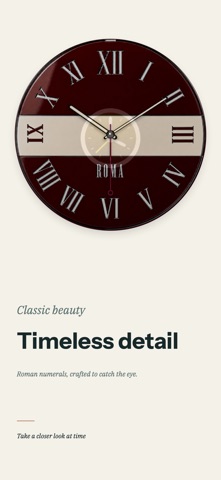
Turn your iPhone or iPad into an elegant full-screen desk clock. Choose an analog face for your desk or bedside. When it is time to focus, switch to the Pomodoro timer and follow your progress on the dial. Choose from carefully designed analog clock faces for iPhone and iPad, from the clean order of Swiss rail clocks to expressive families inspired by color, instruments, stars, and classic materials. Each family has its own dial, markers, hands, and atmosphere. Browse naturally: • Long-press the clock or pinch inward with two fingers to open the face selector. • Swipe inward from either screen edge to switch themes in the current family. • Tap the clock to give it more room and hide supporting information. Save favorite face and theme combinations for quick access. Create a static clock image to save or share. Make it yours with time format, second-hand style, always-on display, hourly and half-hourly chimes, and other preferences. The layout adapts to portrait and landscape on both iPhone and iPad. Some faces and themes are free. Additional faces and features are available through monthly, yearly, and lifetime Pro options. Purchases can be restored from the Membership page. Focus is a Pro feature. Choose a duration, pause and resume, and follow progress on the dial. Without Pro, subscription options are shown before entering Focus. Terms of Use: https://sixplus.notion.site/SuperClock-English-Terms-of-Use-3da2297c5ac18181a19efee3547b72fb
Utilities · iPhone, iPad · Free
Rating: 3.7 out of 5, based on 35 user ratings.