
Screenshots


About TakeALook: Safe Photo Handoff
Hand someone your iPhone or iPad without handing over your whole camera roll.
TakeALook turns an album, a date range, or a handful of photos into a protected viewing session. Your guest swipes through exactly what you chose, and nothing else.
HOW IT WORKS
1. Pick an album, a date and time range, or just a few photos.
2. Review the selection and exclude anything you would rather not show.
3. Tap Hand It Over.
4. Pass the device across the table.
5. End the session using your chosen exit protection.
FIND THE SET INSTEAD OF SCROLLING FOR IT
Describe what you want to show. Speak or type "the waterfall last summer" or "photos from Arches", and TakeALook assembles the set and hands it to you to review before anyone else sees it. Siri can help prepare a selection for you too. On iOS 27, a Shortcuts action can also send selected photos straight into TakeALook. Spoken requests are transcribed by Apple's speech recognition; you can always type instead.
Enhanced Search is a single switch. Turn it on and TakeALook builds a private index on this device: dates, places, media types, favorites, objects and scenes in small thumbnails, and camera and lens details. On iOS 27, it can also include captions and keywords you add in Photos. Your photos and your search index never leave this device.
Turn on Remember Last Selection to return to your recent album and date filter.
To keep a set of photos from your library, Save to Album adds it to a new or existing Photos album, in the order shown.
WHAT YOUR GUEST CAN DO
• Swipe through the photos and videos you selected
• Pinch and double-tap to zoom
• Play videos with simple controls
• Watch a slideshow, sliding or fading between items, with videos played all the way through if you like
• Press and hold to play Live Photos, and watch animated GIFs
• See when and where a photo was taken, with its local time zone when available
• Open an interactive map of that location
WHAT YOUR GUEST CANNOT DO
• Reach any photo outside your selection
• Change the album or add to the session
• Edit, delete, or share anything
• Open Settings or any owner control without your passcode
TWO LEVELS OF PROTECTION
Quick Handoff hides everything outside your selection and requires a deliberate press-and-hold, or your passcode, to leave. Normal iOS gestures can still exit the app.
Locked Handoff pairs the same viewer with Apple's Guided Access, which confines the device to TakeALook until you end it. TakeALook explains exactly how to set that up, and never claims to lock your device when Guided Access is not running.
PRIVACY YOU CAN CHECK
• No account and no sign-in
• No ads, no analytics, no tracking, and no third-party SDKs
• Your photos and videos never leave your device
• Search runs here, on an index that stays on this device
• Guests can't change your library. TakeALook never edits or deletes photos, and adds to an album only when you choose Save to Album
• With location display on, photo coordinates go to Apple Maps for place names, time zones, and maps. You can turn it off entirely.
FREE AND PAID
Free covers your Recently Added photos, any handful of photos you pick yourself, and the Show in TakeALook share extension — with the complete viewing experience: zoom, video, Live Photos, GIFs, slideshows, dates, places, maps, Guided Access support, and every protection.
The one-time upgrade unlocks every other album and collection, including shared albums, date and time range sessions, and finding photos by describing them. One payment, no subscription, Family Sharing included.
BUILT FOR IPHONE AND IPAD
Full layouts in both orientations, Dynamic Type, VoiceOver, Reduce Motion support, and generous touch targets throughout.
On iPhone Duo, show a page on each side like a book, keep the photo on the standing half in tabletop, or stand it as a tent facing your guest.
TakeALook is a handoff viewer. It is not a vault, a cloud service, or a replacement for the Photos app.
AVALW Coverage
Not yet mentioned in AVALW articles.
Similar apps


 YouTubeGoogleGet the official YouTube app on iPhones and iPads. See what the world is watching -- from the hottest music videos to what’s popular in gaming, fashion, beauty,★ 4.7 49315k


 InstagramInstagram, Inc.Little moments lead to big friendships. Share yours on Instagram. — From Meta Connect with friends, find other fans, and see what people around you are up to an★ 4.7 29567k



 Affinity by CanvaCanvaONE APP TO CRAFT IT ALL, FOR NO COST AT ALL. Design. Edit. Lay it out. Affinity gives you vector, pixel, and layout tools, all in the same professional-grade ap★ 4.8 27291k


 Video Editor & Maker - InShotInShot Video EditorAI video editor with music! Edit video with effects, slideshow & slow motion★ 4.8 24760k


 MX PlayerAmazon Mobile LLCPowerful video player with advanced hardware acceleration and subtitle supports★ 4.2 14336k


 VivaVideo - Video Cut & EditorQuVideo Inc. Video Editor & Video Maker AppAI Video Editor: AI Templates, Text to Video, Extract Audio, Auto Caption.★ 4.3 12268k


 YouCut - Video Editor & MakerInShot Video EditorAI Video Editor with Music, Filter, Slideshow, Effect, Merge & Trim Video.★ 4.8 8635k


 Screen Recorder - XRecorderInShot Inc.Record games with audio. Smooth, HD screen capture & Built-in video editor.★ 4.7 7662k
More by this developer


 WhichLockerTorn Metal LLCWhichLocker remembers the numbers you'd otherwise forget: your gym locker, the parking spot, a hotel room, a bike rack, or a running count of anything. Set it o★ 5.0 1
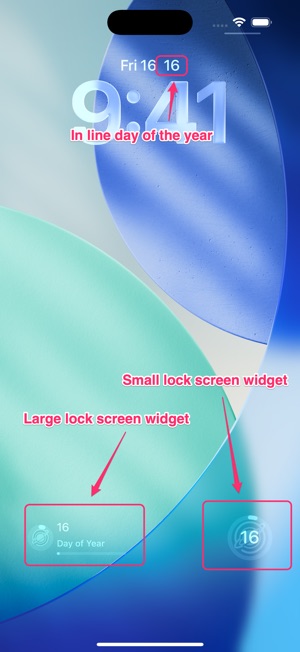


 DayPath WidgetTorn Metal LLCDayPath is the beautiful, minimalist way to track your progress through the year. Whether you're taking on a fitness challenge, following a Bible-in-a-year read-


 Reaction Speed - Are you fast?Torn Metal LLCGet ready for an adrenaline-filled gaming experience! Test your reaction speed and challenge your reflexes like never before. Tap green circles rapidly and navi★ 5.0 2


 PhotoObjects CreatorTorn Metal LLCTurn Your Memories into Dimensions PhotoObjects Creator is the ultimate tool for spatial creativity, letting you instantly transform photos into professional-gr★ 5.0 1