
Screenshots


About WhichLocker
WhichLocker remembers the numbers you'd otherwise forget: your gym locker, the parking spot, a hotel room, a bike rack, or a running count of anything.
Set it once and check it from wherever you are: iPhone, Apple Watch, Home Screen and Lock Screen widgets, Control Center, watch complications, the Smart Stack, or by asking Siri.
ALWAYS ONE GLANCE AWAY
• Home Screen and Lock Screen widgets in every size
• Apple Watch app, complications and Smart Stack widget
• Control Center and Lock Screen controls to show, increase or decrease your number
• Tinted and clear widget styles look right on any Home Screen
A STACK, NOT JUST ONE NUMBER
• Save a temporary entry, like a parking spot, without losing your locker number
• Move any older entry back to the top with one tap
• Give every entry its own label: Gym Locker, Parking, Hotel Room
COUNTER MODE
• Turn on +/- buttons to count laps, sets, reps, or anything else
• Count from the app, a widget, a control, or your watch
SIRI AND SHORTCUTS
• "What's my Gym Locker in WhichLocker?"
• "Increment WhichLocker" or "Decrement my laps in WhichLocker"
• Works with Siri, Spotlight and the Shortcuts app
IPHONE AND APPLE WATCH IN SYNC
• Change your number on either device, or from a widget or complication, and the other device updates
• Tap the watch card to enter a new value; press and hold to edit
MAKE IT YOURS
• Dozens of colors and gradients
• Labels, letters and numbers, such as "P3 · B12"
• Available in English, Dutch, French, German, Italian, Japanese, Korean, Portuguese, Russian and Spanish
PRIVATE BY DESIGN
• No account, no ads, no tracking
• Your entries stay on your devices
AVALW Coverage
Not yet mentioned in AVALW articles.
Similar apps


 Phone by GoogleGoogle LLCReliable phone calls with spam protection, caller ID and more helpful features★ 4.4 52440k


 Google Play servicesGoogle LLCGoogle Play services - Google services for Android apps★ 4.3 44573k



 Call of Duty®: Modern Warfare® 4 (Windows)Activision Publishing Inc.War erupts on the Korean Peninsula as North Korea launches a full-scale invasion that threatens to destabilize the world in Call of Duty®: Modern Warfare® 4. A ★ 4.3 16579k


 gov.brServiços e Informações do BrasilGov.br is a means of user access to digital public services.★ 4.6 14047k


 MyTelkomsel – Buy InternetTelkomselBuy credit, internet quota, streaming, game voucher & get cashback with e-wallet★ 3.8 12353k


 myIM3: Data Plan & Buy PackageIndosat Ooredoo HutchisonCheck balance & quota, detect & block spam, exchange IMPoin only on myIM3★ 4.4 11302k


 Files by GoogleGoogle LLCClean up your phone, find files, play media, and share files offline★ 4.5 9097k


 CNH do BrasilServiços e Informações do BrasilDigital driver's license and vehicle registration certificate, first driver's license, traffic violation and vehicle information.★ 4.9 8390k
More by this developer
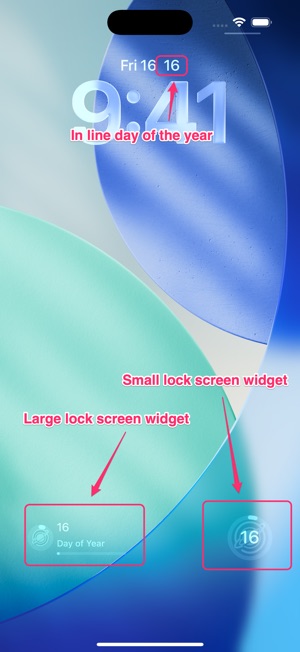


 DayPath WidgetTorn Metal LLCDayPath is the beautiful, minimalist way to track your progress through the year. Whether you're taking on a fitness challenge, following a Bible-in-a-year read-


 Reaction Speed - Are you fast?Torn Metal LLCGet ready for an adrenaline-filled gaming experience! Test your reaction speed and challenge your reflexes like never before. Tap green circles rapidly and navi★ 5.0 2


 TakeALook: Safe Photo HandoffTorn Metal LLCHand someone your iPhone or iPad without handing over your whole camera roll. TakeALook turns an album, a date range, or a handful of photos into a protected vi★ 5.0 3


 PhotoObjects CreatorTorn Metal LLCTurn Your Memories into Dimensions PhotoObjects Creator is the ultimate tool for spatial creativity, letting you instantly transform photos into professional-gr★ 5.0 1