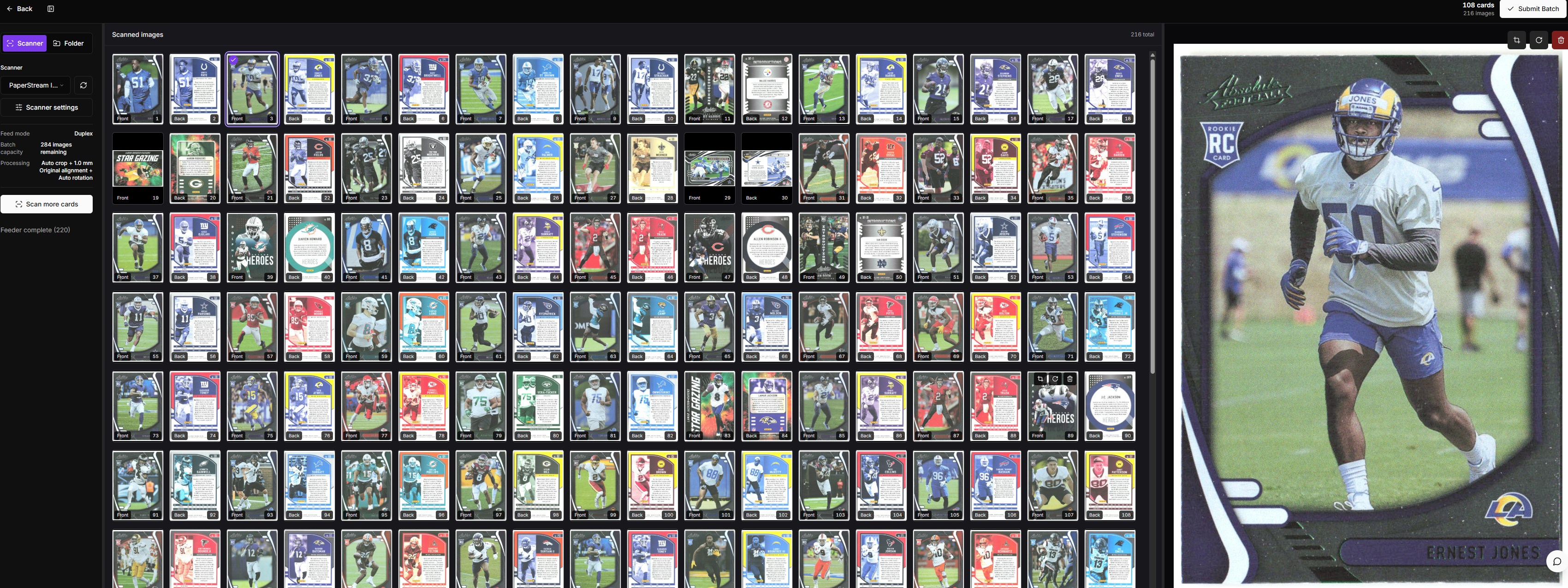
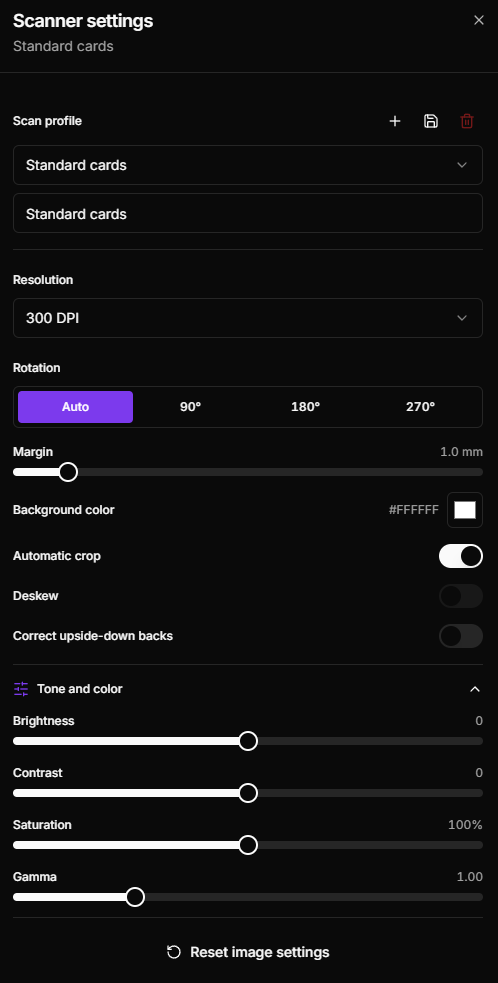
TCG Automate Desktop helps trading card sellers scan cards directly into their TCG Automate batches from a compatible Windows scanner. Scan complete batches, review and edit captured images, and submit cards for recognition without manually moving image files between applications. The desktop app is optional. TCG Automate can still be used through the TCG Automate website without installing the desktop app. FEATURES • Scan complete batches directly from a compatible Windows scanner • Capture card fronts and backs using supported duplex scanners • Review, rotate, crop, or remove images before submission • Save customized scanner profiles and image settings • Submit scanned cards directly into the TCG Automate recognition workflow • Continue working with batches through the TCG Automate website • Access supported marketplace listing and inventory tools based on your subscription plan ACCOUNT AND INTERNET REQUIREMENTS A TCG Automate account and an active internet connection are required. Scanner functionality requires a compatible Windows scanner and its supported Windows driver. SUBSCRIPTIONS AND PURCHASES TCG Automate Desktop is free to download. Some TCG Automate features require a paid subscription purchased through TCG Automate website. Paid plans may include higher monthly scan limits, graded-card tools, marketplace integrations, cross-listing, managed inventory, and automated repricing. Available features and limits depend on the selected subscription plan. Subscriptions and other purchases are processed outside the Microsoft Store. Current prices, billing intervals, plan limits, and included features are displayed before checkout. FREE-TRIAL TERMS AND LIMITATIONS New customers may receive one 7-day free trial of the Beginner monthly plan. The trial is available only for a customer’s first eligible subscription. The trial includes Beginner-plan features and an allowance of up to 500 card scans. Features offered by higher subscription tiers, including certain marketplace, managed inventory, cross-listing, and automated repricing tools, are not included in the Beginner trial. A valid payment method is required to begin the trial. Unless canceled before the 7-day trial ends, the subscription automatically renews as the Beginner monthly plan at $10 USD per month, plus any applicable taxes. Customers can manage or cancel their subscription from Dashboard > Billing in their TCG Automate account. Cancellation must be completed before the trial ends to avoid the first subscription charge. This is not a Microsoft Store-managed trial. Trial enrollment, subscription billing, cancellation, and promotional access are managed through TCG Automate and its external payment provider.
Business · Windows · Free