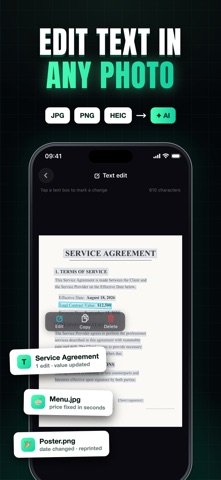
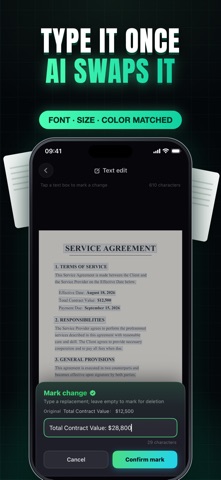
Change any text in a photo with one tap. Qutu's AI matches the original font, size and color, so the new words blend in like they were always there. • Fix a typo on a poster, update a price tag, or change a date in a screenshot • Remove unwanted text and let AI rebuild the background behind it • Add new text anywhere: drag it into place and resize it, AI matches the surrounding style • Translate menus, signs and documents while keeping the original layout • Run edits in the background and get a notification when your image is ready How it works: pick a photo, tap the text you want to change, type the new words, and tap Apply. That's it — no layers, no fonts to hunt for, no design skills. Qutu also restores faded or scratched old photos, upscales blurry images to HD, removes backgrounds, expands image borders, and extracts editable text with OCR. Export clean, high-resolution results with no watermark. Your first edit is free. Qutu offers optional PRO membership with weekly or yearly plans, plus one-time credit packs for additional usage. Payment is charged to your Apple ID at confirmation of purchase. Subscriptions renew automatically unless auto-renewal is turned off at least 24 hours before the end of the current period. You can manage or cancel your subscription anytime in your App Store account settings. Terms of Use: https://funnypixcel.com/terms/ Privacy Policy: https://funnypixcel.com/privacy/
Utilities · iPhone, iPad · Free
Rating: 4.9 out of 5, based on 12 user ratings.