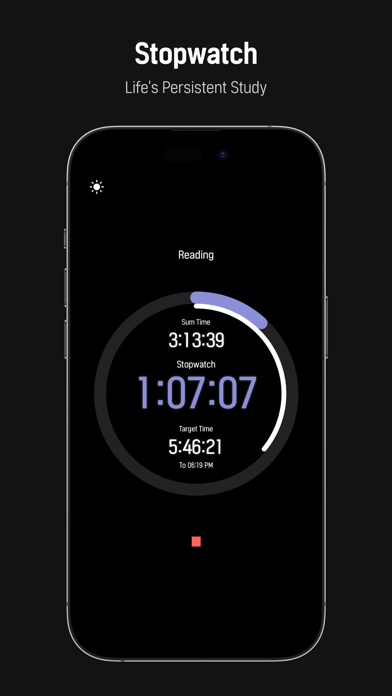
Timer for study, TimerTiTi 타이머티티 A different study every day with your own color! Post #TimerTiTi on Instagram! TiTi Features - Record Measurement - Timer Mode (Recording progresses even at the end of the app) - Record measurement - Stopwatch mode (recorded even at the end of the app) - Record Settings - Target Time, Timer Time Settings - History Settings - Set Month, Week, Daily Target Time for Log Window Display - Log Daily - Provides a cumulative time graph for each 24-hour time zone - Log Daily - Provides a cumulative time graph by record name - Log Week - Provides graphs of accumulated hours by week and by top five recorded names - Log Home - Provides total cumulative time and cumulative time graphs for each of the top five record names - Log Home - Provides the current Month cumulative time graph - Log Home - Provides a cumulative time graph for each of the top five current Month recorded names - Log Home - Provides the current Week cumulative time graph - Notification - 5 minutes before timer expires, notification of shutdown - Notification - Stopwatch 1-hour elapsed notification - Control - Always on screen function - Control - Flip to start recording - Color - Timer & Stopwatch Background Color Color Customization - Color - 12 Graph Theme Colors (Dark & Light Mode) - Todolist - Provides the ability to add, modify, check, and delete Todolist - instagram : @study_withtiti / email : contact.timertiti@gmail.com -
Productivity · iPhone, iPad · Free
Rating: 4.3 out of 5, based on 24 user ratings.