
Screenshots


About Tomatime - Focus Timer
Tomatime keeps your focus sessions honest, on your iPhone and Apple Watch.
Pick a tomato:
• Green tomato: 20 minutes
• Red tomato: 25 minutes
• Golden tomato: 45 minutes
• Diamond tomato: 60 minutes
Watch it count down as big numbers, or as a red clock that empties as time runs out. The countdown stays on your Lock Screen and in the Apple Watch Smart Stack, and the watch-face complication keeps it in sight even when the screen is dimmed.
When a tomato ends, take a 5, 10 or 15 minute break, or set your own: drag around the clock on iPhone, or turn the Digital Crown on Apple Watch.
On Apple Watch, swipe between the red clock, the buttons and the time. Tap to pause or resume, and feel it on your wrist.
Have Tomatime on your Mac too? Sign in with Apple and your Mac, iPhone and Apple Watch follow one timer: start, pause or stop on any of them and the others follow.
No ads. No tracking. Without signing in, everything stays on your device.
AVALW Coverage
Not yet mentioned in AVALW articles.
Similar apps


 MyJio: For Everything JioJio Platforms LimitedTrue 5G, recharges, payments & UPI, music & movies, backup, games, news & more.★ 4.4 27428k


 Microsoft WordMicrosoft CorporationThis application requires a qualifying Microsoft 365 subscription. Microsoft 365 includes premium Word, Excel, and PowerPoint apps, 1 TB cloud storage in OneDri★ 4.8 17535k



 Samsung NotesSamsung Electronics Co, Ltd.(Samsung Notes is optimized for Samsung Galaxy Books. Other computers may have issues running it.) "Samsung Notes allows you to use the enhanced S Pen to write ★ 4.8 15228k



 ChatGPT ClassicOpenAIThe official ChatGPT desktop app brings you the newest model improvements from OpenAI. Do more on your PC with ChatGPT: · Instant answers—Use the [Alt + Space] ★ 4.8 11034k


 ChatGPTOpenAI OpCo, LLCIntroducing ChatGPT for iOS: OpenAI’s latest advancements at your fingertips. This official app is free, syncs your history across devices, and brings you the l★ 4.8 11034k


 Microsoft OutlookMicrosoft CorporationOutlook helps you stay connected and organized at the office and at home with easy access to emails, files, calendar events, and contacts across all your accoun★ 4.3 10673k


 Turbo VPN: Unlimited VPN ProxyINNOVATIVE CONNECTING PTE.LIMITEDDo you want online security and privacy while browsing? Turbo VPN now provides the fastest, reliable and encrypted network. With Turbo VPN, you can get the safe★ 4.7 10243k



 Microsoft ExcelMicrosoft CorporationThis application requires a qualifying Microsoft 365 subscription. Microsoft 365 includes premium Word, Excel, and PowerPoint apps, 1 TB cloud storage in OneDri★ 4.8 9702k
More by this developer


 Doomblock - stop doomscrollingSonggun LeeDoomblock helps you stop opening Instagram and YouTube on impulse. Press Lock on a target. Getting back in takes a deliberate unlock request and a waiting perio-
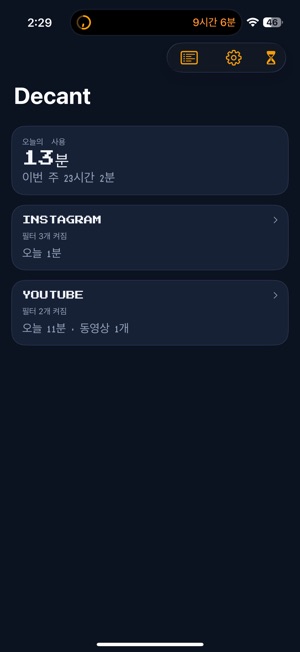


 Decant - Social FilterSonggun LeeDecant is social media without the algorithmic sludge. Open Instagram, YouTube, X, TikTok, and Snapchat in filtered browsers that hide Reels, Shorts, For You, a★ 5.0 1


 Frameroll: Photo JournalSonggun LeeFrameroll shows your photo library one day at a time, like a roll of film instead of an endless grid. YOUR DAYS, BY PLACE • Each day is headed by where you were-