Screenshots




About Track Anything Journal
Track Anything is a custom tracker you build yourself: you name the thing, choose the fields, and set the rhythm.
A habit. Hours of sleep. A mood record for Thursday's appointment. A reading log, a page count, a plant.
Then your projects, tasks and goals live in the same day.
Build the tracker each thing needs
A tracker is a small form you design in three steps. Seven field types: Number, Text, Rating, Yes / no, Choice, Multiple choice, Date. Number fields take a unit; number and rating fields take a range, an increment, a direction that counts as progress, and a success target. Start from Build my own, one of three ready-made setups (Sleep notes, Plant journal, Reading nook), or a copy of a tracker you already keep.
Rhythms, not rules
Every day, some days, monthly or annual, at an interval like every two weeks, with an end date if the thing has one. Streaks count only the days you asked for, so a Tuesday off never breaks a Monday, Wednesday, Friday run, and a today that is still open does not end it. One capture a day, or as many as the day holds if you set the tracker to Event mode.
Capture in one screen
Quick capture opens from the tracker card with the fields you marked required. Repeat last capture and Use safe defaults fill it in when today looks like yesterday. A capture you make is undoable, and the confirmation says whether it reached the server or is waiting on this device. Catch up missed days closes a gap in one pass.
Look back without flattery
Summary, Trends and Entries across 35 days, 90 days, 6 months, a year or all time, and Trends compares a period with the one before. Sparklines you can drag to read a single day, your target marked behind the line, and real date spacing, so gaps look like gaps. A dot calendar you page back month by month; tap a day to fill it in. The share of due days you kept. Possible relationships puts two numeric fields side by side and says how closely they moved together, never that one caused the other. Export a tracker as a CSV report, or paste a CSV in and older history comes too.
The rest of the day
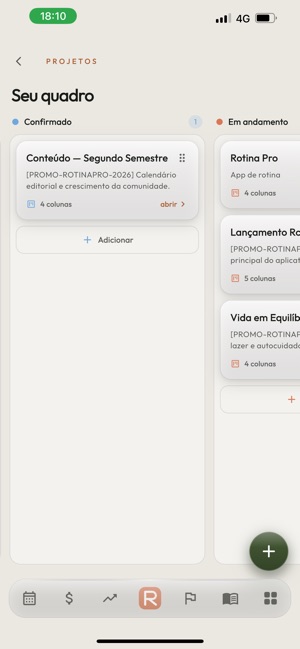
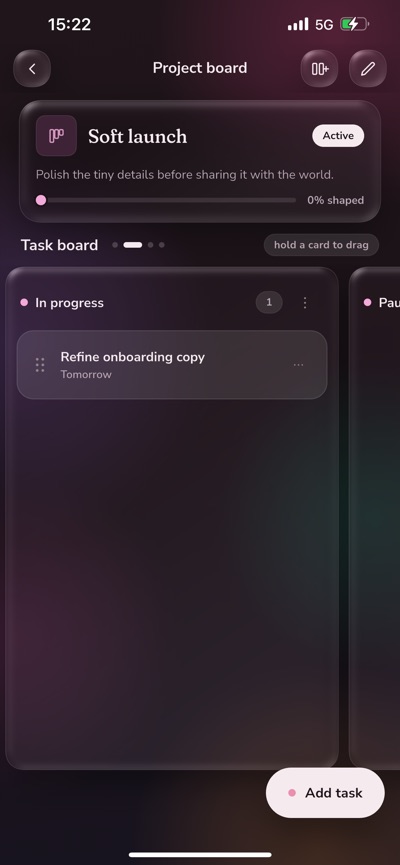
Today opens on a swipeable week strip, the day grouped into Morning, Anytime, Afternoon and Evening. Home gathers what is still due, plus the habits you keep with a tap; Inbox holds the undated, Late what slipped, Upcoming what has not arrived. Projects carry tasks, progress drawn from those tasks, and a drag-and-drop board whose stages you rename, reorder and remove. Tasks, events, meetings, milestones and goals sit in the same days as the trackers, and a repeating one can be edited for a single day or the whole series. Swipe to complete or delete, undo either, and search reaches everything.
Yours, and portable
Captures made without a signal wait in an outbox and upload themselves later, each with an id, so nothing is written twice. When a change collides with the server, the Sync centre shows your version beside the server copy and you decide. The local cache is encrypted on the device, App lock puts Face ID, Touch ID or your passcode in front of everything, and reminders are local. Two-factor sign-in with recovery codes, sign out everywhere, a full JSON export, and account deletion that takes the data with it.
Sharing, if you want it
Choose a friend, then choose what they may see; sharing is read-only, and nothing is shared until both people confirm. A tracker you share exposes its setup, never its captures, and a template you send arrives with an empty history. Blocking is available from any friend or request.
Light and dark follow the system, the week starts where you say, the clock reads 12 or 24 hours. Text is contrast-checked and layouts grow with the system font, on iPhone and iPad. An account keeps your history with you rather than with one phone, and opens in a browser at trackanything.cloud too. One tap loads sample data if you would rather look around first.
Privacy policy: https://trackanything.cloud/privacy
Support: https://trackanything.cloud/support
AVALW Coverage
Not yet mentioned in AVALW articles.
Similar apps


 MyJio: For Everything JioJio Platforms LimitedTrue 5G, recharges, payments & UPI, music & movies, backup, games, news & more.★ 4.4 27428k


 Microsoft WordMicrosoft CorporationThis application requires a qualifying Microsoft 365 subscription. Microsoft 365 includes premium Word, Excel, and PowerPoint apps, 1 TB cloud storage in OneDri★ 4.8 17535k



 Samsung NotesSamsung Electronics Co, Ltd.(Samsung Notes is optimized for Samsung Galaxy Books. Other computers may have issues running it.) "Samsung Notes allows you to use the enhanced S Pen to write ★ 4.8 15228k



 ChatGPT ClassicOpenAIThe official ChatGPT desktop app brings you the newest model improvements from OpenAI. Do more on your PC with ChatGPT: · Instant answers—Use the [Alt + Space] ★ 4.8 11034k


 ChatGPTOpenAI OpCo, LLCIntroducing ChatGPT for iOS: OpenAI’s latest advancements at your fingertips. This official app is free, syncs your history across devices, and brings you the l★ 4.8 11034k


 Microsoft OutlookMicrosoft CorporationOutlook helps you stay connected and organized at the office and at home with easy access to emails, files, calendar events, and contacts across all your accoun★ 4.3 10673k


 Turbo VPN: Unlimited VPN ProxyINNOVATIVE CONNECTING PTE.LIMITEDDo you want online security and privacy while browsing? Turbo VPN now provides the fastest, reliable and encrypted network. With Turbo VPN, you can get the safe★ 4.7 10243k



 Microsoft ExcelMicrosoft CorporationThis application requires a qualifying Microsoft 365 subscription. Microsoft 365 includes premium Word, Excel, and PowerPoint apps, 1 TB cloud storage in OneDri★ 4.8 9702k