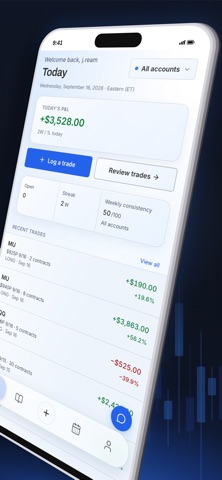
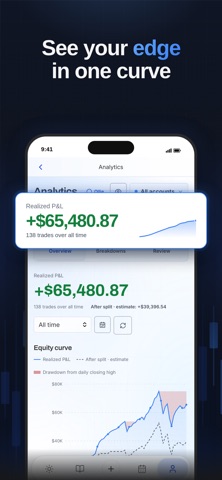
TradeDeck is a trading journal that helps you record your trades, review your decisions, and build a consistent routine. KEEP YOUR TRADES TOGETHER Log trades across stocks, options, futures, forex, and crypto. Record entries, exits, fees, setups, and notes. Track partial entries and exits, and combine compatible records into one trade. SEE YOUR PERFORMANCE Review realized P&L, win rate, average winners and losers, and drawdown. Use the performance calendar to revisit trading days and spot patterns in your journal. TRACK PROP FIRM ACCOUNTS Keep trading accounts organized and record prop firm expenses and payouts. Review your results alongside your account activity. BUILD A REVIEW HABIT Capture journal notes, tag setups, and complete weekly reviews. Existing mentorship members can access their assigned lessons, goals, and coach feedback. OPTIONAL AI TOOLS Use Snap Trade to turn chosen broker screenshots into draft journal entries, or ask Ollie about patterns in your logged trades. Review the information before saving. AI features identify the data shared with Anthropic before you choose to use them. MADE FOR IPHONE Add screenshots from your camera or photo library, share trade cards, and choose light or dark appearance. Optional Face ID app lock helps protect access on your device. Sign in with your TradeDeck account. Feature availability depends on your account access. An internet connection is required. TradeDeck is a journaling and review tool. It does not place trades or hold funds, and it does not provide financial advice.
Finance · iPhone, iPad · Free
Rating: 5.0 out of 5, based on 5 user ratings.