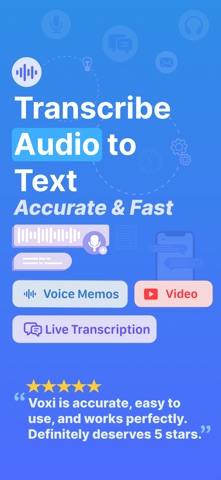
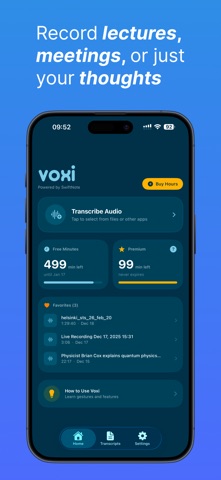
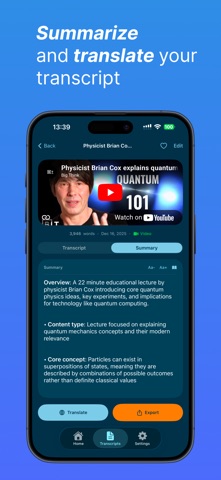
Voxi turns your audio into accurate text in seconds Whether you're a student recording lectures, a journalist capturing interviews, a podcaster needing show transcript, or a professional transcribing meetings, Voxi makes it effortless. TRANSCRIBE ANYTHING • Import audio files from your device (MP3, M4A, WAV, AIFF, and more) • Paste a YouTube link and get the transcript instantly • Record and transcribe in real-time with live transcription 30+ LANGUAGES SUPPORTED Auto-detect or choose from English, Spanish, Portuguese, German, French, Italian, Dutch, Japanese, Korean, Chinese, Arabic, Hindi, Turkish, Russian, and many more. SPEAKER IDENTIFICATION Distinguish between multiple speakers with AI-powered speaker diarization. Perfect for interviews, meetings, and podcasts. STAY ORGANIZED • Create custom folders to organize your transcripts • Mark favorites for quick access • Search through titles and content • Edit transcripts with the built-in editor EXPORT YOUR WAY Export transcripts in multiple formats: • TXT, DOCX, PDF, MD, JSON or share. SEAMLESS SWIFTNOTE INTEGRATION Send your transcripts directly to SwiftNote to transform them into structured study notes, summaries, flashcards, and more. PRIVACY & SECURITY • Sign in securely with Apple or Google • Face ID and Touch ID protection FLEXIBLE PRICING • Buy hour packages that never expire • Subscribe for unlimited transcription and premium features Terms of Use: https://www.apple.com/legal/internet-services/itunes/dev/stdeula/
Productivity · iPhone, iPad · Free
Rating: 4.3 out of 5, based on 10 user ratings.