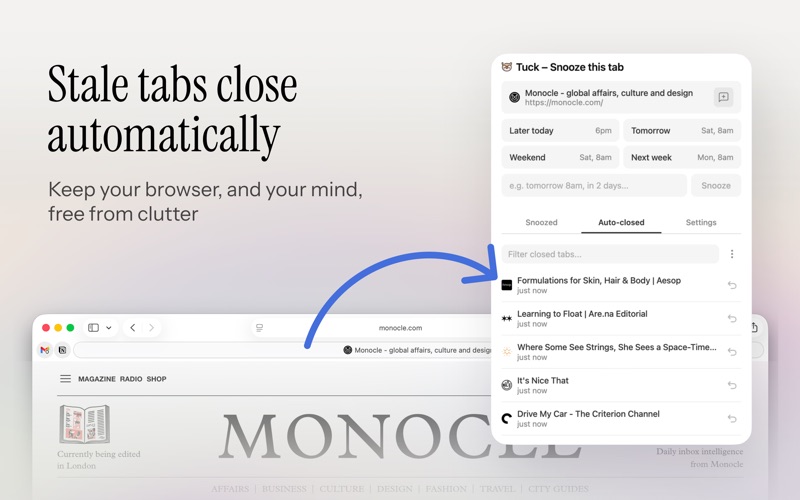
Tuck keeps your browser clean without losing anything. Snooze any tab to close it now and have it reopen automatically — later today, tomorrow morning, next week, or whenever you need it. Add a note so you remember why you saved it. Tabs you haven't touched in a while are quietly auto-closed and saved. Recover any of them from the popup with one click. Set your own idle threshold and whitelist domains you never want closed, like email or calendars. Features: • Snooze tabs with natural language scheduling ("tomorrow 9am", "in 2 hours", "next Monday") • Keyboard shortcuts: ⌘+Shift+Y to open Tuck, ⌘+Shift+1/2/3/4 for instant snooze • Make the four presets your own — any relative time, synced across your devices • Add notes to snoozed tabs for context • Auto-close idle tabs after a configurable period (default 24 hours) • One-click recovery of auto-closed tabs • Whitelist domains to protect from auto-close • Available in 11 languages • All data stored locally — nothing leaves your device
Utilities · iPhone, iPad · Free